A CLI for generating SSH Certificates via Sign-in with Slack.
SSH Certificates are easier to manage than SSH keys primarily because Certificates can expire automatically. This expiration means access to Sparkbox Slack is required to get SSH access to our various servers which strikes a good balance between security and maintenance overhead.
brew tap sparkbox/brewbrew install sparkbox/brew/sb
- Download
sbfrom the latest release - Unzip the file
- Move the
sbbinary to a location your$PATHunderstands: e.g.mv sb /usr/local/bin/sb - Start a fresh shell instance (new Terminal window)
- Login by running
sb login. This should launch a Sign-in with Slack prompt in your browser. Paste the resultant ID and token back tosb. - Run
sb sshto generate a new, time limited SSH certificate. - Run
ssh-add -lto verify your localssh-agenthas the cert by locating theECDSA-CERTentry. - You can now SSH to any host that is configured to trust the Certificate Authority.
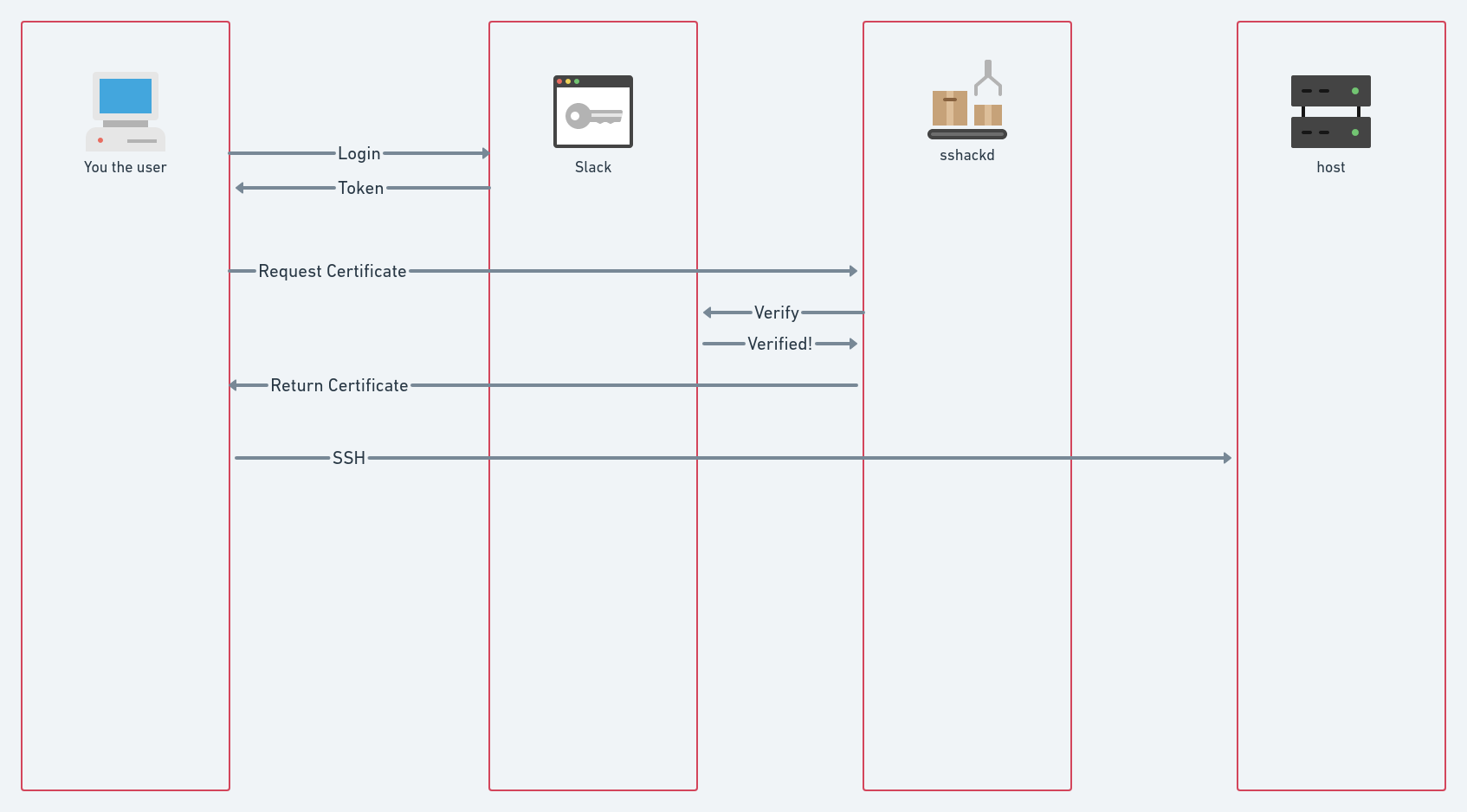
- If you are using an Intel based machine, use the AMD64 file.
- If you are using an M1 MacBook, use the AMR64 file.
If you are getting permission denied errors and you are uncertain why, check whether you are using 1Password as your SSH agent. 1Password can manage SSH keys separately from the system ssh-agent, which can prevent sb certificates from being used when you connect to a host.
- Open
~/.ssh/config - If the file has the following, it is using 1Password to manage SSH keys.
Host *
  IdentityAgent "~/Library/Group Containers/2BUA8C4S2C.com.1password/t/agent.sock"
- Remove
IdentityAgent "~/Library/Group Containers/2BUA8C4S2C.com.1password/t/agent.sock"from the file and save it. - Try using
sb sshagain.