A fuzzy cd command for Total Commander by learning your habit.
tcz_cd can study the directory history in TC and helps you change directory rapidly with a fuzzy finder:
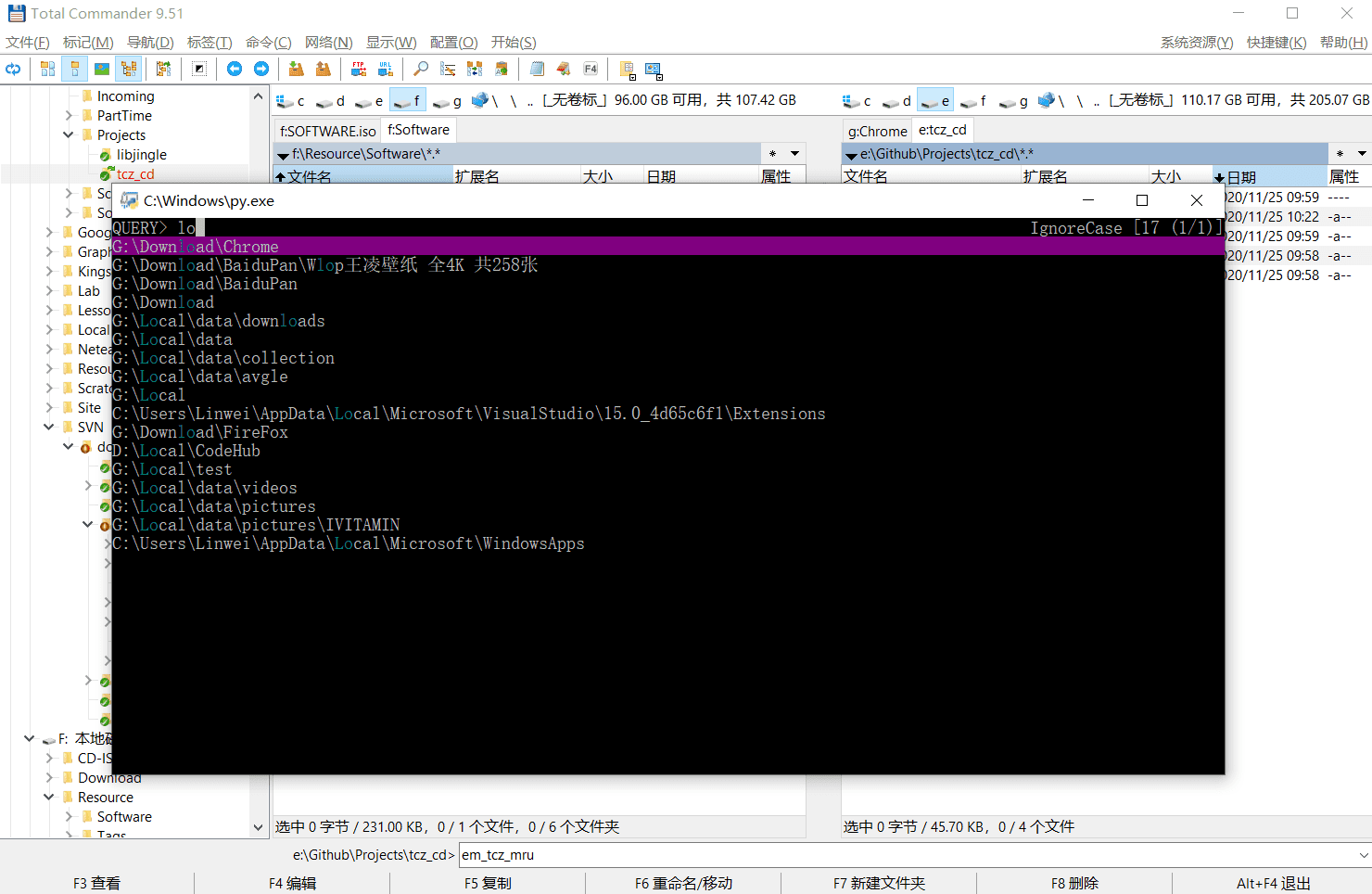
Possibilities:
- Jump in history directories (aka, Most Recently Used dirs).
- Jump in project directories.
- Jump forward.
- Jump backward.
Install one of the supported fuzzy finders (peco, gof and fzf) in your windows:
scoop install pecopeco and gof are recommended because fzf cannot display wide unicode characters correctly in Windows.
Copy tcz_cd.py into one of the subdirectory:
cd totalcmd
mkdir tools
copy /path/to/tcz.py tools
The commands above will copy tcz.py into %COMMANDER_PATH%\tools.
Edit your usercmd.ini and add the following code:
[em_tcz_mru]
cmd=%COMMANDER_PATH%\tools\tcz_cd.py
param=-m

[em_tcz_forward]
cmd=%COMMANDER_PATH%\tools\tcz_cd.py
param=-f

[em_tcz_backward]
cmd=%COMMANDER_PATH%\tools\tcz_cd.py
param=-b

[em_tcz_project]
cmd=%COMMANDER_PATH%\tools\tcz_cd.py
param=-p

[em_tcz_root]
cmd=%COMMANDER_PATH%\tools\tcz_cd.py
param=-r
After this, you can try em_tcz_mru in TC's command line. If it works correctly, assign a keymap for these commands, edit wincmd.ini:
[Shortcuts]
A+L=em_tcz_mru
A+P=em_tcz_forward
Type em_tcz_mru in your tc's command line:

Press ENTER and fuzzy finder peco will display:
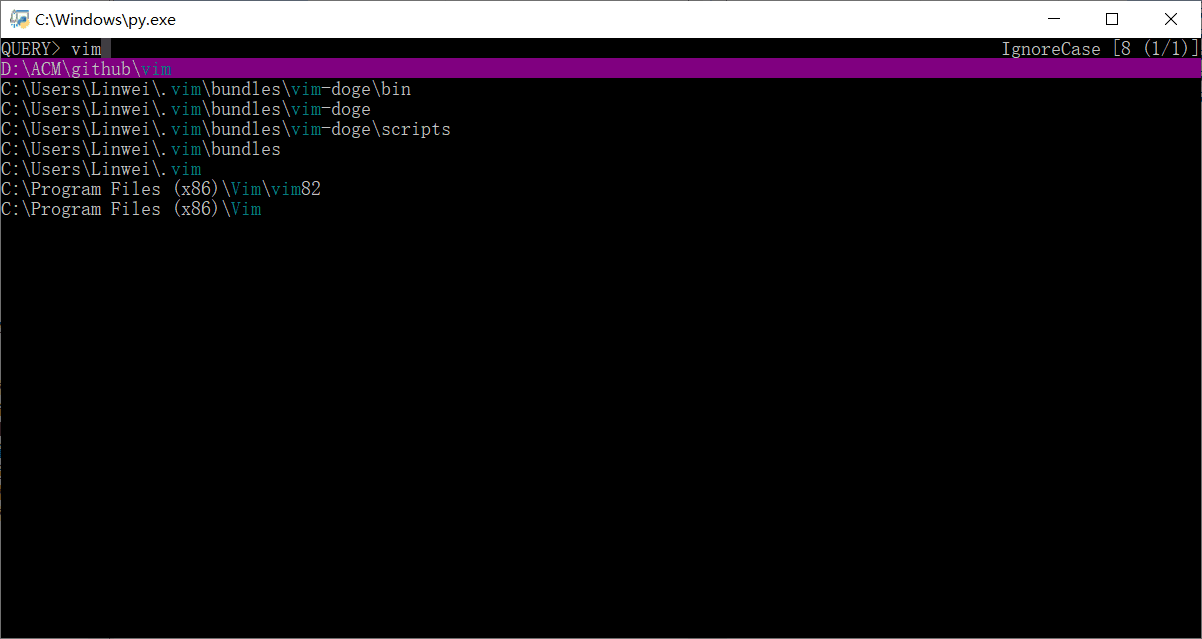
Try to input something, press ENTER to accept, ESC to give up and CTRL+J/K to move cursor up and down.
Once a candidate is accepted by ENTER, it will tell tc to change the current directory to the destination.
Tornado