docs(editor): move inputs, runtime events to legacy features #643
There are no files selected for viewing
This file contains hidden or bidirectional Unicode text that may be interpreted or compiled differently than what appears below. To review, open the file in an editor that reveals hidden Unicode characters.
Learn more about bidirectional Unicode characters
This file contains hidden or bidirectional Unicode text that may be interpreted or compiled differently than what appears below. To review, open the file in an editor that reveals hidden Unicode characters.
Learn more about bidirectional Unicode characters
| Original file line number | Diff line number | Diff line change |
|---|---|---|
| @@ -0,0 +1,38 @@ | ||
| --- | ||
| title: 'Events at Runtime' | ||
| description: "Using events to communicate with runtime code (deprecated)" | ||
| noindex: true; | ||
| --- | ||
| import { YouTube } from "/snippets/youtube.mdx"; | ||
|
|
||
| <Warning> | ||
| **DEPRECATION NOTICE:** | ||
|
|
||
| [Rive Events](/editor/events/overview) are still fully supported within a Rive file. However, using events to communicate with runtime code is deprecated. | ||
|
|
||
| **For new projects:** Use [Data Binding](/editor/data-binding) instead. | ||
|
|
||
| **This content is provided for legacy support only.** | ||
| </Warning> | ||
|
|
||
| For general information about adding, creating, and signaling events, see [Rive Events](/editor/events/overview). | ||
|
|
||
| <YouTube id="M5DIDVtYI_Y" /> | ||
|
|
||
| General Events were previously used to send signals from a Rive file to runtime code. They allowed designers and developers to coordinate behavior by passing event data at specific moments in an animation. | ||
|
|
||
| This approach has been deprecated in favor of [Data Binding](/editor/data-binding/), which provides a more structured and predictable way to communicate with runtime code. | ||
|
|
||
| ## Properties | ||
|
|
||
| Properties allow you to attach additional data to an Event that can be read by the runtime. | ||
|
|
||
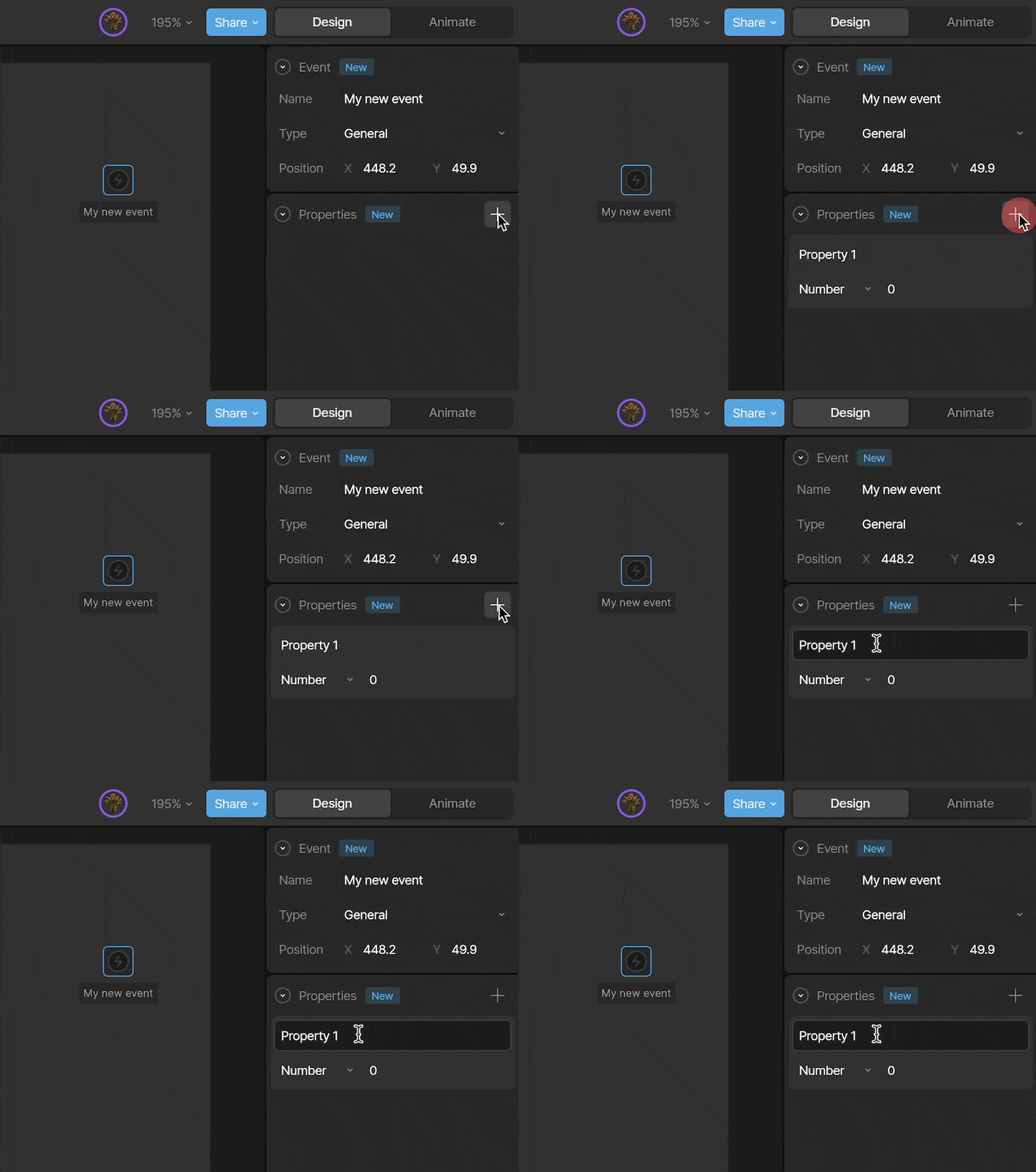
| To add a new property, click the `+` button next to Properties. | ||
|
|
||
|  | ||
|
|
||
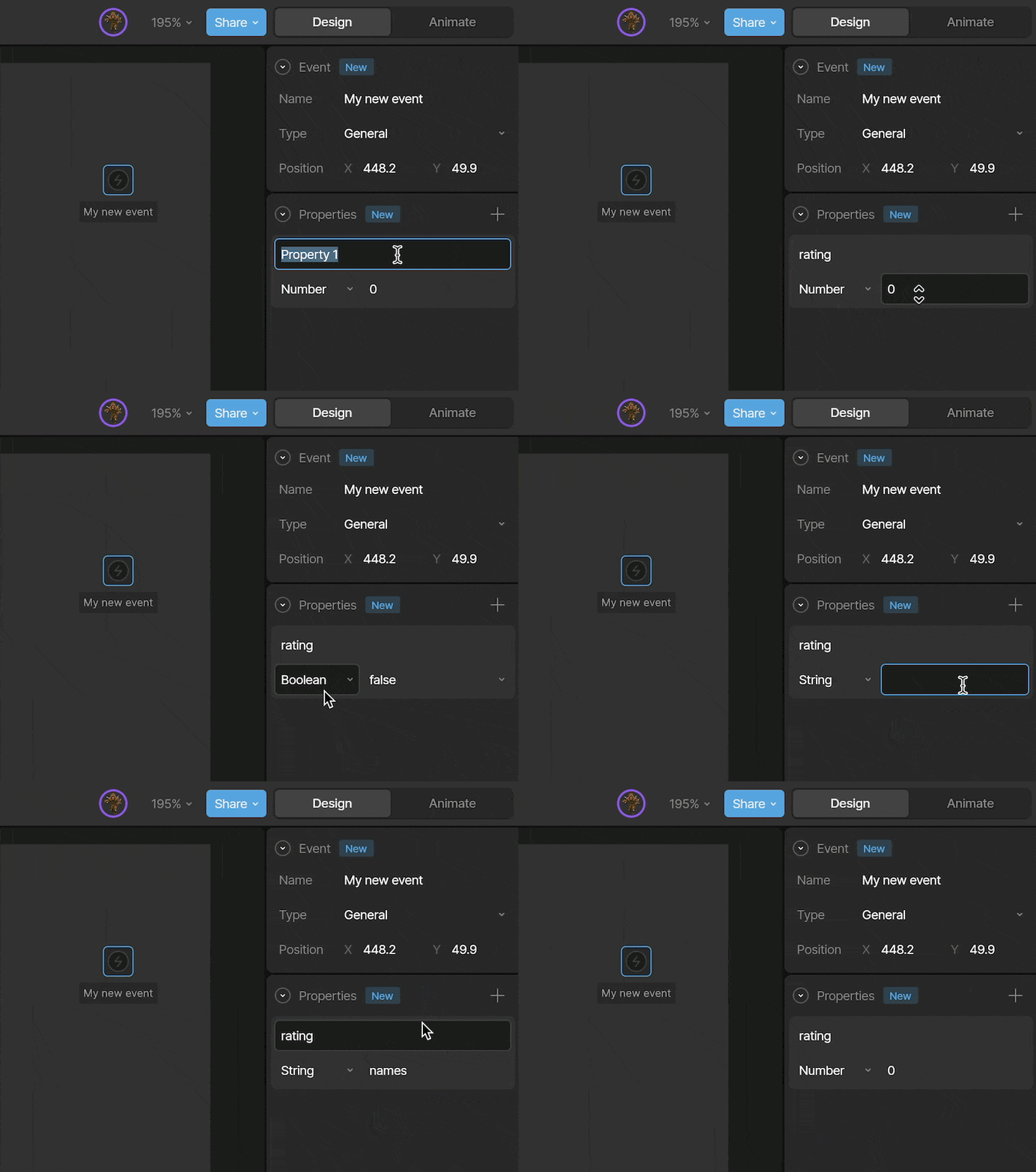
| Give your property a clear name, then choose the type of value it represents, which can be a Number, Boolean, or String. | ||
|
|
||
|  | ||
|
|
||
| You can key a property on the timeline to update its value over time. When the Event is reported, the runtime receives the current value of each property. |
This file contains hidden or bidirectional Unicode text that may be interpreted or compiled differently than what appears below. To review, open the file in an editor that reveals hidden Unicode characters.
Learn more about bidirectional Unicode characters
| Original file line number | Diff line number | Diff line change |
|---|---|---|
| @@ -0,0 +1,51 @@ | ||
| --- | ||
| title: 'Open URL Events' | ||
| description: "Using events to open URLs at runtime" | ||
| noindex: true; | ||
| --- | ||
|
|
||
| <Warning> | ||
| Open URL Events are not supported on Apple or Android runtimes. | ||
| </Warning> | ||
|
|
||
| <Note> | ||
| For security reasons, Open URL Events are disabled by default in web runtimes. | ||
|
|
||
| To enable them, set `automaticallyHandleEvents` to `true`. | ||
| </Note> | ||
|
|
||
| <Note> | ||
| For security reasons, Open URL Events are disabled in share links and on the Rive Marketplace. | ||
| </Note> | ||
|
|
||
| For general information about adding, creating, and signaling events, see [Rive Events](/editor/events/overview). | ||
|
|
||
| ### URL Properties | ||
|
|
||
| When you select the **Open URL** Event type, additional configuration options become available. | ||
|
|
||
|  | ||
|
|
||
| Enter the URL you want to open. | ||
|
|
||
| <Info> | ||
| Include the URL protocol (for example, `http://` or `https://`) when linking to external domains. | ||
| </Info> | ||
|
|
||
| The **Target** determines where the URL opens in the browser. | ||
|
|
||
| - `Blank` — Opens the link in a new tab or window, depending on browser settings. | ||
| **Note:** If the Event is not triggered by a user interaction (for example, via a Listener), the browser may block it as a popup. | ||
| - `Parent` — Opens in the parent browsing context. If no parent exists, behaves like `Self`. | ||
| - `Self` — Opens in the current browsing context. | ||
| - `Top` — Opens in the topmost browsing context. If no ancestor exists, behaves like `Self`. | ||
|
|
||
| <Info> | ||
| For security reasons, URLs are not opened by default in embeds or Marketplace posts. This behavior may change in the future. | ||
| </Info> | ||
|
|
||
| ### Properties (Deprecated) | ||
|
|
||
| Properties allow an Event to carry additional data to the runtime. | ||
|
|
||
| This feature is deprecated and has been replaced by [Data Binding](/editor/data-binding). | ||
This file contains hidden or bidirectional Unicode text that may be interpreted or compiled differently than what appears below. To review, open the file in an editor that reveals hidden Unicode characters.
Learn more about bidirectional Unicode characters
| Original file line number | Diff line number | Diff line change |
|---|---|---|
| @@ -1,109 +1,71 @@ | ||
| --- | ||
| title: 'Events Overview' | ||
| sidebarTitle: 'Overview' | ||
| description: "Creating and signaling Rive Events" | ||
| --- | ||
| import { YouTube } from "/snippets/youtube.mdx"; | ||
|
|
||
|
Comment on lines
-8
to
-13
Collaborator
Author
There was a problem hiding this comment. This isn't true. Events are still valid, just not for communicating with the runtime code. |
||
| Events live within an artboard and are used to signal that something has happened. They can be fired from timelines, states, transitions, or listeners. | ||
|
|
||
| Rive supports three types of events: | ||
|
|
||
|
Contributor
There was a problem hiding this comment. Without this, we no longer have a high level explanation of what events are good for. We now jump straight to "Creating an Event". With events not being deprecated on the editor side (which I don't fully understand - why can't data binding do all of what they can?), we should provide a new explanation for their purpose.
Collaborator
Author
There was a problem hiding this comment. There's really only one remaining use. You can't key a view model property or trigger, but you can key an event which can affect vm props. It's kind of roundabout. :/ |
||
| - [Open URL Event](/editor/events/open-url-events) — Opens a URL at runtime | ||
| - [Audio Event](/editor/events/audio-events) — Plays a sound | ||
| - [General Event (deprecated)](/editor/events/general-events) — Previously used to communicate with runtime code | ||
|
|
||
| ## Creating an Event | ||
|
|
||
| <Steps> | ||
| <Step title="Create an Event"> | ||
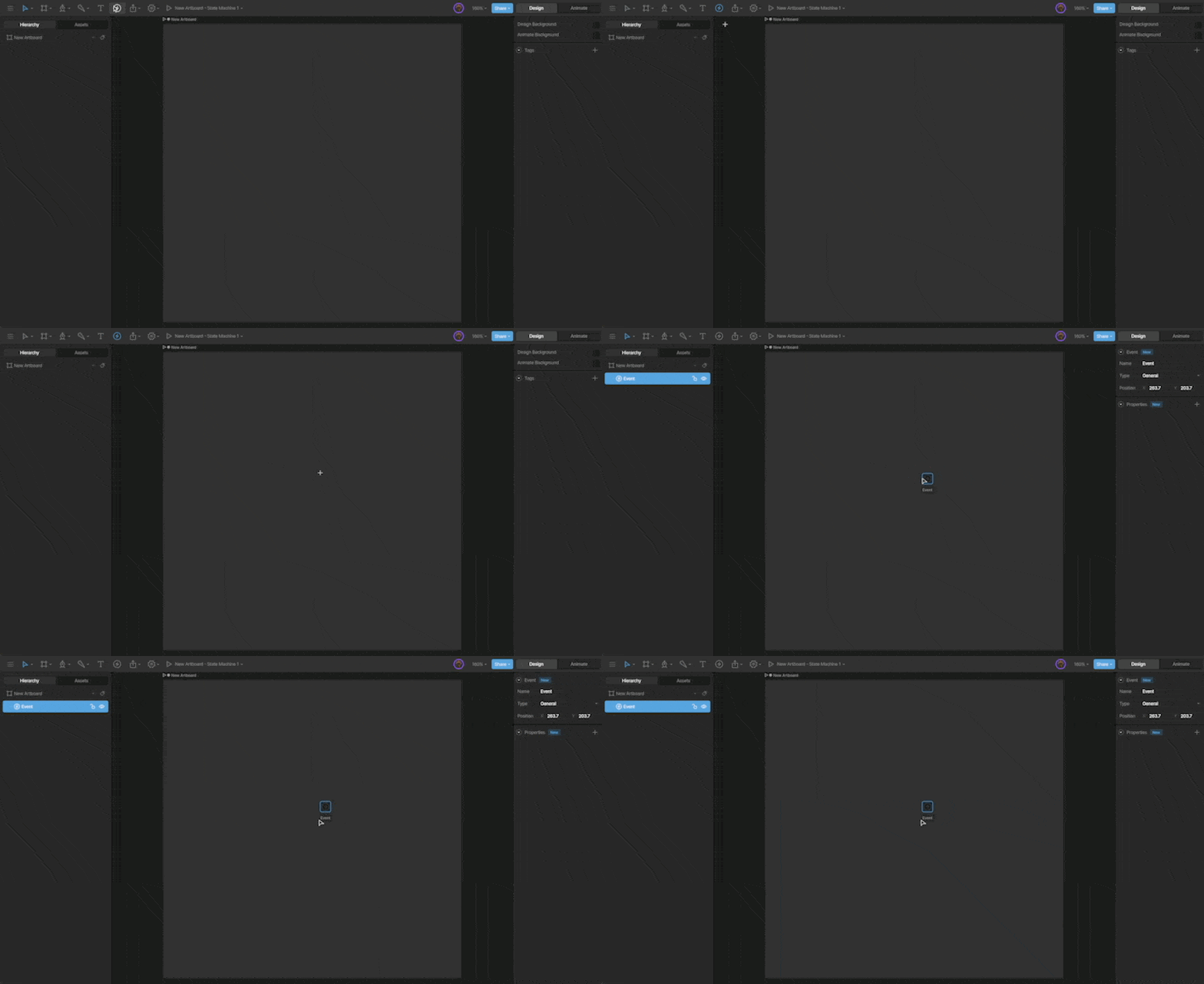
| Use the Events tool located in the toolbar and click anywhere on the artboard. | ||
|
|
||
|  | ||
|
|
||
| You'll notice that the event is displayed on the artboard and in the Hierarchy. | ||
| </Step> | ||
| <Step title="Name your Event"> | ||
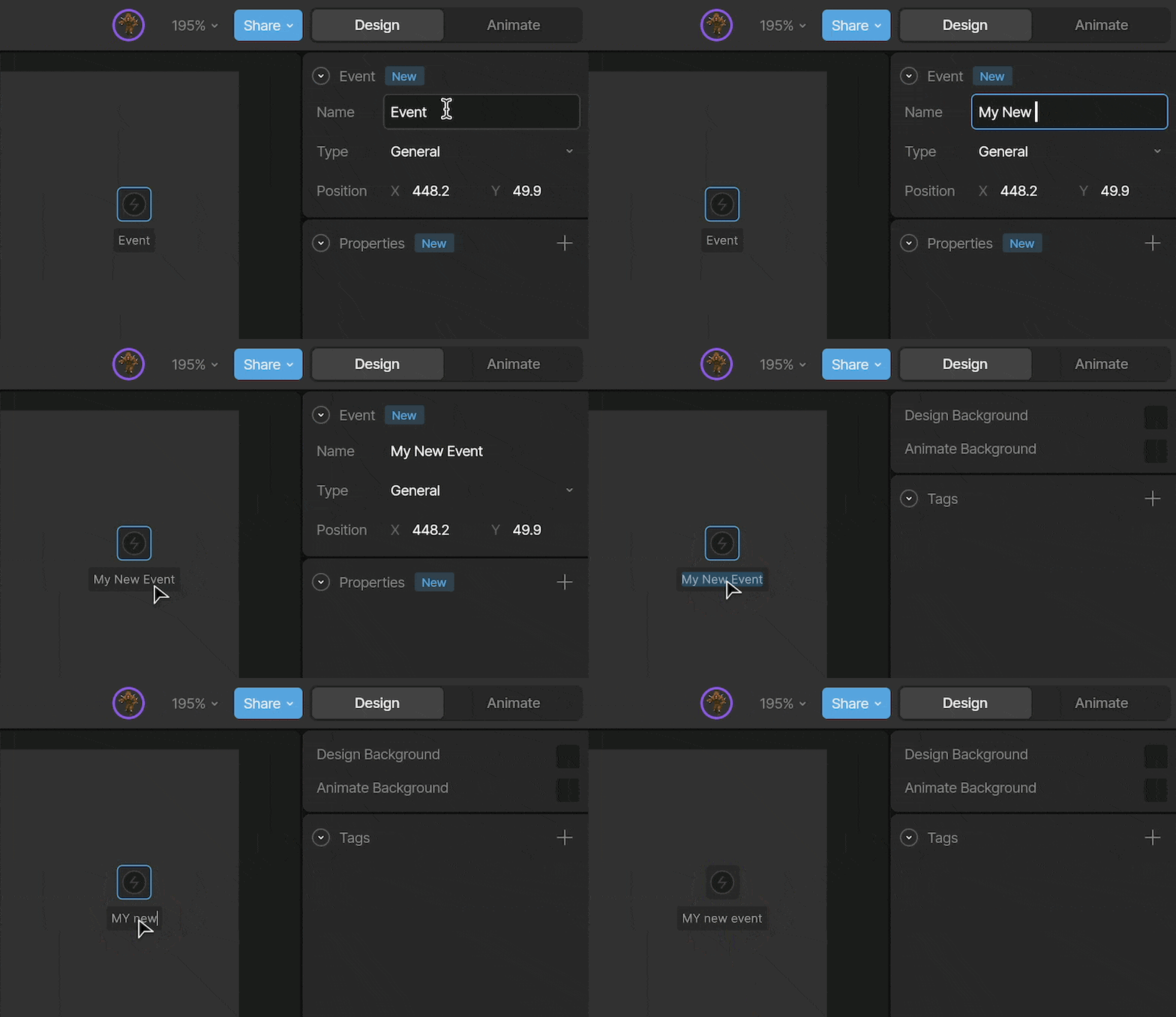
| Give your event a name so it’s easy to identify and reference. | ||
|
|
||
| You can rename it using the **Name** field, or by double-clicking the name directly on the artboard. | ||
|
|
||
|  | ||
| </Step> | ||
| <Step title="Select an Event type"> | ||
| The Type dropdown allows you to change the event type between Audio, URL, and General. | ||
|
|
||
| 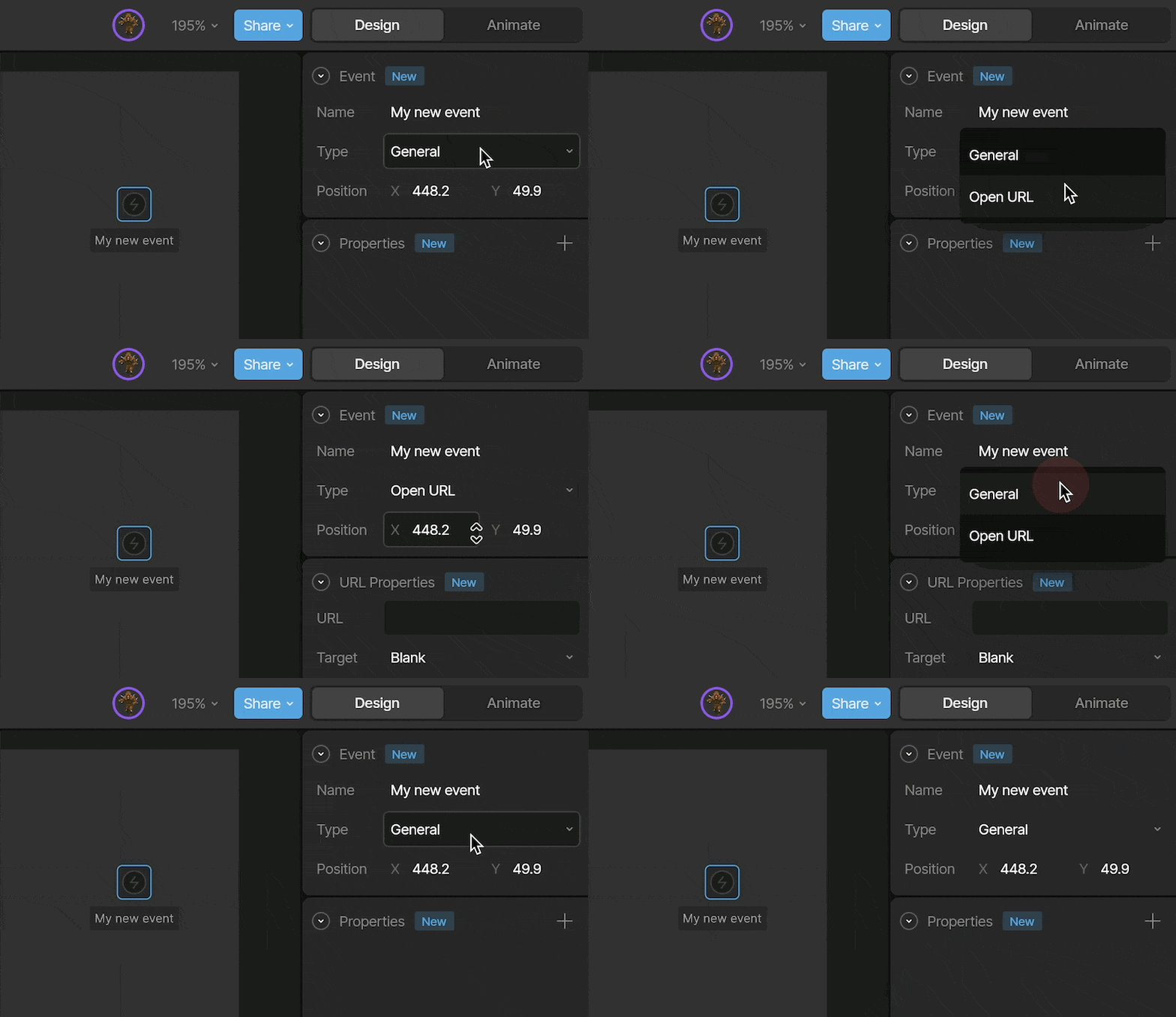 | ||
| </Step> | ||
| <Step title="Set your Event Properties"> | ||
| Each event type has its own set of properties. | ||
|
|
||
| For more information on the specific event types, see [Open URL Events](/editor/events/open-url-events), [Audio Events](/editor/events/audio-events), and [General Events (deprecated)](/editor/events/general-events). | ||
| </Step> | ||
| </Steps> | ||
|
|
||
|
|
||
| ## Signaling an Event | ||
|
|
||
| We can signal an event in four ways: from a timeline, a listener, a state, or a transition. | ||
|
|
||
| ### Timeline | ||
|
|
||
| Signaling an event from the timeline lets you control the exact moment in an animation when the event fires. | ||
|
|
||
| First, select the timeline you want to add the event to. Then use the **Report Event** button in the Inspector. | ||
|
|
||
| 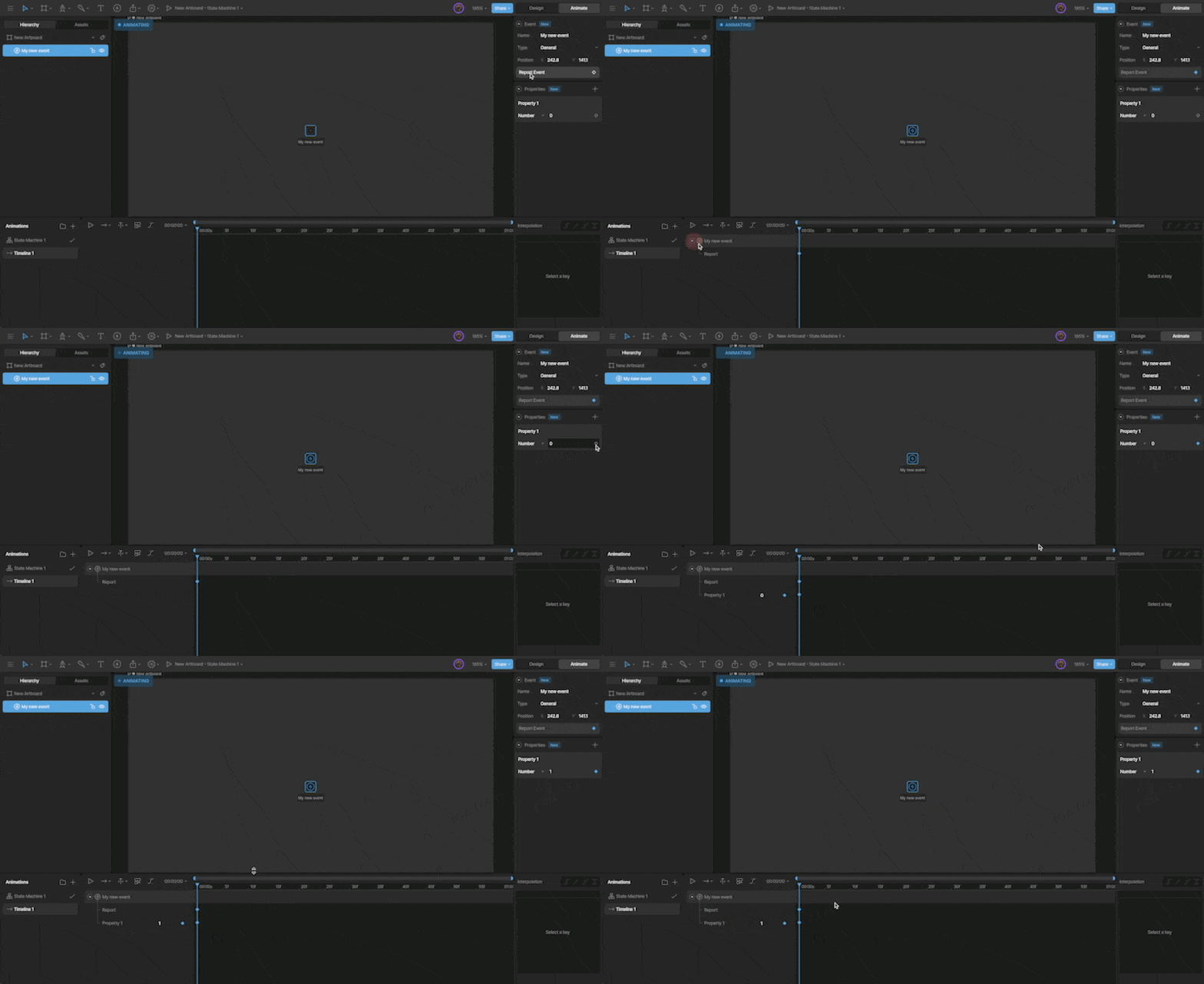 | ||
|
|
||
| ### Transition & State | ||
|
|
||
| You can report an event on a transition or a state. To report an event, select the desired state or transition and use the `+` button next to the Events section in the Inspector. | ||
|
|
||
|
|
||
| 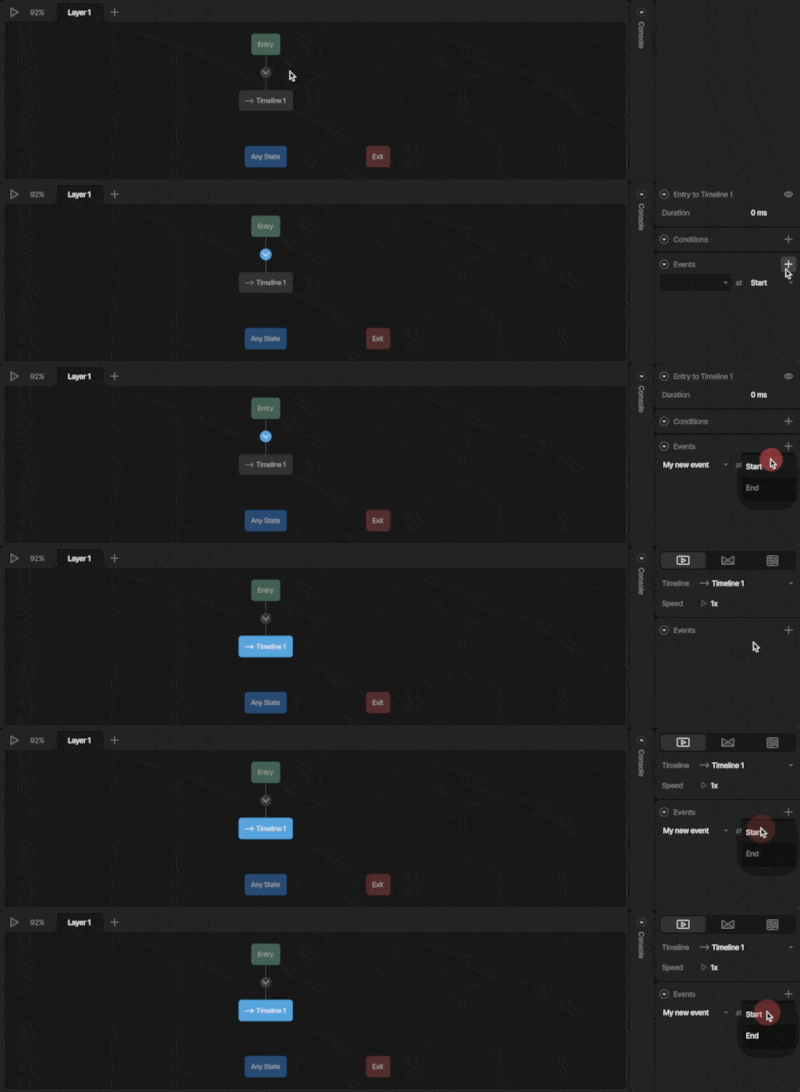 | ||
|
|
||
| Now that we've selected the event, we can decide whether it is signaled at the start or end of the transition or state. | ||
|
|
||
| ### Listeners | ||
|
|
||
| With your [Listener](/editor/state-machine/listeners) selected, click the `+` below the State Machine Graph, and select **Report Event**. | ||
|
|
||
|  | ||


This file contains hidden or bidirectional Unicode text that may be interpreted or compiled differently than what appears below. To review, open the file in an editor that reveals hidden Unicode characters.
Learn more about bidirectional Unicode characters

Loading
Sorry, something went wrong. Reload?
Sorry, we cannot display this file.
Sorry, this file is invalid so it cannot be displayed.
Add this suggestion to a batch that can be applied as a single commit.
This suggestion is invalid because no changes were made to the code.
Suggestions cannot be applied while the pull request is closed.
Suggestions cannot be applied while viewing a subset of changes.
Only one suggestion per line can be applied in a batch.
Add this suggestion to a batch that can be applied as a single commit.
Applying suggestions on deleted lines is not supported.
You must change the existing code in this line in order to create a valid suggestion.
Outdated suggestions cannot be applied.
This suggestion has been applied or marked resolved.
Suggestions cannot be applied from pending reviews.
Suggestions cannot be applied on multi-line comments.
Suggestions cannot be applied while the pull request is queued to merge.
Suggestion cannot be applied right now. Please check back later.
There was a problem hiding this comment.
Choose a reason for hiding this comment
The reason will be displayed to describe this comment to others. Learn more.
As a note, this functionality was never added to the command queue, and so we have no way of responding to them. We need to consider as a team whether we want this functionality. Is it a security risk to allow Rive files to open arbitrary URLs? What if they point a user to a compromised website or a phishing scam?
There was a problem hiding this comment.
Choose a reason for hiding this comment
The reason will be displayed to describe this comment to others. Learn more.
This was always more of a convenience as well. Developers could still react to a data binding event and open a browser using whatever native APIs are available to do that.
There was a problem hiding this comment.
Choose a reason for hiding this comment
The reason will be displayed to describe this comment to others. Learn more.
For now I'm adding a warning about Apple/Android, but I can definitely see getting rid of these altogether.
They tend to confuse people at runtime because they're disabled by default and aren't supported in the marketplace or share links. You need to set property to make them work.
There was a problem hiding this comment.
Choose a reason for hiding this comment
The reason will be displayed to describe this comment to others. Learn more.
3 big new warnings that scream "maybe don't use this". 😂