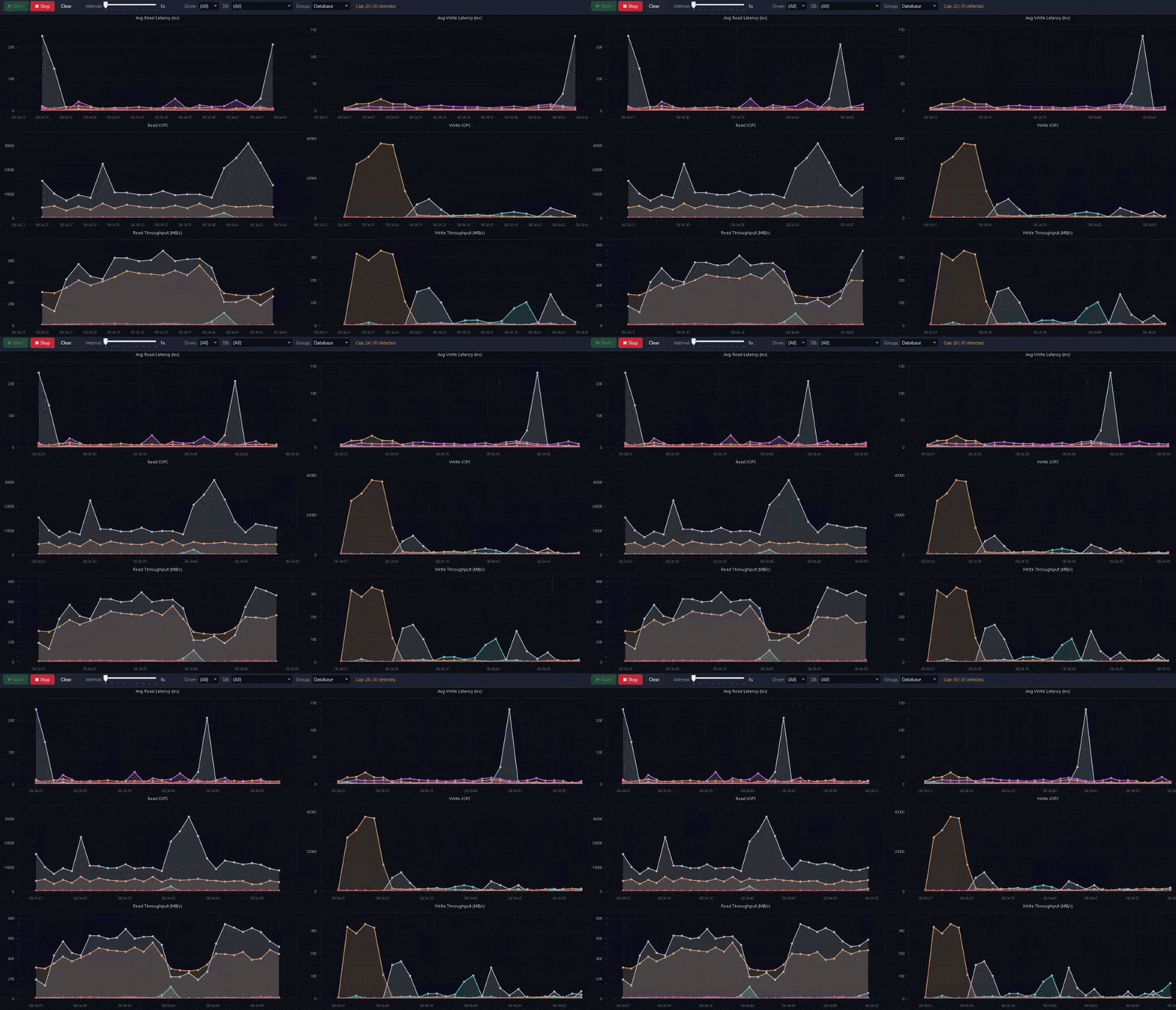
Real-time disk I/O performance monitoring for SQL Server. Tracks read/write latency, IOPS, and throughput across all database files with live charts.
- Six live charts in a 3×2 grid - Avg Read/Write Latency (ms), Read/Write IOPS, Read/Write Throughput (MB/s)
- Configurable capture interval - from 1 second to 5 minutes via slider
- Saved connections - stored securely in Windows Credential Manager with support for Windows Auth and SQL Auth
- Grouping modes - view data grouped by Database, Drive, or individual File
- Interactive legend - click to show/hide series, expand/collapse database file groups
- Hover tooltips - dark-themed tracker that follows the cursor across data points
- Session save/load - export to JSON, reload later with a date/time range filter
- CSV export - full delta data for offline analysis
- Chart image export - save the current chart view as PNG
- Diagnostic dump - Ctrl+D captures a raw before/after snapshot to verify physical I/O activity
- Dark theme - sleek navy/blue interface styled for long monitoring sessions
- Standalone exe - single-file self-contained deployment, no runtime install required
- OS: Windows 10/11 (x64)
- Target: SQL Server 2016+ (uses
sys.dm_io_virtual_file_statsandsys.master_files) - Permissions:
VIEW SERVER STATEon the target SQL Server instance
No .NET runtime installation is needed - the published exe is fully self-contained.
Grab the latest SQLDiskMonitor.exe from the Releases page.
Prerequisites: .NET 8 SDK
cd SQLDiskMonitor
dotnet publish -c Release -r win-x64 --self-contained \
  -p:PublishSingleFile=true \
  -p:IncludeNativeLibrariesForSelfExtract=true
The output exe will be in bin/Release/net8.0-windows/win-x64/publish/.
- Launch
SQLDiskMonitor.exe - Add a server - click "+ Add Server" in the left sidebar, enter connection details, and save
- Connect - double-click a saved server (or right-click → Connect)
- Set the interval - drag the slider to choose capture frequency (1s–5min)
- Start capturing - click the green Start button (or press F5)
- Filter - use the Drive, DB, and Group dropdowns to focus the view
- Toggle series - click legend items to show/hide individual databases, drives, or files
- Stop - click Stop (or press F6)
| Key | Action |
|---|---|
| F5 | Start capture |
| F6 | Stop capture |
| Ctrl+S | Save session to JSON |
| Ctrl+O | Load session from JSON |
| Ctrl+D | Diagnostic dump |
| Option | Description |
|---|---|
| Windows Auth | Uses the current Windows identity (Kerberos/NTLM) |
| SQL Auth | Username/password - password stored in Windows Credential Manager |
| Trust Certificate | Skips TLS certificate validation (useful for self-signed certs) |
| Encrypt | Forces TLS encryption on the connection |
| Timeout | Connection timeout in seconds (default 10) |
On each capture tick the tool queries sys.dm_io_virtual_file_stats joined to sys.master_files to get cumulative I/O counters for every database file. It computes deltas between consecutive snapshots to derive:
| Metric | Calculation |
|---|---|
| Avg Read Latency (ms) | Δ io_stall_read_ms / Δ num_of_reads |
| Avg Write Latency (ms) | Δ io_stall_write_ms / Δ num_of_writes |
| Read IOPS | Δ num_of_reads / elapsed seconds |
| Write IOPS | Δ num_of_writes / elapsed seconds |
| Read Throughput (MB/s) | Δ num_of_bytes_read / 1 048 576 / elapsed seconds |
| Write Throughput (MB/s) | Δ num_of_bytes_written / 1 048 576 / elapsed seconds |
These are physical I/O metrics. Reads served entirely from the buffer cache will show as zero - this is expected and healthy. If you need to force physical reads for testing, run DBCC DROPCLEANBUFFERS (not recommended on production).
- .NET 8 / WPF
- OxyPlot for charting
- Microsoft.Data.SqlClient for SQL Server connectivity
- Windows Credential Manager (P/Invoke to
advapi32.dll) for secure credential storage
MIT
Jake Morgan - Blackcat Data Solutions Ltd