All URIs are relative to https://api.imager200.io
| Method | HTTP request | Description |
|---|---|---|
| blurpartialAsyncGet | GET /blurpartial | |
| blurpartialAsyncGetWithHttpInfo | GET /blurpartial | |
| blurpartialAsyncPost | POST /blurpartial | |
| blurpartialAsyncPostWithHttpInfo | POST /blurpartial | |
| blurpartialSyncGet | GET /blurpartial/sync | |
| blurpartialSyncGetWithHttpInfo | GET /blurpartial/sync | |
| blurpartialSyncPost | POST /blurpartial/sync | |
| blurpartialSyncPostWithHttpInfo | POST /blurpartial/sync |
InfoResponse blurpartialAsyncGet(url, x0, x1, y0, y1, sigma)
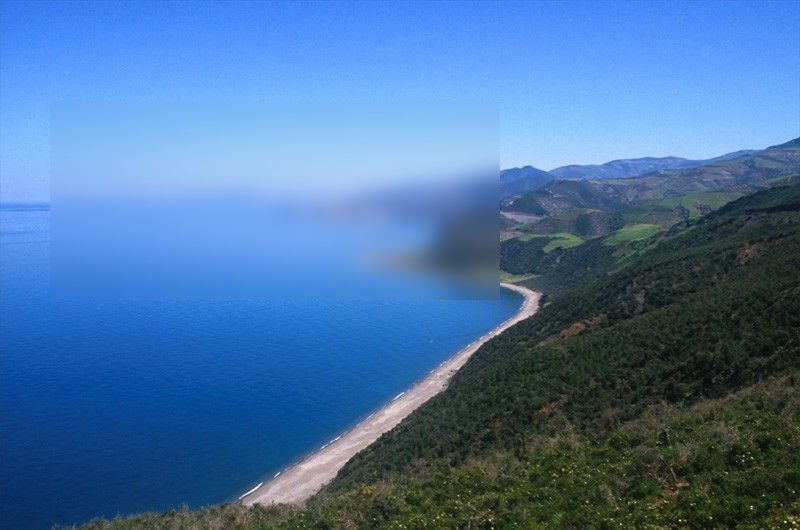
Blurs a fraction of the image defined by the rectangle (x0, y0, x1, y1)
// Import classes:
import io.imager200.ApiClient;
import io.imager200.ApiException;
import io.imager200.Configuration;
import io.imager200.auth.*;
import io.imager200.models.*;
import io.imager200.client.BlurpartialApi;

public class Example {
    public static void main(String[] args) {
        ApiClient defaultClient = Configuration.getDefaultApiClient();
        defaultClient.setBasePath("https://api.imager200.io");

        // Configure API key authorization: ApiKeyAuth
        ApiKeyAuth ApiKeyAuth = (ApiKeyAuth) defaultClient.getAuthentication("ApiKeyAuth");
        ApiKeyAuth.setApiKey("YOUR API KEY");
        // Uncomment the following line to set a prefix for the API key, e.g. "Token" (defaults to null)
        //ApiKeyAuth.setApiKeyPrefix("Token");

        BlurpartialApi apiInstance = new BlurpartialApi(defaultClient);
        String url = "url_example"; // String | image url, supported formats jpeg,png,bmp
        Integer x0 = 56; // Integer | defines the x coordinate of the first point of the rectangle to blur
        Integer x1 = 56; // Integer | defines the x coordinate of the second point of the rectangle to blur
        Integer y0 = 56; // Integer | defines the y coordinate of the first point of the rectangle to blur
        Integer y1 = 56; // Integer | defines the y coordinate of the second point of the rectangle to blur.
        BigDecimal sigma = new BigDecimal("10"); // BigDecimal | controls the strength of the blur
        try {
            InfoResponse result = apiInstance.blurpartialAsyncGet(url, x0, x1, y0, y1, sigma);
            System.out.println(result);
        } catch (ApiException e) {
            System.err.println("Exception when calling BlurpartialApi#blurpartialAsyncGet");
            System.err.println("Status code: " + e.getCode());
            System.err.println("Reason: " + e.getResponseBody());
            System.err.println("Response headers: " + e.getResponseHeaders());
            e.printStackTrace();
        }
    }
}| Name | Type | Description | Notes |
|---|---|---|---|
| url | String | image url, supported formats jpeg,png,bmp | |
| x0 | Integer | defines the x coordinate of the first point of the rectangle to blur | |
| x1 | Integer | defines the x coordinate of the second point of the rectangle to blur | |
| y0 | Integer | defines the y coordinate of the first point of the rectangle to blur | |
| y1 | Integer | defines the y coordinate of the second point of the rectangle to blur. | |
| sigma | BigDecimal | controls the strength of the blur | [optional] [default to 10] |
- Content-Type: Not defined
- Accept: application/json
| Status code | Description | Response headers |
|---|---|---|
| 201 | Created | * Location - the temporary url of an image in case a post operation id is not provided |
| 400 | Bad Request | - |
ApiResponse blurpartialAsyncGet blurpartialAsyncGetWithHttpInfo(url, x0, x1, y0, y1, sigma)
Blurs a fraction of the image defined by the rectangle (x0, y0, x1, y1)
// Import classes:
import io.imager200.ApiClient;
import io.imager200.ApiException;
import io.imager200.ApiResponse;
import io.imager200.Configuration;
import io.imager200.auth.*;
import io.imager200.models.*;
import io.imager200.client.BlurpartialApi;

public class Example {
    public static void main(String[] args) {
        ApiClient defaultClient = Configuration.getDefaultApiClient();
        defaultClient.setBasePath("https://api.imager200.io");

        // Configure API key authorization: ApiKeyAuth
        ApiKeyAuth ApiKeyAuth = (ApiKeyAuth) defaultClient.getAuthentication("ApiKeyAuth");
        ApiKeyAuth.setApiKey("YOUR API KEY");
        // Uncomment the following line to set a prefix for the API key, e.g. "Token" (defaults to null)
        //ApiKeyAuth.setApiKeyPrefix("Token");

        BlurpartialApi apiInstance = new BlurpartialApi(defaultClient);
        String url = "url_example"; // String | image url, supported formats jpeg,png,bmp
        Integer x0 = 56; // Integer | defines the x coordinate of the first point of the rectangle to blur
        Integer x1 = 56; // Integer | defines the x coordinate of the second point of the rectangle to blur
        Integer y0 = 56; // Integer | defines the y coordinate of the first point of the rectangle to blur
        Integer y1 = 56; // Integer | defines the y coordinate of the second point of the rectangle to blur.
        BigDecimal sigma = new BigDecimal("10"); // BigDecimal | controls the strength of the blur
        try {
            ApiResponse<InfoResponse> response = apiInstance.blurpartialAsyncGetWithHttpInfo(url, x0, x1, y0, y1, sigma);
            System.out.println("Status code: " + response.getStatusCode());
            System.out.println("Response headers: " + response.getHeaders());
            System.out.println("Response body: " + response.getData());
        } catch (ApiException e) {
            System.err.println("Exception when calling BlurpartialApi#blurpartialAsyncGet");
            System.err.println("Status code: " + e.getCode());
            System.err.println("Response headers: " + e.getResponseHeaders());
            System.err.println("Reason: " + e.getResponseBody());
            e.printStackTrace();
        }
    }
}| Name | Type | Description | Notes |
|---|---|---|---|
| url | String | image url, supported formats jpeg,png,bmp | |
| x0 | Integer | defines the x coordinate of the first point of the rectangle to blur | |
| x1 | Integer | defines the x coordinate of the second point of the rectangle to blur | |
| y0 | Integer | defines the y coordinate of the first point of the rectangle to blur | |
| y1 | Integer | defines the y coordinate of the second point of the rectangle to blur. | |
| sigma | BigDecimal | controls the strength of the blur | [optional] [default to 10] |
ApiResponse<InfoResponse>
- Content-Type: Not defined
- Accept: application/json
| Status code | Description | Response headers |
|---|---|---|
| 201 | Created | * Location - the temporary url of an image in case a post operation id is not provided |
| 400 | Bad Request | - |
InfoResponse blurpartialAsyncPost(x0, x1, y0, y1, body, sigma)
Blurs a fraction of the image defined by the rectangle (x0, y0, x1, y1)
// Import classes:
import io.imager200.ApiClient;
import io.imager200.ApiException;
import io.imager200.Configuration;
import io.imager200.auth.*;
import io.imager200.models.*;
import io.imager200.client.BlurpartialApi;

public class Example {
    public static void main(String[] args) {
        ApiClient defaultClient = Configuration.getDefaultApiClient();
        defaultClient.setBasePath("https://api.imager200.io");

        // Configure API key authorization: ApiKeyAuth
        ApiKeyAuth ApiKeyAuth = (ApiKeyAuth) defaultClient.getAuthentication("ApiKeyAuth");
        ApiKeyAuth.setApiKey("YOUR API KEY");
        // Uncomment the following line to set a prefix for the API key, e.g. "Token" (defaults to null)
        //ApiKeyAuth.setApiKeyPrefix("Token");

        BlurpartialApi apiInstance = new BlurpartialApi(defaultClient);
        Integer x0 = 56; // Integer | defines the x coordinate of the first point of the rectangle to blur
        Integer x1 = 56; // Integer | defines the x coordinate of the second point of the rectangle to blur
        Integer y0 = 56; // Integer | defines the y coordinate of the first point of the rectangle to blur
        Integer y1 = 56; // Integer | defines the y coordinate of the second point of the rectangle to blur.
        File body = new File("/path/to/file"); // File | image binary data, acceptable formats: jpeg,png,bmp
        BigDecimal sigma = new BigDecimal("10"); // BigDecimal | controls the strength of the blur
        try {
            InfoResponse result = apiInstance.blurpartialAsyncPost(x0, x1, y0, y1, body, sigma);
            System.out.println(result);
        } catch (ApiException e) {
            System.err.println("Exception when calling BlurpartialApi#blurpartialAsyncPost");
            System.err.println("Status code: " + e.getCode());
            System.err.println("Reason: " + e.getResponseBody());
            System.err.println("Response headers: " + e.getResponseHeaders());
            e.printStackTrace();
        }
    }
}| Name | Type | Description | Notes |
|---|---|---|---|
| x0 | Integer | defines the x coordinate of the first point of the rectangle to blur | |
| x1 | Integer | defines the x coordinate of the second point of the rectangle to blur | |
| y0 | Integer | defines the y coordinate of the first point of the rectangle to blur | |
| y1 | Integer | defines the y coordinate of the second point of the rectangle to blur. | |
| body | File | image binary data, acceptable formats: jpeg,png,bmp | |
| sigma | BigDecimal | controls the strength of the blur | [optional] [default to 10] |
- Content-Type: application/octet-stream
- Accept: application/json
| Status code | Description | Response headers |
|---|---|---|
| 201 | Created | * Location - the temporary url of an image in case a post operation id is not provided |
| 400 | Bad Request | - |
ApiResponse blurpartialAsyncPost blurpartialAsyncPostWithHttpInfo(x0, x1, y0, y1, body, sigma)
Blurs a fraction of the image defined by the rectangle (x0, y0, x1, y1)
// Import classes:
import io.imager200.ApiClient;
import io.imager200.ApiException;
import io.imager200.ApiResponse;
import io.imager200.Configuration;
import io.imager200.auth.*;
import io.imager200.models.*;
import io.imager200.client.BlurpartialApi;

public class Example {
    public static void main(String[] args) {
        ApiClient defaultClient = Configuration.getDefaultApiClient();
        defaultClient.setBasePath("https://api.imager200.io");

        // Configure API key authorization: ApiKeyAuth
        ApiKeyAuth ApiKeyAuth = (ApiKeyAuth) defaultClient.getAuthentication("ApiKeyAuth");
        ApiKeyAuth.setApiKey("YOUR API KEY");
        // Uncomment the following line to set a prefix for the API key, e.g. "Token" (defaults to null)
        //ApiKeyAuth.setApiKeyPrefix("Token");

        BlurpartialApi apiInstance = new BlurpartialApi(defaultClient);
        Integer x0 = 56; // Integer | defines the x coordinate of the first point of the rectangle to blur
        Integer x1 = 56; // Integer | defines the x coordinate of the second point of the rectangle to blur
        Integer y0 = 56; // Integer | defines the y coordinate of the first point of the rectangle to blur
        Integer y1 = 56; // Integer | defines the y coordinate of the second point of the rectangle to blur.
        File body = new File("/path/to/file"); // File | image binary data, acceptable formats: jpeg,png,bmp
        BigDecimal sigma = new BigDecimal("10"); // BigDecimal | controls the strength of the blur
        try {
            ApiResponse<InfoResponse> response = apiInstance.blurpartialAsyncPostWithHttpInfo(x0, x1, y0, y1, body, sigma);
            System.out.println("Status code: " + response.getStatusCode());
            System.out.println("Response headers: " + response.getHeaders());
            System.out.println("Response body: " + response.getData());
        } catch (ApiException e) {
            System.err.println("Exception when calling BlurpartialApi#blurpartialAsyncPost");
            System.err.println("Status code: " + e.getCode());
            System.err.println("Response headers: " + e.getResponseHeaders());
            System.err.println("Reason: " + e.getResponseBody());
            e.printStackTrace();
        }
    }
}| Name | Type | Description | Notes |
|---|---|---|---|
| x0 | Integer | defines the x coordinate of the first point of the rectangle to blur | |
| x1 | Integer | defines the x coordinate of the second point of the rectangle to blur | |
| y0 | Integer | defines the y coordinate of the first point of the rectangle to blur | |
| y1 | Integer | defines the y coordinate of the second point of the rectangle to blur. | |
| body | File | image binary data, acceptable formats: jpeg,png,bmp | |
| sigma | BigDecimal | controls the strength of the blur | [optional] [default to 10] |
ApiResponse<InfoResponse>
- Content-Type: application/octet-stream
- Accept: application/json
| Status code | Description | Response headers |
|---|---|---|
| 201 | Created | * Location - the temporary url of an image in case a post operation id is not provided |
| 400 | Bad Request | - |
File blurpartialSyncGet(url, x0, x1, y0, y1, sigma)
Blurs a fraction of the image defined by the rectangle (x0, y0, x1, y1)
// Import classes:
import io.imager200.ApiClient;
import io.imager200.ApiException;
import io.imager200.Configuration;
import io.imager200.auth.*;
import io.imager200.models.*;
import io.imager200.client.BlurpartialApi;

public class Example {
    public static void main(String[] args) {
        ApiClient defaultClient = Configuration.getDefaultApiClient();
        defaultClient.setBasePath("https://api.imager200.io");

        // Configure API key authorization: ApiKeyAuth
        ApiKeyAuth ApiKeyAuth = (ApiKeyAuth) defaultClient.getAuthentication("ApiKeyAuth");
        ApiKeyAuth.setApiKey("YOUR API KEY");
        // Uncomment the following line to set a prefix for the API key, e.g. "Token" (defaults to null)
        //ApiKeyAuth.setApiKeyPrefix("Token");

        BlurpartialApi apiInstance = new BlurpartialApi(defaultClient);
        String url = "url_example"; // String | image url, supported formats jpeg,png,bmp
        Integer x0 = 56; // Integer | defines the x coordinate of the first point of the rectangle to blur
        Integer x1 = 56; // Integer | defines the x coordinate of the second point of the rectangle to blur
        Integer y0 = 56; // Integer | defines the y coordinate of the first point of the rectangle to blur
        Integer y1 = 56; // Integer | defines the y coordinate of the second point of the rectangle to blur.
        BigDecimal sigma = new BigDecimal("10"); // BigDecimal | controls the strength of the blur
        try {
            File result = apiInstance.blurpartialSyncGet(url, x0, x1, y0, y1, sigma);
            System.out.println(result);
        } catch (ApiException e) {
            System.err.println("Exception when calling BlurpartialApi#blurpartialSyncGet");
            System.err.println("Status code: " + e.getCode());
            System.err.println("Reason: " + e.getResponseBody());
            System.err.println("Response headers: " + e.getResponseHeaders());
            e.printStackTrace();
        }
    }
}| Name | Type | Description | Notes |
|---|---|---|---|
| url | String | image url, supported formats jpeg,png,bmp | |
| x0 | Integer | defines the x coordinate of the first point of the rectangle to blur | |
| x1 | Integer | defines the x coordinate of the second point of the rectangle to blur | |
| y0 | Integer | defines the y coordinate of the first point of the rectangle to blur | |
| y1 | Integer | defines the y coordinate of the second point of the rectangle to blur. | |
| sigma | BigDecimal | controls the strength of the blur | [optional] [default to 10] |
- Content-Type: Not defined
- Accept: image/bmp, image/jpeg, image/png, application/json
| Status code | Description | Response headers |
|---|---|---|
| 200 | response contains the image file | - |
| 400 | Bad Request | - |
ApiResponse blurpartialSyncGet blurpartialSyncGetWithHttpInfo(url, x0, x1, y0, y1, sigma)
Blurs a fraction of the image defined by the rectangle (x0, y0, x1, y1)
// Import classes:
import io.imager200.ApiClient;
import io.imager200.ApiException;
import io.imager200.ApiResponse;
import io.imager200.Configuration;
import io.imager200.auth.*;
import io.imager200.models.*;
import io.imager200.client.BlurpartialApi;

public class Example {
    public static void main(String[] args) {
        ApiClient defaultClient = Configuration.getDefaultApiClient();
        defaultClient.setBasePath("https://api.imager200.io");

        // Configure API key authorization: ApiKeyAuth
        ApiKeyAuth ApiKeyAuth = (ApiKeyAuth) defaultClient.getAuthentication("ApiKeyAuth");
        ApiKeyAuth.setApiKey("YOUR API KEY");
        // Uncomment the following line to set a prefix for the API key, e.g. "Token" (defaults to null)
        //ApiKeyAuth.setApiKeyPrefix("Token");

        BlurpartialApi apiInstance = new BlurpartialApi(defaultClient);
        String url = "url_example"; // String | image url, supported formats jpeg,png,bmp
        Integer x0 = 56; // Integer | defines the x coordinate of the first point of the rectangle to blur
        Integer x1 = 56; // Integer | defines the x coordinate of the second point of the rectangle to blur
        Integer y0 = 56; // Integer | defines the y coordinate of the first point of the rectangle to blur
        Integer y1 = 56; // Integer | defines the y coordinate of the second point of the rectangle to blur.
        BigDecimal sigma = new BigDecimal("10"); // BigDecimal | controls the strength of the blur
        try {
            ApiResponse<File> response = apiInstance.blurpartialSyncGetWithHttpInfo(url, x0, x1, y0, y1, sigma);
            System.out.println("Status code: " + response.getStatusCode());
            System.out.println("Response headers: " + response.getHeaders());
            System.out.println("Response body: " + response.getData());
        } catch (ApiException e) {
            System.err.println("Exception when calling BlurpartialApi#blurpartialSyncGet");
            System.err.println("Status code: " + e.getCode());
            System.err.println("Response headers: " + e.getResponseHeaders());
            System.err.println("Reason: " + e.getResponseBody());
            e.printStackTrace();
        }
    }
}| Name | Type | Description | Notes |
|---|---|---|---|
| url | String | image url, supported formats jpeg,png,bmp | |
| x0 | Integer | defines the x coordinate of the first point of the rectangle to blur | |
| x1 | Integer | defines the x coordinate of the second point of the rectangle to blur | |
| y0 | Integer | defines the y coordinate of the first point of the rectangle to blur | |
| y1 | Integer | defines the y coordinate of the second point of the rectangle to blur. | |
| sigma | BigDecimal | controls the strength of the blur | [optional] [default to 10] |
ApiResponse<File>
- Content-Type: Not defined
- Accept: image/bmp, image/jpeg, image/png, application/json
| Status code | Description | Response headers |
|---|---|---|
| 200 | response contains the image file | - |
| 400 | Bad Request | - |
File blurpartialSyncPost(x0, x1, y0, y1, body, sigma)
Blurs a fraction of the image defined by the rectangle (x0, y0, x1, y1)
// Import classes:
import io.imager200.ApiClient;
import io.imager200.ApiException;
import io.imager200.Configuration;
import io.imager200.auth.*;
import io.imager200.models.*;
import io.imager200.client.BlurpartialApi;

public class Example {
    public static void main(String[] args) {
        ApiClient defaultClient = Configuration.getDefaultApiClient();
        defaultClient.setBasePath("https://api.imager200.io");

        // Configure API key authorization: ApiKeyAuth
        ApiKeyAuth ApiKeyAuth = (ApiKeyAuth) defaultClient.getAuthentication("ApiKeyAuth");
        ApiKeyAuth.setApiKey("YOUR API KEY");
        // Uncomment the following line to set a prefix for the API key, e.g. "Token" (defaults to null)
        //ApiKeyAuth.setApiKeyPrefix("Token");

        BlurpartialApi apiInstance = new BlurpartialApi(defaultClient);
        Integer x0 = 56; // Integer | defines the x coordinate of the first point of the rectangle to blur
        Integer x1 = 56; // Integer | defines the x coordinate of the second point of the rectangle to blur
        Integer y0 = 56; // Integer | defines the y coordinate of the first point of the rectangle to blur
        Integer y1 = 56; // Integer | defines the y coordinate of the second point of the rectangle to blur.
        File body = new File("/path/to/file"); // File | image binary data, acceptable formats: jpeg,png,bmp
        BigDecimal sigma = new BigDecimal("10"); // BigDecimal | controls the strength of the blur
        try {
            File result = apiInstance.blurpartialSyncPost(x0, x1, y0, y1, body, sigma);
            System.out.println(result);
        } catch (ApiException e) {
            System.err.println("Exception when calling BlurpartialApi#blurpartialSyncPost");
            System.err.println("Status code: " + e.getCode());
            System.err.println("Reason: " + e.getResponseBody());
            System.err.println("Response headers: " + e.getResponseHeaders());
            e.printStackTrace();
        }
    }
}| Name | Type | Description | Notes |
|---|---|---|---|
| x0 | Integer | defines the x coordinate of the first point of the rectangle to blur | |
| x1 | Integer | defines the x coordinate of the second point of the rectangle to blur | |
| y0 | Integer | defines the y coordinate of the first point of the rectangle to blur | |
| y1 | Integer | defines the y coordinate of the second point of the rectangle to blur. | |
| body | File | image binary data, acceptable formats: jpeg,png,bmp | |
| sigma | BigDecimal | controls the strength of the blur | [optional] [default to 10] |
- Content-Type: application/octet-stream
- Accept: image/bmp, image/jpeg, image/png, application/json
| Status code | Description | Response headers |
|---|---|---|
| 200 | response contains the image file | - |
| 400 | Bad Request | - |
ApiResponse blurpartialSyncPost blurpartialSyncPostWithHttpInfo(x0, x1, y0, y1, body, sigma)
Blurs a fraction of the image defined by the rectangle (x0, y0, x1, y1)
// Import classes:
import io.imager200.ApiClient;
import io.imager200.ApiException;
import io.imager200.ApiResponse;
import io.imager200.Configuration;
import io.imager200.auth.*;
import io.imager200.models.*;
import io.imager200.client.BlurpartialApi;

public class Example {
    public static void main(String[] args) {
        ApiClient defaultClient = Configuration.getDefaultApiClient();
        defaultClient.setBasePath("https://api.imager200.io");

        // Configure API key authorization: ApiKeyAuth
        ApiKeyAuth ApiKeyAuth = (ApiKeyAuth) defaultClient.getAuthentication("ApiKeyAuth");
        ApiKeyAuth.setApiKey("YOUR API KEY");
        // Uncomment the following line to set a prefix for the API key, e.g. "Token" (defaults to null)
        //ApiKeyAuth.setApiKeyPrefix("Token");

        BlurpartialApi apiInstance = new BlurpartialApi(defaultClient);
        Integer x0 = 56; // Integer | defines the x coordinate of the first point of the rectangle to blur
        Integer x1 = 56; // Integer | defines the x coordinate of the second point of the rectangle to blur
        Integer y0 = 56; // Integer | defines the y coordinate of the first point of the rectangle to blur
        Integer y1 = 56; // Integer | defines the y coordinate of the second point of the rectangle to blur.
        File body = new File("/path/to/file"); // File | image binary data, acceptable formats: jpeg,png,bmp
        BigDecimal sigma = new BigDecimal("10"); // BigDecimal | controls the strength of the blur
        try {
            ApiResponse<File> response = apiInstance.blurpartialSyncPostWithHttpInfo(x0, x1, y0, y1, body, sigma);
            System.out.println("Status code: " + response.getStatusCode());
            System.out.println("Response headers: " + response.getHeaders());
            System.out.println("Response body: " + response.getData());
        } catch (ApiException e) {
            System.err.println("Exception when calling BlurpartialApi#blurpartialSyncPost");
            System.err.println("Status code: " + e.getCode());
            System.err.println("Response headers: " + e.getResponseHeaders());
            System.err.println("Reason: " + e.getResponseBody());
            e.printStackTrace();
        }
    }
}| Name | Type | Description | Notes |
|---|---|---|---|
| x0 | Integer | defines the x coordinate of the first point of the rectangle to blur | |
| x1 | Integer | defines the x coordinate of the second point of the rectangle to blur | |
| y0 | Integer | defines the y coordinate of the first point of the rectangle to blur | |
| y1 | Integer | defines the y coordinate of the second point of the rectangle to blur. | |
| body | File | image binary data, acceptable formats: jpeg,png,bmp | |
| sigma | BigDecimal | controls the strength of the blur | [optional] [default to 10] |
ApiResponse<File>
- Content-Type: application/octet-stream
- Accept: image/bmp, image/jpeg, image/png, application/json
| Status code | Description | Response headers |
|---|---|---|
| 200 | response contains the image file | - |
| 400 | Bad Request | - |