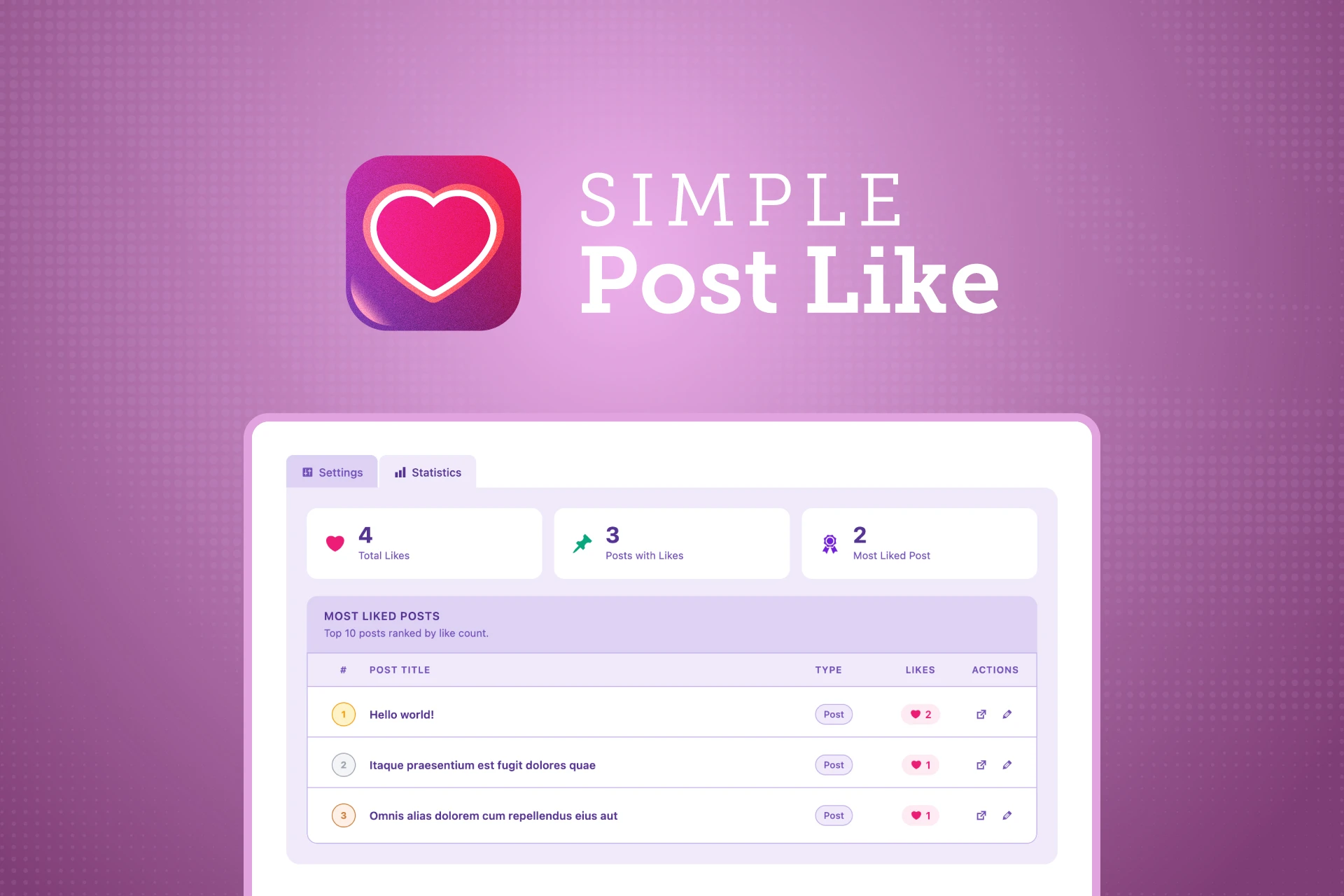
Add simple, intuitive reactions to your posts.


Product Page · Documentation · Report a Bug · Request a Feature

Simple Post Like is a lightweight, developer-friendly WordPress plugin that adds a clean like button to your posts. No bloat, no jQuery, no theme dependency — just a focused, well-built feature that works with any theme.
Three display styles. Flexible auto-injection. Guest likes with hashed IP tracking. A statistics dashboard. A sortable Likes column in your Posts list. All configurable from a clean admin page under Settings → Simple Post Like.
- Three display styles — Button with label, Icon + Counter, Icon Only
- Auto-injection — before content, after content, both, or none on single posts
- Archive injection — like buttons on blog index, category, tag, and search pages
- Guest likes — optional, tracked by SHA-256 hashed IP (GDPR-friendly, no raw IPs stored)
- Shortcode —
[simple_post_like]for manual placement anywhere - Statistics dashboard — total likes, posts with likes, most liked posts leaderboard
- Posts list column — sortable Likes column on
wp-admin/edit.php - CSS custom properties — restyle the button entirely from your theme, no plugin files needed
- Pure Vanilla JS — no jQuery dependency whatsoever
- PHP 8.0+ throughout — PSR-4 autoloading, type hints, singleton pattern
- GPL-2.0-or-later — free for personal and commercial use
| Requirement | Version |
|---|---|
| WordPress | 6.8 or higher |
| PHP | 8.0 or higher |
- Go to Releases
- Download
simple-post-like.zipfrom the latest release - In WordPress admin go to Plugins → Add New → Upload Plugin
- Upload the zip and click Install Now, then Activate
- Download and unzip the latest release
- Upload the
simple-post-likefolder to/wp-content/plugins/ - Activate via Plugins → Installed Plugins
Plugins → Add New → Search "Simple Post Like" → Install → Activate
Once activated, go to Settings → Simple Post Like to configure.
The like button injects automatically into post content based on your settings. Choose placement — after content, before content, before and after, or disabled — and toggle archive page injection separately.
Disable the master Auto Injection toggle to switch to shortcode-only mode.
Place the like button anywhere manually:
[simple_post_like]
[simple_post_like post_id="123"]
[simple_post_like style="icon_only"]
[simple_post_like style="icon_counter"]
Shortcode attributes:
| Attribute | Default | Options |
|---|---|---|
post_id |
current post | any valid post ID |
style |
setting value | button_default, icon_counter, icon_only |
Simple Post Like exposes CSS custom properties on :root. Override them in your theme to restyle the button without touching plugin files:
:root {
  --spl-color:        #your-brand-color;
  --spl-btn-radius:   4px;
  --spl-font-size:    14px;
  --spl-transition:   0.2s ease;
}
Full list of available properties in the Documentation.
simple-post-like/
├── assets/
│   ├── css/                  # Compiled CSS (committed)
│   ├── js/
│   │   ├── admin.js          # Admin UI — radio card sync
│   │   └── simple-post-like.js  # Frontend — pure Vanilla JS
│   └── scss/
│       ├── _variables.scss   # Shared Sass vars + CSS custom property mixins
│       ├── admin.scss        # Admin entry point
│       ├── simple-post-like.scss  # Frontend entry point
│       ├── admin/            # Admin partials
│       └── frontend/         # Frontend partials
├── includes/
│   ├── classes/
│   │   ├── Admin.php         # Admin page (Settings + Statistics tabs)
│   │   ├── AjaxHandler.php   # Like/unlike AJAX handler
│   │   ├── Assets.php        # Script and style enqueue
│   │   ├── ContentHook.php   # Auto-injection via the_content filter
│   │   ├── Install.php       # Activation, deactivation, version checks
│   │   ├── LikeButton.php    # Button HTML renderer
│   │   ├── Plugin.php        # Core bootstrap
│   │   ├── Settings.php      # Plugin options (get, save, sanitize)
│   │   ├── Shortcode.php     # [simple_post_like] shortcode
│   │   └── Stats.php         # Statistics queries + Posts list column
│   └── traits/
│       └── Singleton.php     # Singleton trait
├── languages/                # i18n .pot file
├── vendor/                   # Composer autoloader (in release zip, not in git)
├── composer.json
├── package.json
└── simple-post-like.php      # Plugin entry point
- Node.js 18+
- npm
- Composer
git clone https://github.com/fronttheme/simple-post-like.git
cd simple-post-like
npm install
composer installnpm run dev # Watch and compile SCSS with source maps
npm run build # Compile and compress SCSS for production
npm run pot # Generate .pot translation file
npm run package # Full release build → simple-post-like.zipSource files live in assets/scss/. Compiled CSS is committed to git so users installing from GitHub don't need npm. The Sass build uses modern @use/@forward module syntax — no @import.
scss/
├── _variables.scss         # $spl-* Sass vars, CSS custom property mixins
├── admin.scss              # Entry: @use admin/* partials
├── simple-post-like.scss   # Entry: @use frontend/* partials
├── admin/
│   ├── _root.scss          # :root { --spl-* } for admin
│   ├── _layout.scss        # Wrap, header, tabs
│   ├── _sections.scss      # Section cards, form table
│   ├── _controls.scss      # Radios, checkboxes, toggles, shortcode ref
│   └── _statistics.scss    # Stat cards, table, rank badges
└── frontend/
    ├── _root.scss          # :root { --spl-* } for frontend
    ├── _button.scss        # Base button + liked state
    ├── _modes.scss         # button_default / icon_counter / icon_only
    └── _misc.scss          # @keyframes + .spl-auto-inject wrapper



See CHANGELOG.md for the full release history.
Contributions are welcome! Please read CONTRIBUTING.md before submitting a pull request.
Please do not report security vulnerabilities through public GitHub issues. See SECURITY.md for the responsible disclosure process.
Released under the GPL-2.0-or-later license — the same license as WordPress itself. Free for personal and commercial use. No license keys. No upsells.