Features:
- C,C++,Rust,Go,Nodejs,Python3
- MongoDB, Redis, nginx
- Snap, Helm, Arkade, Faas-cli, docker-cli, kubectl
- gulp, mocha, tsc, stylus, angular-cli
- terraform, ansible, packer
To get newest version: docker pull frogfishio/dev
- Install vscode
- Install Remote containers plugin https://marketplace.visualstudio.com/items?itemName=ms-vscode-remote.remote-containers
- Open repository in container
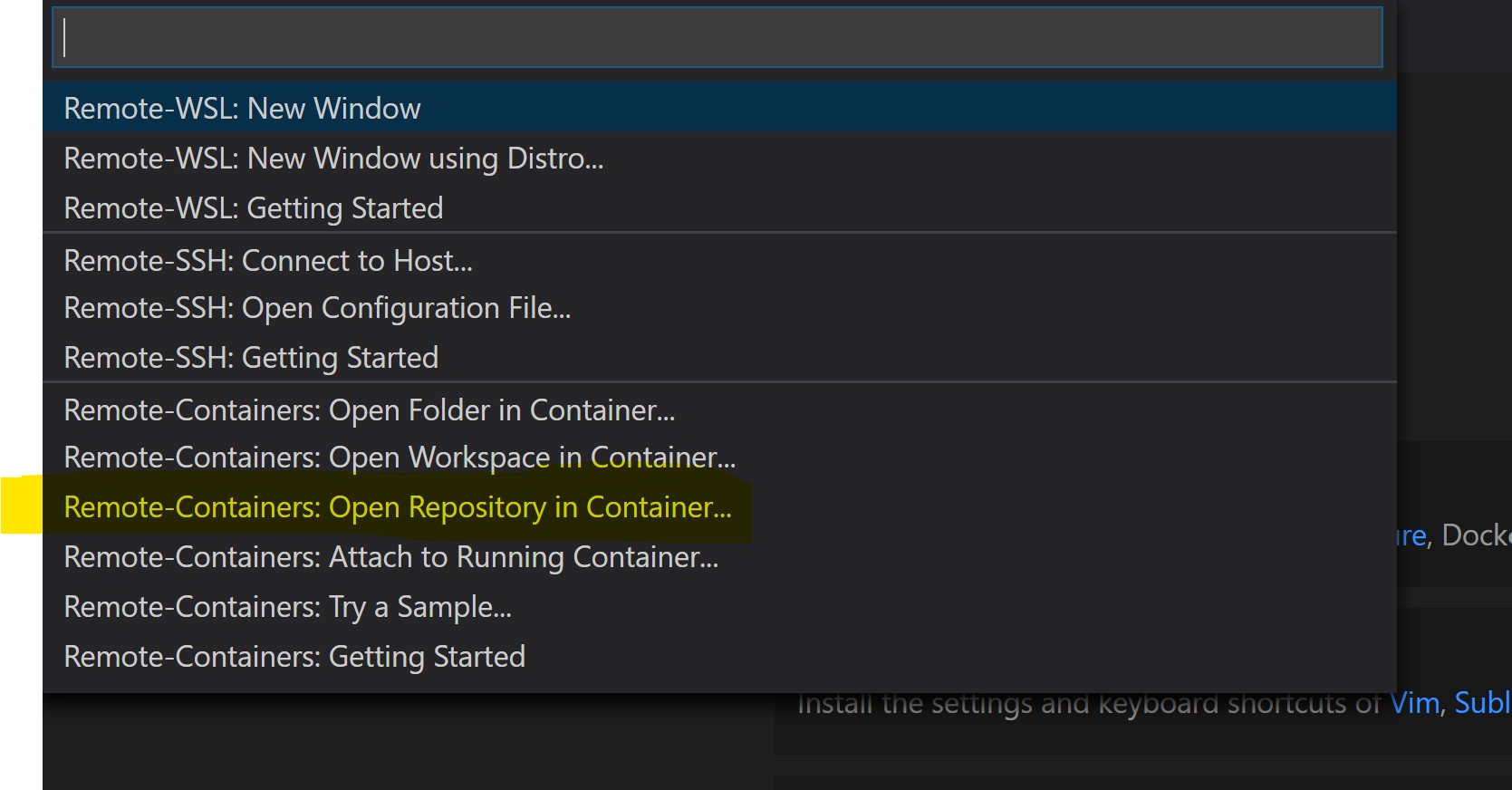
- If you you have it already setup choose Frogfish Knona development environment as runtime image
If you don't have it set up then you can choose just generic Ubuntu then in your repository just replace the .devcontainer folder with what is in this repository and rebuild your container from the remote menu (lower-left)
To connect to private repos you'll need SSH keys set up
-
Make sure you're running as an Administrator (Powershell) Set-Service ssh-agent -StartupType Automatic Start-Service ssh-agent Get-Service ssh-agent
-
ssh-add $HOME/.ssh/github_rsa or whatever your key is. You might have to fiddle with .ssh/config file if you have multiple keys for different domains
Read more about it here: https://code.visualstudio.com/docs/remote/containers#_sharing-git-credentials-with-your-container