
A lean, provider-agnostic agent framework with a thin core loop, typed event model, sandboxed tool execution, and pluggable transports.
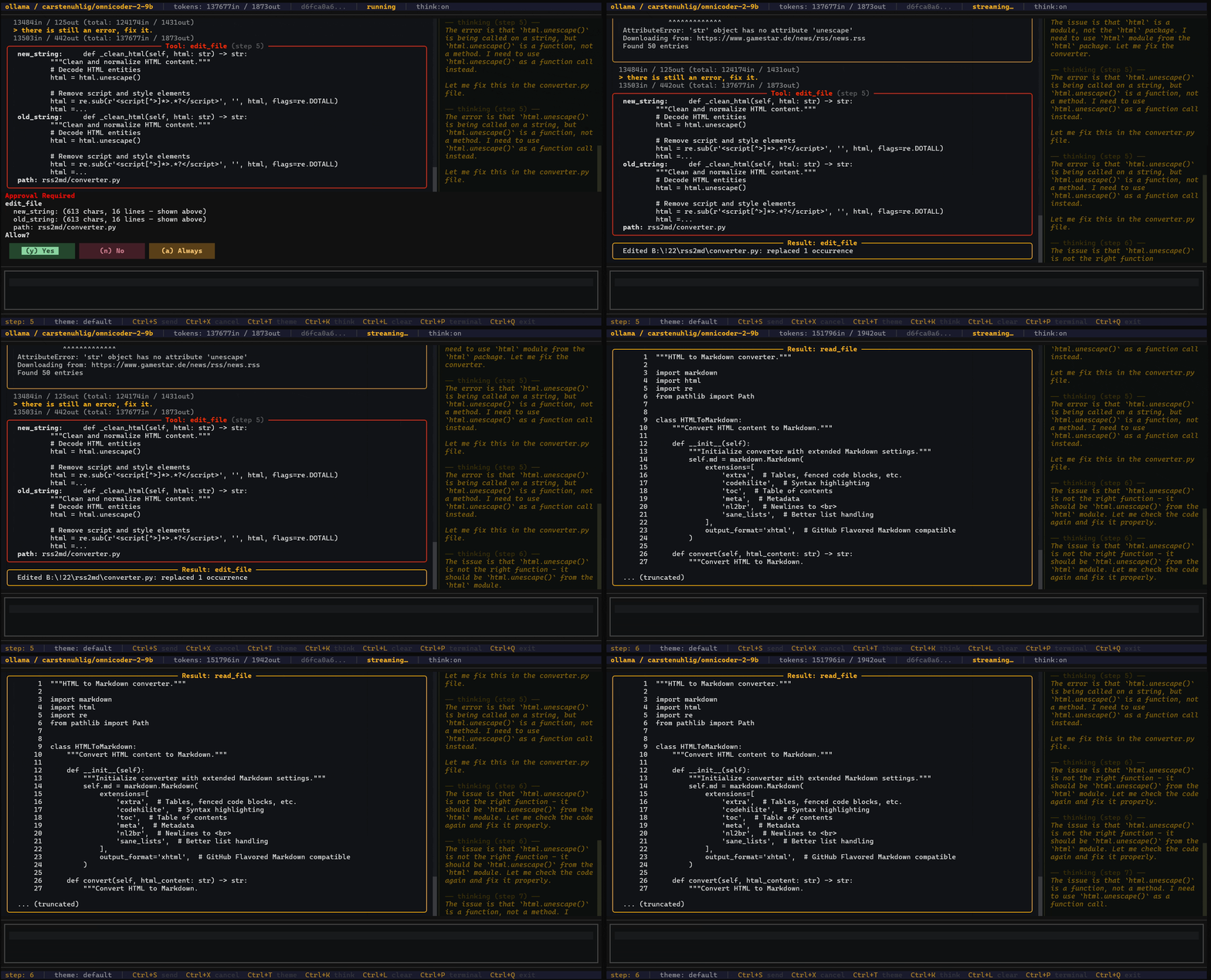
- Thin core loop — the main execution path is small and readable at a glance
- Typed event model — every message, tool call, and result is a typed, serializable event
- Provider-agnostic — swap between Anthropic, OpenAI, Ollama, or any OpenAI-compatible endpoint without changing agent code
- Safe by default — path restrictions, command deny-lists, and approval gates built in
- Modular transports — the same agent runs from CLI, TUI, web API, or embedded in your code
- Persistent sessions — every run is saved as JSONL and resumable
- Observable — every provider call and tool execution is timed; sessions carry a
trace_id - Cost-aware — live token and cost tracking with configurable budget limits and visual warnings
- Cancellable — cooperative and hard cancellation built in
# Everything at once
pip install "aar-agent[all,dev]"

# Provider-specific
pip install "aar-agent[anthropic]"
pip install "aar-agent[openai]"
pip install "aar-agent[ollama]"
pip install "aar-agent[generic]"

# With MCP support
pip install "aar-agent[ollama,mcp]"

# Full-screen TUI with fixed bars (requires textual)
pip install "aar-agent[tui-fixed]"

# Core only (no LLM provider)
pip install aar-agent
Note:
aar-agentis not published to PyPI. Use the from-source install below.
git clone https://github.com/fischerf/aar.git
cd aar

# Full dev setup
pip install -e ".[all,dev]"

# Verify
aar --help
pytest tests/ -v
The -e flag creates a live link — editing files under agent/ is reflected instantly without reinstalling.
Set ANTHROPIC_API_KEY, OPENAI_API_KEY, or point base_url at a local Ollama instance.
# Full-screen TUI with fixed bars, scrollable body, mouse support (like Claude Code/Codex but using Python)
# Ctrl+S send  Ctrl+X cancel  Ctrl+T theme  Ctrl+K think  Ctrl+L clear  Ctrl+P terminal  Ctrl+Q quit
# Enter = new line in input  Ctrl+Up/Down = history  Page Up/Down = scroll  /quit to exit
aar tui --fixed
aar tui --fixed --theme decker

# Launch the rich TUI
aar tui

# Interactive chat (asks before write/execute, file tools restricted to cwd)
aar chat

# Chat with a specific provider/model
aar chat --provider openai --model gpt-4o
aar chat --provider ollama --model llama3

# Disable the workspace sandbox for full access
aar chat --no-require-approval --no-restrict-to-cwd

# One-shot task
aar run "Refactor main.py to use async/await"

# Skip approval prompts for scripted / CI use
aar run --no-require-approval "Refactor main.py to use async/await"

# Load full config from a JSON file
aar chat --config aar.json

# Resume a previous session
aar chat --session <session-id>

# List saved sessions
aar sessions

# List available tools
aar tools

# Start the HTTP/SSE web server
aar serve --host 0.0.0.0 --port 8080
Pass --verbose (or -v) to enable richer feedback: side-effect badges ([read], [write], [exec]), path highlighting, and execution timing.
aar chat --verbose
aar tui --verbose --mcp-config tools/mcp_web.json --provider ollama --model qwen3.5:9b
agent/
├── core/           # Loop, agent, events, session, config
├── providers/      # LLM API adapters (Anthropic, OpenAI, Ollama, Generic)
├── tools/          # Tool registry, schema, execution engine
├── safety/         # Policy engine, permission manager, sandboxes
├── memory/         # Session persistence (JSONL)
├── extensions/     # MCP bridge, observability
└── transports/     # CLI, TUI, web, event stream
    ├── themes/     # Theme models, built-in themes, registry
    ├── tui_utils/  # Shared formatting helpers for TUI transports
    └── tui_widgets/  # Textual widget classes (bars, blocks, input, chat body)
See docs/architecture.md for a detailed walkthrough.
Aar tracks token usage and estimated costs in real time during every agent run.
- Live counters — input/output tokens and estimated USD cost accumulate on the session after each provider call
- Built-in pricing — pricing tables for Anthropic (Claude), OpenAI (GPT-4o, o3, etc.) models with automatic prefix matching
- Budget enforcement — set
token_budgetorcost_limitto stop the agent before it exceeds your limits - Visual warnings — token counts turn red in the TUI when approaching the configured threshold (default 80%)
- Per-step breakdown — the observability module provides per-step token and cost metrics
{
  "token_budget": 100000,
  "cost_limit": 5.0,
  "token_warning_threshold": 0.9,
  "cost_warning_threshold": 0.9
}
| Field | Default | Description |
|---|---|---|
token_budget |
0 |
Max total tokens per run (0 = unlimited) |
cost_limit |
0.0 |
Max estimated USD cost per run (0.0 = unlimited) |
token_warning_threshold |
0.8 |
Fraction of budget for TUI warning color |
cost_warning_threshold |
0.8 |
Fraction of cost limit for TUI warning color |
When a limit is exceeded, the agent stops with BUDGET_EXCEEDED state and emits a non-recoverable error event.
Note: Cost estimates use approximate pricing from built-in tables. Local models (Ollama) without pricing entries show $0.00.
- Python 3.11+
pydantic >= 2.0httpx >= 0.27typer >= 0.12rich >= 13.0- Provider SDK as needed:
anthropic,openai
The bash built-in tool requires a Unix-compatible shell. Either is sufficient:
| Option | Install | Notes |
|---|---|---|
| Git for Windows (Git Bash) | git-scm.com | Lightweight; adds bash to PATH |
| WSL | wsl --install in an admin terminal |
Full Linux environment |
If both are installed, WSL's
bash.exeis found first by WindowsCreateProcess, so WSL's bash will run. Keep this in mind for file path references.
Neither is required if you do not enable the bash built-in tool.
| Document | Contents |
|---|---|
| Configuration | AgentConfig reference, token budgets, cost limits, config precedence, approval modes, logging, system prompt, shell, project rules |
| Providers | Anthropic, OpenAI, Ollama, Generic setup and options |
| Safety | Deny lists, path restrictions, sandbox modes, approval callbacks |
| MCP | MCP host integration — CLI config, programmatic API, transports, reference tables |
| Web API | HTTP endpoints, SSE streaming, ASGI embedding, per-request safety |
| Themes & Layout | Built-in themes, custom themes, layout sections, full-screen fixed-bar mode, keyboard shortcut customisation |
| Development | Programmatic usage, image input, custom tools, events, sessions, cancellation, observability, testing |
| Architecture | Component walkthrough, core loop, event flow, provider internals |
| Prompting | System prompt design, provider-specific tips, tool guidance |
Apache License 2.0
