





From browser to BigQuery and ad platforms - warehouse-native, and ready for AI agents via MCP.
GA4, custom tags, ad pixels - each one a separate setup, none of them agreeing on the same numbers. When something breaks, you can't see where.
walkerOS is one collection layer for all of them.
- Config-as-code - version control your tracking, review it in PRs, deploy with confidence
- Declarative tagging - tag your UI in HTML, not scattered JavaScript
- Consent-native - events queue until consent is given, then flush correctly to every destination
- Schema validation - catch bad events at collection time, not weeks later in a dashboard
- One layer, many destinations - send to your warehouse and ad platforms from a single event definition
- Warehouse-native - events land clean and structured in your data warehouse, ready to query
- MIT licensed - self-host anywhere, no vendor lock-in
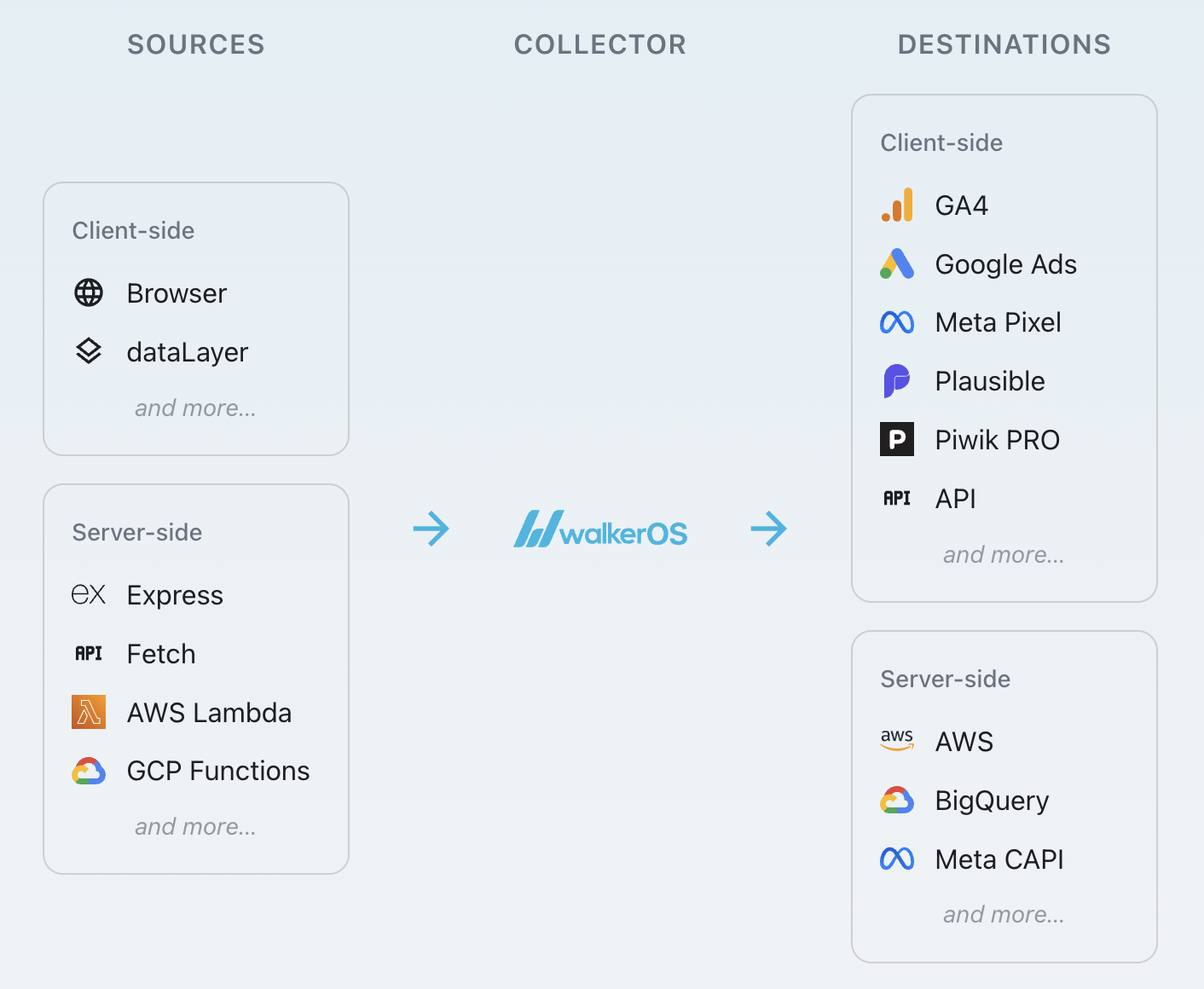
- Sources: Where events come from (browser, dataLayer, Express, AWS Lambda, GCP Functions, and more)
- Collector: The processing engine (consent, validation, mapping, routing, enrichment)
- Destinations: Where events go (GA4, Google Ads, Meta CAPI, BigQuery, and more)
Choose one based on your workflow and integration possibilities:
| Mode | Description | Best For |
|---|---|---|
| Integrated | Import directly into your TypeScript application | React/Next.js apps, TypeScript projects |
| Bundled | Build a standalone script from JSON config with npx walkeros | Static sites, Docker deployments, CI/CD |
Integrated (import into your app):
import { startFlow } from '@walkeros/collector';
import { sourceBrowser } from '@walkeros/web-source-browser';
import { destinationGtag } from '@walkeros/web-destination-gtag';

await startFlow({
  sources: {
    browser: {
      code: sourceBrowser,
      config: { settings: { pageview: true } },
    },
  },
  destinations: {
    ga4: {
      code: destinationGtag,
      config: {
        settings: { ga4: { measurementId: 'G-XXX' } },
      },
    },
  },
});
Bundled (build from JSON config):
{
  "flows": {
    "default": {
      "sources": {
        "browser": {
          "package": "@walkeros/web-source-browser",
          "config": { "settings": { "pageview": true } }
        }
      },
      "destinations": {
        "ga4": {
          "package": "@walkeros/web-destination-gtag",
          "config": {
            "settings": { "ga4": { "measurementId": "G-XXX" } }
          }
        }
      }
    }
  }
}
Then: npx walkeros bundle flow.json
- Operating Modes
- Quickstart guide for React
- Full Documentation - Complete guides and API reference
- Destinations - GA4, Meta, BigQuery, and more
- React Demo
- Storybook
walkerOS exposes a Model Context Protocol (MCP) interface. AI agents can read your event schema, suggest tracking definitions, and generate integration code - making your event layer programmable, not just configurable.
⭐️ Help us grow and star us. See our Contributing Guidelines to get involved.
Need help? Start a discussion, or reach out via email.
For more insights, visit the talks repository.
Licensed under the MIT License.