



You may use CKEditor 4.23.0 and below under the open source license terms.
In order to download CKEditor 4, use tags 4.23.0 and below.
CKEditor 5 is a great new editor with lots of exciting features.
Before upgrading, please be aware of the following changes:
- CKEditor 5 is a completely new editor. Upgrading is not as simple as replacing the folder with "ckeditor" - read more in the Migration from CKEditor 4 guide.
- CKEditor 5 is available only under the GPL copyleft license (or under a commercial license).
- Open source projects with a GPL-incompatible license may apply for a license under the Free for Open Source program.
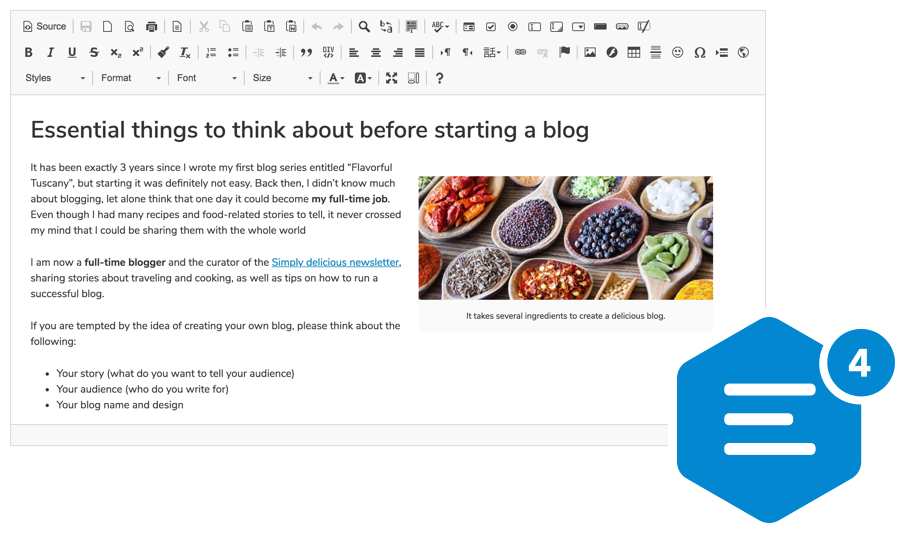
A highly configurable WYSIWYG HTML editor with hundreds of features, from creating rich text content with captioned images, videos, tables, media embeds, emoji, or mentions to pasting from Word and Google Docs and drag&drop image upload.
It supports a broad range of browsers, including legacy ones.
Using npm package
npm install --save ckeditor4Use it on your website:
<div id="editor">
    <p>This is the editor content.</p>
</div>
<script src="./node_modules/ckeditor4/ckeditor.js"></script>
<script>
    CKEDITOR.replace( 'editor' );
</script>
Using CDN
Load the CKEditor 4 script from the CDN:
<div id="editor">
    <p>This is the editor content.</p>
</div>
<script src="https://cdn.ckeditor.com/4.23.0/standard/ckeditor.js"></script>
<script>
    CKEDITOR.replace( 'editor' );
</script>Refer to the official usage guides for the ckeditor4-angular, ckeditor4-react, and ckeditor4-vue packages.
Visit the CKEditor 4 download section on the CKEditor website to download ready-to-use CKEditor 4 packages or to create a customized CKEditor 4 build.
- Over 500 plugins in the Add-ons Repository.
- Pasting from Microsoft Word, Excel, and Google Docs.
- Drag&drop image uploads.
- Media embeds to insert videos, tweets, maps, or slideshows.
- Powerful clipboard integration.
- Content quality control with Advanced Content Filter.
- Extensible widget system.
- Custom table selection.
- Accessibility conforming to WCAG and Section 508.
- Over 70 localizations available with full RTL support.
 IE / Edge |
 Firefox |
 Chrome |
Chrome (Android) |
 Safari |
 iOS Safari |
 Opera |
|---|---|---|---|---|---|---|
| IE8, IE9, IE10, IE11, Edge | latest version | latest version | latest version | latest version | latest version | latest version |
Find out more in the Browser Compatibility guide.
Attention: The code in this repository should be used locally and for development purposes only. We do not recommend using it in a production environment because the user experience will be very limited.
There is no special installation procedure to install the development code. Simply clone it to any local directory and you are set.
This repository contains the following branches:
master– Development of the upcoming minor release.stable– Latest stable release tag point (non-beta).latest– Latest release tag point (including betas).release/A.B.x(e.g.4.0.x,4.1.x) – Release freeze, tests, and tagging. Hotfixing.
Note that the master branch is under heavy development. Its code did not pass the release testing phase, though, so it may be unstable.
Additionally, all releases have their respective tags in the following form: 4.4.0, 4.4.1, etc.
The samples/ folder contains some examples that you can use to test your installation. Visit CKEditor 4 Examples for plenty of samples showcasing numerous editor features, with source code readily available to view, copy, and use in your own solution.
The development code contains the following main elements:
- Main coding folders:
core/– The core API of CKEditor 4. Alone, it does nothing, but it provides the entire JavaScript API that makes the magic happen.plugins/– Contains most of the plugins maintained by the CKEditor 4 core team.skin/– Contains the official default skin of CKEditor 4.dev/– Contains some developer tools.tests/– Contains the CKEditor 4 tests suite.
You can create a release-optimized version of the development code locally. Use the dev/builder/build.sh script for that purpose:
> ./dev/builder/build.sh
A "release-ready" working copy of your development code will be built in the new dev/builder/release/ folder. An Internet connection is necessary to run the builder, at least for the first time.
Read more on how to set up the environment and execute tests in the CKEditor 4 Testing Environment guide.
Use the CKEditor 4 GitHub issue page to report bugs and feature requests.
Copyright (c) 2003-2023, CKSource Holding sp. z o.o. All rights reserved.
For licensing, see LICENSE.md or https://ckeditor.com/legal/ckeditor-oss-license
CKEditor 4 until version 4.23.0 was licensed under the terms of any of the following licenses of your choice:
- GNU General Public License Version 2 or later.
- GNU Lesser General Public License Version 2.1 or later.
- Mozilla Public License Version 1.1 or later.