Releases: dstackai/dstack-enterprise
0.20.17-v1

PD disaggregation
This update simplifies running SGLang with Prefill-Decode disaggregation.
Previously, PD disaggregation required configuring router on the gateway, which meant
the gateway had to run in the same cluster as the service to communicate with service
replicas.
With this update, router is configured on a service replica group instead. This allows
using a standard gateway outside the service cluster.
Below is an example service configuration for running zai-org/GLM-4.5-Air-FP8 using replica groups:
type: service
name: prefill-decode
image: lmsysorg/sglang:latest

env:
  - HF_TOKEN
  - MODEL_ID=zai-org/GLM-4.5-Air-FP8

replicas:
  - count: 1
    commands:
      - pip install sglang_router
      - |
        python -m sglang_router.launch_router \
          --host 0.0.0.0 \
          --port 8000 \
          --pd-disaggregation \
          --prefill-policy cache_aware
    router:
      type: sglang
    resources:
      cpu: 4

  - count: 1..4
    scaling:
      metric: rps
      target: 3
    commands:
      - |
        python -m sglang.launch_server \
          --model-path $MODEL_ID \
          --disaggregation-mode prefill \
          --disaggregation-transfer-backend nixl \
          --host 0.0.0.0 \
          --port 8000 \
          --disaggregation-bootstrap-port 8998
    resources:
      gpu: H200

  - count: 1..8
    scaling:
      metric: rps
      target: 2
    commands:
      - |
        python -m sglang.launch_server \
          --model-path $MODEL_ID \
          --disaggregation-mode decode \
          --disaggregation-transfer-backend nixl \
          --host 0.0.0.0 \
          --port 8000
    resources:
      gpu: H200

port: 8000
model: zai-org/GLM-4.5-Air-FP8

# Custom probe is required for PD disaggregation.
probes:
  - type: http
    url: /health
    interval: 15s
Note: this setup requires the service fleet or cluster to provide a CPU node for the
router replica.
Kubernetes
The kubernetes backend adds support for both network and instance volumes.
Network volumes
You can either create a new network volume or register an existing one. To create a new
network volume, specify size and optionally storage_class_name and/or
access_modes:
type: volume
backend: kubernetes
name: my-volume

size: 100GB
This automatically creates a PersistentVolumeClaim and associates it with the volume.
If you don't specify
storage_class_name, the decision is delegated to the
DefaultStorageClassadmission controller, if enabled.If you don't specify
access_modes, it defaults to[ReadWriteOnce]. To attach
volumes to multiple runs at the same time, set it to[ReadWriteMany]or
[ReadWriteMany, ReadOnlyMany].
To reuse an existing PersistentVolumeClaim, specify its name in claim_name:
type: volume
backend: kubernetes
name: my-volume

claim_name: existing-pvc
Once a volume configuration is applied, you can attach it to your runs via volumes:
type: dev-environment
name: vscode-vol

ide: vscode

volumes:
  - name: my-volume
    path: /volume_data
Instance volumes
In addition to network volumes, the kubernetes backend now supports instance volumes:
type: dev-environment
name: vscode-vol

ide: vscode

volumes:
  - instance_path: /mnt/volume
    path: /volume_data
Unlike network volumes, which persist across instances, instance volumes persist data
only within a particular instance. They are useful for storing caches or when you
manually mount a shared filesystem into the instance path.
Note: using volumes with the
kubernetesbackend requires the corresponding
permissions.
Performance
Fetching backend offers for the first time has been optimized and is now much faster. As
a result, dstack apply, dstack offer, and the offers UI are all more responsive.
Here are the improvements for some of the major backends:
- aws — 41.43s => 6.61s (6.3x)
- azure — 12.49s => 5.50s (2.3x)
- gcp — 13.51s => 5.20s (2.6x)
- nebius — 10.74s => 3.80s (2.8x)
- runpod — 9.36s => 0.09s (104x)
- verda — 9.49s => 2.33s (4.1x)
Fleets
In-place update
Backend fleets now support initial in-place updates. You can update nodes,
reservation, tags, resources, backends, regions, availability_zones,
instance_types, spot_policy, and max_price without re-creating the entire fleet.
If existing idle instances do not match the updated configuration, dstack replaces
them.
Default resources
Fleets used to have default resources set to cpu=2.. mem=8GB.. disk=100GB.. when
left unspecified. This meant any offers with fewer resources were excluded from such
fleets. If you wanted to run on a mem=4GB VM, you had to specify resources in both
the run and fleet configurations.
Now fleets have no default resources, so all offers are available by default. If you
need to add extra constraints on which offers can be provisioned in a fleet, specify
resources explicitly.
Run configurations continue to have default minimum resources set to
cpu=2.. mem=8GB.. disk=100GB.. to avoid provisioning instances that are too small.
Offers
The dstack offer CLI command now supports the --fleet argument, which allows you to
see only offers from the specified fleets.
dstack offer --fleet my-fleet --fleet another-project/other-fleetThe same is now supported in the UI on both the Offers and Launch pages.
Exports
Importers can now delete an import via
dstack import delete <export-project>/<export-name>. This is useful when an export
was created by the exporter, but the importer no longer needs it and does not want to
wait until the exporter deletes it.
AWS
RTX Pro 6000
The aws backend adds support for g7e.* instances offering RTXPRO6000 GPUs.
Docker
Default Docker registry
If you'd like to cache Docker images through your own Docker registry, you can now
configure it when starting the dstack server:
export DSTACK_SERVER_DEFAULT_DOCKER_REGISTRY=<registry base hostname>
export DSTACK_SERVER_DEFAULT_DOCKER_REGISTRY_USERNAME=<registry username>
export DSTACK_SERVER_DEFAULT_DOCKER_REGISTRY_PASSWORD=<registry password>
These settings should only be used for registries that act as a pull-through cache for
Docker Hub. This is useful if you would like to avoid rate limits when you have too
many image pulls.
Migration note
Warning
Since v0.20.0, dstack has required fleets before runs can be submitted.
Until now, the deprecated DSTACK_FF_AUTOCREATED_FLEETS_ENABLED feature flag allowed submitting runs without fleets. In 0.20.17, this flag has been removed.
What's changed
- Drop deprecated scheduled tasks by @r4victor in dstackai/dstack#3749
- [Docs]: Rename REST API -> HTTP API by @jvstme in dstackai/dstack#3748
- Rework runner job submission flow by @un-def in dstackai/dstack#3743
- Default Docker registry and credentials by @jvstme in dstackai/dstack#3747
- Detect Verda provisioning errors earlier by @jvstme in dstackai/dstack#3753
- Optimize Python DB tests by @r4victor in dstackai/dstack#3755
- Add case study on Graphsignal's use of dstack for inference benchmarking by @peterschmidt85 in dstackai/dstack#3751
- Allow combining on/off idle_duration between runs and fleets by @r4victor in dstackai/dstack#3756
- Fix no offers retry for scheduled runs by @r4victor in dstackai/dstack#3759
- Support dynamic run waiting CLI status with extra renderables by @r4victor in dstackai/dstack#3760
- Kubernetes: add instance volumes support by @un-def in dstackai/dstack#3758
- Init gateways in background by @r4victor in dstackai/dstack#3762
- Store source backend config by @r4victor in dstackai/dstack#3764
- Show offers in dstack apply for elastic container fleets by @peterschmidt85 in dstackai/dstack#3754
- Support cloud fleet in-place update by @r4victor in dstackai/dstack#3766
- Set up HTTP ALB listener for ACM gateway by @r4victor in dstackai/dstack#3767
- Evict jobs if instance is no longer imported by @jvstme in dstackai/dstack#3772
- Implement cloud fleet in-place update for provisioning fields by @r4victor in dstackai/dstack#3775
- Drop fleet default min resources by @r4victor in dstackai/dstack#3776
- Support --fleet in dstack offer by @peterschmidt85 in dstackai/dstack#3774
- Support imported fleets in
dstack fleet getby @jvstme in dstackai/dstack#3773 - Limit fleet consolidation attempts by @r4victor in dstackai/dstack#3777
- [Docs]: Examples cleanup and installation updates by @peterschmidt85 in dstackai/dstack#3765
- Support AWS G7e (
RTXPRO6000) instances by @jvstme in dstackai/dstack#3752 - Support imported fleets in
dstack eventby @jvstme in dstackai/dstack#3779 - Drop autocreated fleets by @r4victor in dstackai/dstack#3782
- Support fleet filters in the Offers and Launch UI by @peterschmidt85 in dstackai/dstack#3780
- Support router as replica with pipelines...
Contributors


Assets 2
0.20.16-v1
Server
Performance
This release introduces a major overhaul of dstack server background processing. A single server
replica can now handle ~10x more resources, supporting at least 1000 active instances and runs. In
benchmarks, we observed 2x-10x faster processing (see #3551).
- Provisioning 200 instances: 12 minutes -> 4 minutes.
- Running a 200-node task: >25 minutes -> 4 minutes.
- Terminating 50 instances: 60 seconds -> 10 seconds.
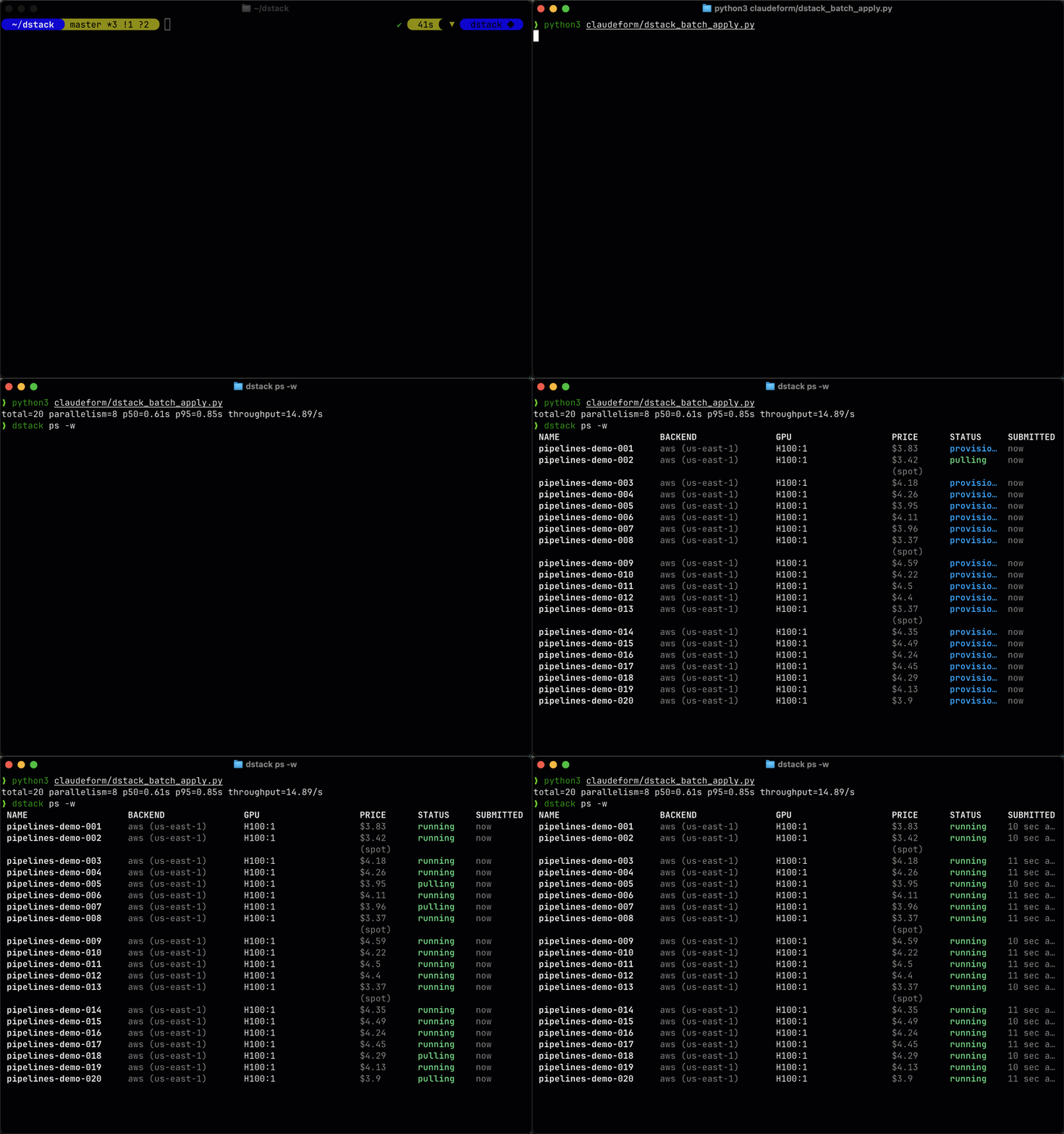
The performance gains come from a new, more efficient background processing architecture. Server
hardware requirements and memory consumption remain the same.
If you need to temporarily revert this behavior, set
DSTACK_FF_PIPELINE_PROCESSING_DISABLED=1 before starting the server.
Upgrade notes
Warning
This release includes significant internal changes to the dstack server. Test in a staging
environment before upgrading production whenever possible.
Warning
Rolling upgrades from 0.20.13 or older directly to 0.20.16 are not supported. Do not run
replicas on 0.20.13 (or older) and 0.20.16 at the same time. Upgrade to 0.20.15 first, or
scale server replicas down to 1 before upgrading.
SSH proxy
Servers can enforce proxy-only SSH access by combining SSH proxy with the new
DSTACK_SERVER_SSHPROXY_ENFORCED flag. When enabled, runs omit user-provided keys from authorized
lists and expect clients to connect via the proxy endpoint that run details expose. For more details, see the server deployment guide.
Note
SSH proxy is experimental, and behavior may change in future releases.
UI
SSH keys
User settings now include an SSH keys tab where you can upload OpenSSH public keys, see their fingerprints, and remove keys that no longer belong to you. Uploaded keys let you open SSH sessions without relying on the client key that dstack attach manages automatically, and duplicate keys are rejected with a clear error.
CLI
dstack attach
When SSH proxy is enabled on the server, dstack attach now routes through the proxy automatically and receives the proxy host, port, and upstream ID from run connection info. Servers can opt into proxy-only access by setting DSTACK_SERVER_SSHPROXY_ENFORCED, which stops embedding direct SSH keys in runs.
export DSTACK_SERVER_SSHPROXY_ENFORCED=1Backends
RunPod
RunPod backends can now provision on-demand CPU offerings in secure cloud regions, so jobs that request gpu: 0 schedule successfully without tricking the scheduler. Disk size checks respect the per-offer limits RunPod publishes.
resources:
  gpu: 0
  cpu: 8
  memory: 32GB
Verda
Verda startup scripts and SSH keys are now generated per instance and removed reliably on teardown, preventing stale credentials and improving cleanup when a rollout provisions multiple machines.
Major bug-fixes
- Improved Git-related CLI repo errors with actionable messages for missing credentials, detached HEAD state, and non-repository directories (#3730).
What's changed
- [Internal] Don't reload server on cli package changes by @un-def in dstackai/dstack#3706
- Fix SELinux denials and "Text file busy" on SSH fleet provisioning by @peterschmidt85 in dstackai/dstack#3712
- Add support for user-provided SSH public keys by @un-def in dstackai/dstack#3688
- Move stop_runner() to JobTerminating pipeline by @r4victor in dstackai/dstack#3714
- Add web UI for user public keys by @un-def in dstackai/dstack#3713
- [Landing] Update headings and descriptions for clarity in README, installation, and quickstart guides to amplify agentic orchestration (WIP) by @peterschmidt85 in dstackai/dstack#3710
- Add pipelines optimizations by @r4victor in dstackai/dstack#3719
- Reject user interaction in
runner_ssh_tunnelby @un-def in dstackai/dstack#3716 - Use sshproxy for CLI attach if enabled by @un-def in dstackai/dstack#3711
- Enable pipelines by default by @r4victor in dstackai/dstack#3728
- Do not wait in
VerdaCompute.create_instanceby @jvstme in dstackai/dstack#3723 - Pass delete_permanently when deleting Verda instances by @peterschmidt85 in dstackai/dstack#3734
- Fix pipelines not running on Python <= 3.10 by @r4victor in dstackai/dstack#3736
- Tests: bump pytest-asyncio>=0.25.2 by @un-def in dstackai/dstack#3733
- Fix docs Swagger UI rendering for REST API pages by @peterschmidt85 in dstackai/dstack#3729
- Guard cached get_offers with an execution lock by @r4victor in dstackai/dstack#3738
- Fix JobRunningPipeline not reclaiming stale jobs for terminating runs by @r4victor in dstackai/dstack#3741
- runpod: support on-demand CPU offers and provisioning by @peterschmidt85 in dstackai/dstack#3726
- Add JobMetricsPoint.job_id index by @r4victor in dstackai/dstack#3742
- Fix SENTRY_TRACES_BACKGROUND_SAMPLE_RATE not respected by @r4victor in dstackai/dstack#3744
- Update Server Deployment guide for pipelines by @r4victor in dstackai/dstack#3745
- [Docs] Add
dstack-sshproxydeployment guide by @un-def in dstackai/dstack#3720 - Revamp repo errors handling by @un-def in dstackai/dstack#3730
- [chore]: Fix
add_row_from_dict()typing issues by @jvstme in dstackai/dstack#3739 - Handle concurrent repo blob/file archive uploads by @un-def in dstackai/dstack#3737
- Verda: make startup script and SSH key lifecycle per-instance with reliable cleanup by @peterschmidt85 in dstackai/dstack#3718
Full changelog: dstackai/dstack@0.20.15...0.20.16
Contributors
Assets 2
0.20.15-v1
Backends
CloudRift
The cloudrift backend now supports provisioning AMD MI350X GPUs.

Major bug-fixes
- [AMD] Handle
amd-smi7.x output format (#3701) — Support bothamd-smioutput formats: flat array (ROCm 6.x) and wrapped{"gpu_data": [...]}(ROCm 7.x). - [CloudRift] CloudRift VMs boot with incorrect RTC clock (~1h ahead). Added NTP sync wait before launching the shim.
- [UI] Support
modeland some other YAML properties withLaunchwizard (e.g. to allow to deploy models via templates). - [SSH fleets] On SELinux-enforcing hosts (RHEL, Rocky, CentOS), the shim service failed to start with "Permission denied" because files moved from
/tmpkept their temporary SELinux labels - [UI] Services using HTTPS with an AWS ACM certificate were incorrectly displayed with an
http://URL in UI. - [SSH fleets] Setting
blocksat the top level of an SSH fleet config was silently ignored, causing "No matching instance offers available" errors. It only worked when set per-host
What's changed
- Fix pipeline fetcher deadlock by @r4victor in dstackai/dstack#3704
- [CloudRift] Fix NTP clock skew breaking Docker; handle amd-smi 7.x output by @peterschmidt85 in dstackai/dstack#3701
- Fix SELinux denials on SSH fleet provisioning by @peterschmidt85 in dstackai/dstack#3702
- [UI] Add missing fields to
LaunchUI supported fields list by @peterschmidt85 in dstackai/dstack#3671 - Fix
httpprotocol shown forhttpsservices withacmcert by @r4victor in dstackai/dstack#3709 - Respect top-level
blocksin SSH fleet configuration by @un-def in dstackai/dstack#3700
Full changelog: dstackai/dstack@0.20.14...0.20.15
Contributors
Assets 2
0.20.14-v1
Dev environments
You can create dev environments without specifying ide to connect via SSH only:
type: dev-environment
name: dev

python: "3.12"

resources:
  gpu: H100NVL:1
Exports
The following improvements are part of the exports feature, which enables sharing fleets across projects.
You can now list imported resources using:
$ dstack import list

 NAME                 FLEETS
 project-a/my-export  my-fleet, another-fleet
Imported fleets can be used directly in your workflows via cross-project references:
type: dev-environment
name: dev

python: "3.12"

resources:
  gpu: H100NVL:1

fleets: [project-a/my-fleet]
Or via CLI:
dstack apply -f .dstack.yml --fleet project-a/my-fleetImported fleets are also included in dstack offer. Plus, dstack event shows imported fleets with a project prefix.
Backends
Azure
Added support for Azure GPU VM series based on the latest NVIDIA hardware:
- NCads H100 v5 (H100 NVL GPUs, up to 2 GPUs per VM)
- ND H100 v5 (8× H100 GPUs for large-scale training workloads)
- ND H200 v5 (next-gen H200 GPUs with increased memory and bandwidth for large models)
type: fleet
name: my-fleet

nodes: 1

resources:
  gpu: H100NVL:1
Major bug-fixes
- Fixed AWS private gateway provisioning failures caused by the AWS 32-character load balancer name limit and by setups with multiple private subnets per availability zone
- Restored proper instance startup handling on AWS, resolving issues such as volumes not attaching reliably
- Removed unnecessary Docker metadata requests for default images, reducing the risk of registry rate limits
What's changed
- Add Exports concept page and CLI reference by @peterschmidt85 in dstackai/dstack#3659
- Refactor
process_submitted_jobsby @r4victor in dstackai/dstack#3666 - Add API for SSH proxy by @un-def in dstackai/dstack#3646
- Add per-job hourly log quota enforced on runner by @peterschmidt85 in dstackai/dstack#3668
- Implement submitted jobs pipeline by @r4victor in dstackai/dstack#3670
- Do not filter by fleet in
filter_instances()by @jvstme in dstackai/dstack#3674 - Show imported instances in
dstack offerby @jvstme in dstackai/dstack#3673 - Prepare
process_runsfor pipelines migration by @r4victor in dstackai/dstack#3675 - Fix the "No fleets" warning in UI by @jvstme in dstackai/dstack#3669
- Fix the "No Fleets" warning in CLI by @jvstme in dstackai/dstack#3667
- Show targets with project prefix in
dstack eventby @jvstme in dstackai/dstack#3680 - Make
ideoptional for dev-environment by @peterschmidt85 in dstackai/dstack#3656 - Fix 500 server error when re-applying replica groups service by @Bihan in dstackai/dstack#3678
- Cross-project fleet references in CLI and YAML by @jvstme in dstackai/dstack#3677
- Add SSH and IDE connection info to runs API by @un-def in dstackai/dstack#3681
- Implement run pipeline by @r4victor in dstackai/dstack#3686
- Do not request image config for default images by @jvstme in dstackai/dstack#3684
/imports/listAPI anddstack import listCLI by @jvstme in dstackai/dstack#3682- Check lock_expires_at in deprecated background tasks by @r4victor in dstackai/dstack#3689
- Support external pipelines registration by @r4victor in dstackai/dstack#3691
- Handle TimeoutError on pipeline draining by @r4victor in dstackai/dstack#3692
- Drop redundant instance select with lock by @r4victor in dstackai/dstack#3693
- Restore instance.wait_until_running() in AWS create_instance by @r4victor in dstackai/dstack#3694
- Complete fix replica groups issue 3676 by @Bihan in dstackai/dstack#3687
- Fix AWS private gateway provisioning by @r4victor in dstackai/dstack#3698
- [Azure] Add support for H100 NVL and H200 VM series; refactor instance creation methods to cleanup failed instances by @peterschmidt85 in dstackai/dstack#3699
Full changelog: dstackai/dstack@0.20.13...0.20.14
Contributors
Assets 2
0.20.13-v2

Exports
SSH fleet sharing
You can now share SSH fleets across projects using the new exports system:
$ dstack export \
        --project team-a \
        create shared-gpus \
        --fleet gpu-fleet-1 \
        --fleet gpu-fleet-2 \
        --importer team-b \
        --importer team-c

 NAME         FLEETS                    IMPORTERS
 shared-gpus  gpu-fleet-1, gpu-fleet-2  team-b, team-c
From the importer project’s perspective, exported fleets appear in dstack fleet list and can be used for runs just like the project’s own fleets:
$ dstack fleet --project team-b list

 NAME                NODES  GPU          SPOT  BACKEND  PRICE  STATUS  CREATED
 my-local-fleet      1      -            -     ssh      -      active  3 days ago
 team-a/gpu-fleet-1  2      A100:80GB:8  -     ssh      -      active  1 week ago
 team-a/gpu-fleet-2  1      H100:80GB:4  -     ssh      -      active  2 days ago
Learn more about exports in the docs.
UI
Project templates
Project settings now allow you to configure a custom templates repository.

Task connect
Task pages now include a Connect section that guides you through accessing the ports exposed by the task.

Backends
Crusoe
The Crusoe backend now supports H200 and B200 GPUs. The cluster docs have been updated to demonstrate native Crusoe backend usage for configuring a high-performance InfiniBand cluster.
Vast.ai
The new community_cloud backend setting allows you to restrict usage to secure cloud offers only:
backends:
- type: vastai
  community_cloud: false  # Use only secure cloud offers
The default remains community_cloud: true.
What's changed
- [UI]: Refresh button does not refresh run logs, metrics, or events by @olgenn in dstackai/dstack#3618
- Update Crusoe cluster docs by @peterschmidt85 in dstackai/dstack#3620
- Report runtime
working_dirandusernamefromrunnerviaJobRuntimeDataby @peterschmidt85 in dstackai/dstack#3617 - Implement fleet pipeline by @r4victor in dstackai/dstack#3623
- Replace RunPod -> Runpod in docs, blog, comments by @jvstme in dstackai/dstack#3625
- Extend fleet and instance permission tests by @jvstme in dstackai/dstack#3627
- Reorganize Go codebase by @un-def in dstackai/dstack#3628
- Display imported fleets with project prefix in CLI by @jvstme in dstackai/dstack#3630
- Fix Crusoe CPU instances and add H200/B200 support by @peterschmidt85 in dstackai/dstack#3619
- Do not show SSH fleet resources in
dstack fleetby @jvstme in dstackai/dstack#3632 - [UI] Unify Connect UX across run configuration types (plus fix) by @peterschmidt85 in dstackai/dstack#3622
- [UI]: Implement dynamic property filter options by @olgenn in dstackai/dstack#3621
- Fleet sharing main mechanisms by @jvstme in dstackai/dstack#3629
- Prevent Hot Aisle min reservation period error by @jvstme in dstackai/dstack#3633
- Implement instance pipeline by @r4victor in dstackai/dstack#3636
- Migrate attribute comments to docstrings by @r4victor in dstackai/dstack#3639
- Allow concurrent run and
TERMINATINGjobs processing by @r4victor in dstackai/dstack#3641 - [UI] Add per-project templates repo support by @peterschmidt85 in dstackai/dstack#3640
- Implement terminating jobs pipeline by @r4victor in dstackai/dstack#3643
- [UI] Make
Launchto respectresourcesin templates by @peterschmidt85 in dstackai/dstack#3642 - [Skills] AMD image selection,
files,repos,imageguidance by @peterschmidt85 in dstackai/dstack#3634 - Refactor
process_running_jobsbackground task by @r4victor in dstackai/dstack#3648 - Exports API and CLI by @jvstme in dstackai/dstack#3647
- Add community_cloud to VastAI backend (default true) by @peterschmidt85 in dstackai/dstack#3635
- Do not show resources for SSH fleets in UI by @peterschmidt85 in dstackai/dstack#3649
- [Blog] Infrastructure orchestration is an agent skill by @peterschmidt85 in dstackai/dstack#3645
- Fix error when imported fleet has no capacity by @jvstme in dstackai/dstack#3652
- Improve CLI settings section and fix status indicator colors by @peterschmidt85 in dstackai/dstack#3650
- Upgrade litestream 0.5.0 → 0.5.9 and simplify entrypoint restore by @peterschmidt85 in dstackai/dstack#3653
- Fix services on imported fleets by @jvstme in dstackai/dstack#3654
- Implement running jobs pipeline by @r4victor in dstackai/dstack#3657
- Fix error submitting run to empty imported fleet by @jvstme in dstackai/dstack#3661
- Fix updating pre-0.18.2 gateways (including Sky) by @jvstme in dstackai/dstack#3658
- Fix CLI compatibility with older servers by @jvstme in dstackai/dstack#3664
Full Changelog: dstackai/dstack@0.20.12...0.20.13
Contributors

Assets 2
0.20.12-v1
Backends
Crusoe
dstack now supports Crusoe as a backend, enabling VM-based provisioning with GPU instances. The backend supports both single-node and multi-node cluster provisioning with InfiniBand.
type: fleet
name: my-crusoe-fleet

backends: [crusoe]
resources:
  gpu: A100:8
nodes: 2
placement: cluster
Note
CPU instances, H200, B200, GB200, MI300X, MI355X and volumes support is coming soon.
UI
Launch wizard
The UI now includes a launch wizard that lets users create runs from pre-defined templates. Instead of writing YAML from
scratch, users can select a template, pick GPU resources, adjust settings, and review the final
configuration—all through a guided flow.

To enable the launch wizard, point the server to a templates repository:
$ DSTACK_SERVER_TEMPLATES_REPO=https://github.com/dstackai/dstack-templates dstack serverTemplates are YAML files under .dstack/templates in the repo. Each template has type set to template, a unique name, a title, configurable parameters, and a configuration that defines the dstack run:
type: template
name: in-browser-ide

title: In-browser IDE
description: Access the instance using VS Code in the browser.

parameters:
  - type: name
  - type: resources
  - type: python_or_docker
  - type: repo
  - type: working_dir

  - type: env
    title: Password
    name: PASSWORD
    value: $random-password

configuration:
  type: service

  auth: false
  gateway: true
  https: auto

  env:
    - BIND_ADDR=0.0.0.0:8080
  commands:
    - |
      echo "Your password is $PASSWORD. Share it carefully as it grants full access to the IDE."
    - |
      curl -fsSL https://code-server.dev/install.sh | sh -s -- --method standalone --prefix /tmp/code-server
    - |
      /tmp/code-server/bin/code-server --bind-addr $BIND_ADDR --auth password --disable-telemetry --disable-update-check .
  port: 8080

  probes:
    - type: http
      url: /healthz
See dstack-templates for an example repository.
Note
The launch wizard is an experimental feature. Currently, templates are configured per server. Per-project templates configuration is coming soon.
Instances
The UI now has an Instance details page where you can view detailed information about an instance, including its events and inspect data. Instance names across the UI—including on Events pages—now link directly to this page.

What's changed
- Document Adding indexes by @r4victor in dstackai/dstack#3594
- [Blog] Model inference with Prefill-Decode disaggregation by @peterschmidt85 in dstackai/dstack#3595
- [runner] Drop buildLDLibraryPathEnv() by @un-def in dstackai/dstack#3593
- Fix mutually exclusive fields validation by @jvstme in dstackai/dstack#3598
- [Docs] PD disaggregation by @Bihan in dstackai/dstack#3592
- [Docs] Clarify how K8s resources and offers work by @un-def in dstackai/dstack#3565
- Allow
https: autofor services by @peterschmidt85 in dstackai/dstack#3600 - Implement gateway pipeline by @r4victor in dstackai/dstack#3599
- Allow detecting whether service
httpsis unset by @jvstme in dstackai/dstack#3601 - Implement volume pipeline by @r4victor in dstackai/dstack#3604
- [Website] Minor edits by @peterschmidt85 in dstackai/dstack#3609
- [Website] Add
robots.txtand structured data by @peterschmidt85 in dstackai/dstack#3610 - Add templates API and launch wizard UI by @peterschmidt85 in dstackai/dstack#3605
- [UI] Include availability issues information to offer cards by @peterschmidt85 in dstackai/dstack#3607
- Fix SSH fleet with
proxy_jumpin-place update check by @un-def in dstackai/dstack#3612 - Bump gpuhunt==0.1.17 by @r4victor in dstackai/dstack#3615
- [UI] Add Instance details page by @peterschmidt85 in dstackai/dstack#3614
- Add Crusoe Cloud backend by @peterschmidt85 in dstackai/dstack#3602
Full changelog: dstackai/dstack@0.20.11...0.20.12
Contributors
Assets 2
0.20.10-v1

Services
Prefill-Decode disaggregation
dstack now supports disaggregated Prefill–Decode inference, allowing both Prefill and Decode worker types to run within a single service.
To define and run such a service, set pd_disaggregation to true under the router property (this requires the gateway to use the sglang router, and define separate replica groups for Prefill and Decode worker types:
type: service
name: prefill-decode

env:
  - HF_TOKEN
  - MODEL_ID=zai-org/GLM-4.5-Air-FP8

image: lmsysorg/sglang:latest

replicas:
  - count: 1..4
    scaling:
      metric: rps
      target: 3
    commands:
      - |
          python -m sglang.launch_server \
            --model-path $MODEL_ID \
            --disaggregation-mode prefill \
            --disaggregation-transfer-backend mooncake \
            --host 0.0.0.0 \
            --port 8000 \
            --disaggregation-bootstrap-port 8998
    resources:
      gpu: H200

  - count: 1..8
    scaling:
      metric: rps
      target: 2
    commands:
      - |
          python -m sglang.launch_server \
            --model-path $MODEL_ID \
            --disaggregation-mode decode \
            --disaggregation-transfer-backend mooncake \
            --host 0.0.0.0 \
            --port 8000
    resources:
      gpu: H200

port: 8000
model: zai-org/GLM-4.5-Air-FP8

probes:
  - type: http
    url: /health_generate
    interval: 15s

router:
  type: sglang
  pd_disaggregation: true
Note
Note, pd_disaggregation requires both the gateway and replicas to use the same cluster. With dstack, this can now be used with the aws, gcp, kubernetes backends (as they support creating both clusters and gateways). Support for more backends (and eventually SSH fleets) is coming soon.
Currently, pd_disaggregation works only with SGLang. Support for vLLM is coming soon.
Support for additional scaling metrics, such as TTFT and ITL, is also coming soon to enable autoscaling of Prefill and Decode workers.
Model endpoint
If you configure the model property, dstack previously provided a global model endpoint at gateway.<gateway domain> (or /proxy/models/<project name>), allowing access to all models deployed in the project. This endpoint has been deprecated.
Now, any deployed model should be accessed via the service endpoint itself at <run name>.<gateway domain> (or /proxy/services/main/<service name>).
Note
If you configure the model property, dstack automatically enables CORS on the service endpoint. Future versions will allow you to disable or customize this behavior.
CLI
dstack apply
Previously, if you did not specify gpu, dstack treated it as 0..1 but did not display it in the run plan. Now, dstack properly displays this default. Additionally, if you do not specify image, dstack automatically defaults the vendor to nvidia.
dstack apply -f dev.dstack.yml
 Project              peterschmidt85
 User                 peterschmidt85
 Type                 dev-environment
 Resources            cpu=2.. mem=8GB.. disk=100GB.. gpu=0..
 Spot policy          on-demand
 Max price            off
 Retry policy         off
 Idle duration        5m
 Max duration         off
 Inactivity duration  off

 #  BACKEND         RESOURCES                  INSTANCE TYPE  PRICE
 1  verda (FIN-01)  cpu=4 mem=16GB disk=100GB  CPU.4V.16G     $0.0279
 2  verda (FIN-02)  cpu=4 mem=16GB disk=100GB  CPU.4V.16G     $0.0279
 3  verda (FIN-03)  cpu=4 mem=16GB disk=100GB  CPU.4V.16G     $0.0279
    ...

Submit the run dev? [y/n]:
This makes the run plan much more explicit and clear.
Full changelog: dstackai/dstack@0.20.8-v1...0.20.10-v1
0.20.8-v1
CLI
dstack event --watch
The dstack event command now supports a --watch option for real-time event tracking.

Event coverage has also been improved, with events for run in-place update and service registration now available.
dstack fleet
The dstack fleet command now includes fleet-level information such as nodes, resources, spot policy, and backend details, with individual instances listed underneath.

Skills
SKILL.md
If you're using agents such as Claude Code, Codex, Cursor, etc., it’s now possible to install dstack skills.
npx skills add dstackai/dstackThese skills make the agent fully aware of the configuration syntax and CLI commands.

Services
Probes
UI
The UI now displays probe statuses for services, helping monitor replica readiness and health.

until_ready
A new until_ready option for probes allows stopping probe execution once the ready_after threshold is reached. This is useful for resource-intensive probes that only need to run during startup:
probes:
  - type: http
     url: /health
     until_ready: true
     ready_after: 2
Model probes
Services that use the model property to declare a chat model with an OpenAI-compatible interface now receive an automatically configured probe that checks model availability by requesting /v1/chat/completions.
Backends
RunPod
Community Cloud
RunPod Community Cloud is now disabled by default to ensure a more reliable experience. You can still enable Community Cloud in the backend settings. dstack Sky users can enable Community Cloud only when using their own RunPod credentials.
CUDO
Due to CUDO Compute winding down its public on-demand offering, the cudo backend is now deprecated.
What's changed
- [Docs] Replica groups by @Bihan in dstackai/dstack#3511
- [Docs] Added
Spot policyby @peterschmidt85 in dstackai/dstack#3512 - Switch UI to pagination-based projects and users API by @olgenn in dstackai/dstack#3503
- [UI] Add Spot policy configuration option to the fleet wizard by @olgenn in dstackai/dstack#3519
- Rename event target filters in UI by @jvstme in dstackai/dstack#3517
- [Docs] Add dstack skill by @peterschmidt85 in dstackai/dstack#3525
- [Docs] Remove the mention of the gateway endpoint #3514 by @peterschmidt85 in dstackai/dstack#3518
- Add service and replica registration events by @jvstme in dstackai/dstack#3516
- [Bug]: Refresh button does not work on list pages by @olgenn in dstackai/dstack#3520
- [Feature]: Show probe statuses in the UI by @olgenn in dstackai/dstack#3521
- [Runpod] Make Community Cloud an "opt-in" (disable by default) by @peterschmidt85 in dstackai/dstack#3534
- [Services] Add default probes if model is set by @peterschmidt85 in dstackai/dstack#3524
- [Docs] Update SKILL.md by @peterschmidt85 in dstackai/dstack#3536
- [CLI]:
dstack event --watchby @jvstme in dstackai/dstack#3533 - Add
/api/project/{project_name}/instances/getby @jvstme in dstackai/dstack#3535 - Add run in-place update event by @jvstme in dstackai/dstack#3540
- Add job in-place update event by @jvstme in dstackai/dstack#3541
- Add probe
until_readyconfiguration option by @jvstme in dstackai/dstack#3530 - CLI crashes with 'Operation not permitted' when log file is not writable by @peterschmidt85 in dstackai/dstack#3538
- [Docs] Removed
cudobackend by @peterschmidt85 in dstackai/dstack#3539 - [UX] Improve
dstack fleetoutput layout by @peterschmidt85 in dstackai/dstack#3529 - [UX] Remove creation_policy from Concept by @peterschmidt85 in dstackai/dstack#3542
- [Bug]: Run doesn't show Waiting runner limit exceeded in Error by @peterschmidt85 in dstackai/dstack#3546
- [Docs] Update SKILL.md by @peterschmidt85 in dstackai/dstack#3547
- Fix
probes=Noneclient incompatibility by @jvstme in dstackai/dstack#3544 - Fix
probes=Noneserver incompatibility by @jvstme in dstackai/dstack#3543
Full changelog: dstackai/dstack@0.20.7...0.20.8
Contributors
Assets 2
0.20.7-v1
Services
Replica groups
A service can now include multiple replica groups. Each group can define its own commands, resources spec, and scaling rules.
type: service
name: llama-8b-service

image: lmsysorg/sglang:latest
env:
  - MODEL_ID=deepseek-ai/DeepSeek-R1-Distill-Llama-8B

replicas:
  - count: 1..2
    scaling:
      metric: rps
      target: 10
    commands:
      - |
        python -m sglang.launch_server \
          --model-path $MODEL_ID \
          --port 8000 \
          --trust-remote-code
    resources:
      gpu: 48GB

  - count: 1..4
    scaling:
      metric: rps
      target: 5
    commands:
      - |
        python -m sglang.launch_server \
          --model-path $MODEL_ID \
          --port 8000 \
          --trust-remote-code
    resources:
      gpu: 24GB

port: 8000
model: deepseek-ai/DeepSeek-R1-Distill-Llama-8B
Note
Properties such as regions, port, image, env and some other cannot be configured per replica group. This support is coming soon.
Note
Native support for disaggregated prefill and decode, allowing both worker types to run within a single service, is coming soon.
Events
Events are now also supported for volumes, gateways, and secrets.
$ dstack event --target-gateway my-gateway
[2026-01-28 11:53:03] [👤admin] [gateway my-gateway] Gateway created. Status: SUBMITTED
[2026-01-28 11:53:32] [gateway my-gateway] Gateway status changed SUBMITTED -> PROVISIONING
[2026-01-28 11:54:46] [gateway my-gateway] Gateway status changed PROVISIONING -> RUNNING
[2026-01-28 11:55:08] [👤admin] [gateway my-gateway] Gateway set as default
Instance events now also include reachability and health events.
Finally, we have added Events under Concepts in the documentation.
CLI
dstack project
The dstack project and dstack project set-default commands now allow you to interactively select the default project when these commands are run without arguments.

dstack login
The dstack login command can now be run without arguments. In this case, it will interactively ask for the URL and provider if needed. If you want to use dstack Sky, you can simply press Enter without entering a URL or provider.

Also, if you have multiple projects, the command will prompt you to select the default project as well.
What's changed
- Implement pagination for
/api/project/listand/api/users/listby @r4victor in dstackai/dstack#3489 - Update dstack server CLI logo by @r4victor in dstackai/dstack#3438
- Move pytest.ini options to pyproject.toml by @r4victor in dstackai/dstack#3491
- [UX] Make
dstack projectanddstack project set-defaultinteractive for default project selection by @peterschmidt85 in dstackai/dstack#3488 - Add replica groups in dstack-service by @Bihan in dstackai/dstack#3408
- [chore]: Add
list_eventsutility for unit tests by @jvstme in dstackai/dstack#3493 - [Docs]: Fix k8s backend config example by @jvstme in dstackai/dstack#3495
- Move ruff.toml to pyproject.toml by @r4victor in dstackai/dstack#3496
- Events: instance/job reachability and health by @jvstme in dstackai/dstack#3482
- Volume events by @jvstme in dstackai/dstack#3494
- Set INSTANCE_UNREACHABLE for unreachable on-demand instances by @r4victor in dstackai/dstack#3497
- Support gateway events in API, CLI, and UI by @jvstme in dstackai/dstack#3499
- Use numeric replica-group names by @Bihan in dstackai/dstack#3502
- Add gateway lifecycle events by @jvstme in dstackai/dstack#3500
- Docs minor improvements by @peterschmidt85 in dstackai/dstack#3501
- Support secret events in API, CLI, and UI by @jvstme in dstackai/dstack#3504
- [Docs] Events #3397 by @peterschmidt85 in dstackai/dstack#3506
- [UX] Extend
dstack loginwith interactive selection ofurland default project by @peterschmidt85 in dstackai/dstack#3492 - Add secret lifecycle events by @jvstme in dstackai/dstack#3505
- Fix apply plan compatibility with old servers by @jvstme in dstackai/dstack#3507
- [UI] Minor tweaks by @peterschmidt85 in dstackai/dstack#3508
- Fix
dstack eventcompat. with older servers by @jvstme in dstackai/dstack#3509 - Fix scaling during update to replica groups by @jvstme in dstackai/dstack#3510
Full changelog: dstackai/dstack@0.20.6...0.20.7
Contributors
Assets 2
0.20.6-v1
Server deployment
Memory optimization
This release reduces peak server memory usage. Previously, memory grew with the total number of instances ever submitted; this is now fixed. We recommend upgrading if memory usage increases over time.
Logs storage
Fluent Bit + Elasticsearch/OpenSearch
Run logs can now be stored in your own log storage via Fluent Bit. At the same time, dstack can now read run logs from Elasticsearch/OpenSearch (to display in the UI and CLI), if Fluent Bit ships the logs there.
See the docs for more details.
Fleets
Since 0.20, dstack requires at least one fleet to be created before you can submit any runs. To make this easier, we’ve simplified default fleet creation during project setup in the UI:

In addition, if your project doesn’t have a fleet, the UI will prompt you to create one.
What's changed:
- Hotfix. Fixed generation fleet fields in project forms by @olgenn in dstackai/dstack#3486
- Add missing Box imports by @r4victor in dstackai/dstack#3485
- Use the same metrics endpoint label for 404 requests by @r4victor in dstackai/dstack#3455
- Refactoring Inspect page by @olgenn in dstackai/dstack#3457
- Migrate from Slurm by @peterschmidt85 in dstackai/dstack#3454
- [Internal]: Handle GitHub API errors in
release_notes.pyby @jvstme in dstackai/dstack#3463 - Display
InstanceAvailability.NO_BALANCEin CLI by @jvstme in dstackai/dstack#3460 - Do not return
NO_BALANCEto older clients by @jvstme in dstackai/dstack#3462 - Optimize job submissions loading by @r4victor in dstackai/dstack#3466
- [CLI] Add
--memoryoption toapplyandofferby @un-def in dstackai/dstack#3461 - [runner] Rework and fix user processing by @un-def in dstackai/dstack#3456
- Optimize fleet instances db queries by @r4victor in dstackai/dstack#3467
- Kubernetes: adjust offer GPU count by @un-def in dstackai/dstack#3469
- Add missing job status change event for scaling by @jvstme in dstackai/dstack#3465
- Fix
find_optimal_fleet_with_offerslog message by @un-def in dstackai/dstack#3470 - Fix missing instance lock in delete_fleets by @r4victor in dstackai/dstack#3471
- Optimize list and get fleets by @r4victor in dstackai/dstack#3472
- feat(logging): add fluent-bit log shipping by @DragonStuff in dstackai/dstack#3431
- Adjust fluent-bit logging integration by @r4victor in dstackai/dstack#3478
- Emit events for instance status changes by @jvstme in dstackai/dstack#3477
- [runner] Restore
--home-diroption as no-op by @un-def in dstackai/dstack#3480 - [UI] Default fleet in project wizard by @olgenn in dstackai/dstack#3464
- Support shared AWS compute caches by @r4victor in dstackai/dstack#3483
- [UI] Minor re-order in the sidebar by @peterschmidt85 in dstackai/dstack#3484
Full changelog: dstackai/dstack@0.20.3...0.20.6
