How to: Generate chromium logs
You can have host apps generate a chromium log file that may help diagnose issues:
- Install and run WebView2Utilities
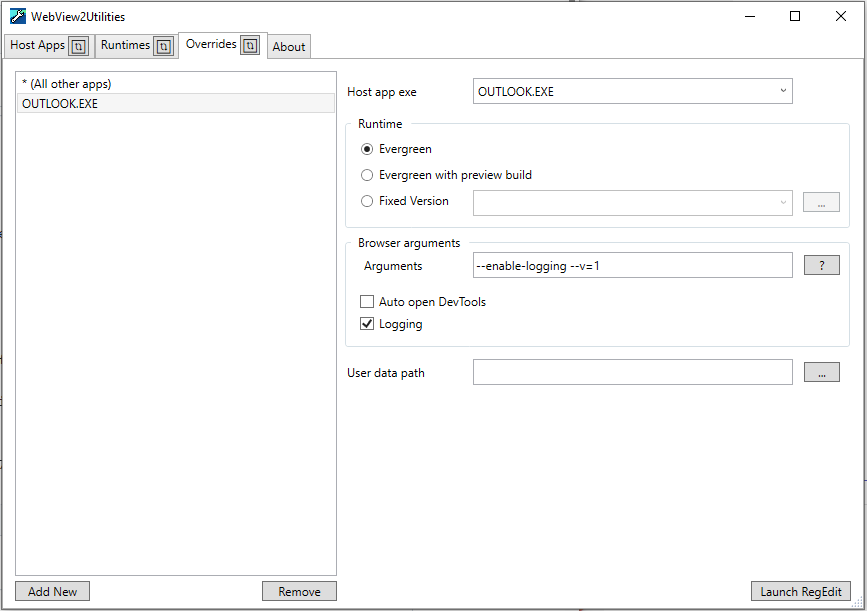
- Select the
Overridestab. - Press the
Add Newbutton. - Select the newly added entry in the list.
- Change the
Host app exetextbox to be the name of the executable file of your host app. For example,OUTLOOK.EXE. - Check the
Loggingcheckbox. - If already running, close your host app.
- Restart your host app.
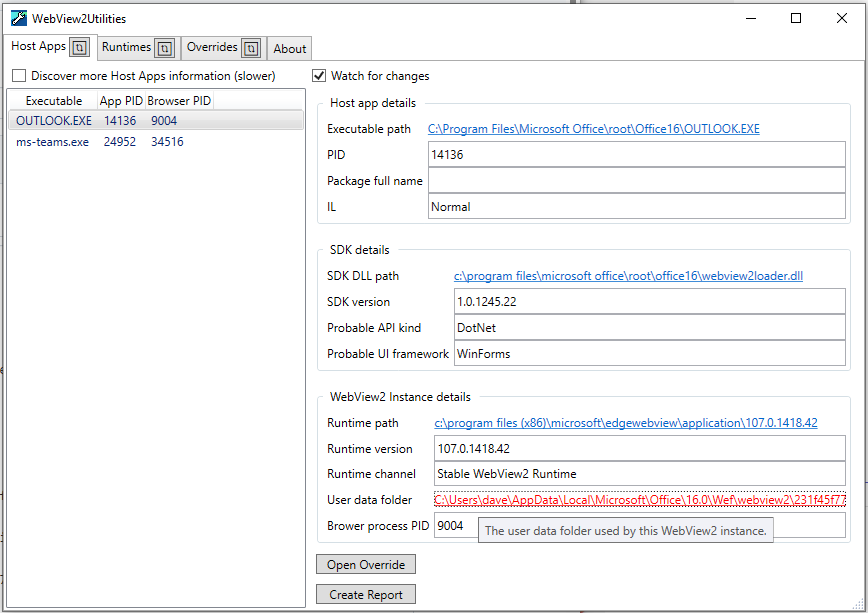
- Select the
Host Appstab. - Select the entry of your host app process.
- Click the
User data folderlink to open the user data folder where you can find the chromium.log file.
When the host app creates a WebView2 it should now start generating chromium log files. They should be in the host app's user data folder.