This repo is a step-by-step guide/script for managing organization wide github issue labels across all projects.
Before you run the code, explore the directory you just cloned:
.
├── README.md            - You are reading this NOW
├── default-labels.toml  - This is the label format that you are about to apply to ALL OF YOUR ORGANIZATIONS' REPOS.
├── list-all-repos.py    - Discovers all of your orgainizations repos and clobbers existing lalels with above "default-labels.toml" Making them all identicle.
├── repo-labels          - Check this directory. (Look, don't touch!) These files will all overwritten soon
├── requirements.txt     - Classic python dependancies stuff
└── .env                 - This file is NOT HERE yet. You will add it below
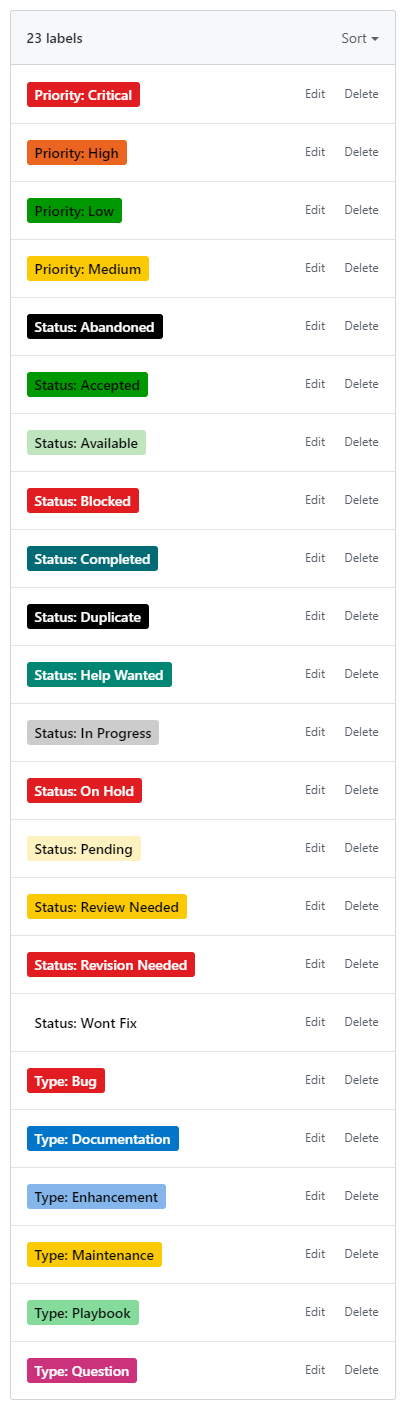
The Result: all of your organizations' repsoitories will have the same github labels
- Create a github Personal access token
- Give it a name
- Only select the
reposcope
- User has access to the github organization
python3 -m venv venv
source venv/bin/activate
python3 -m pip install --upgrade pip wheel
python3 -m pip install -r requirements.txt
Edit your .env file:
Replace "xxxxxxxxxxxxxx" with your token from above.
Replace "yyyyyyyyyyyyyy" with your user name.
vim .env
GITHUB_USER_TOKEN="xxxxxxxxxxxxxxxx"
GITHUB_USER_NAME="yyyyyyyyyyyyyy"
LABELS_TOKEN=${GITHUB_USER_TOKEN}
LABELS_USERNAME=${GITHUB_USER_NAME}
View the labels you are about to apply to your org's repos. If this is your first time through, then look, dont touch. The default labels have been working well
vim default-labels.toml
set -a
source .env
labels sync --owner {{ GITHUB_ORG }} --repo {{ GITHUB_REPO }} --filename default-labels.tomlList all your organization's repos:
set -a
source .env
python list-all-repos.py
Make a backup of all current labels
mkdir -p repo-labels
python list-all-repos.py | xargs -I {} labels fetch --owner <GITHUB ORG> --repo {} --filename repo-labels/{}-labels.toml
**Push the default-labels.toml to all of your organization's repositories
python list-all-repos.py | xargs -I {} labels sync --owner <GITHUB ORG> --repo {} --filename default-labels.toml
That's it! The labels have been pushed to all reposities.
Don't like them? Then edit default-labels.toml and run the steps again.