
SharpIcoWeb是基于SharpIco开发的图片转ICO工具网站,支持上传png、jpg等图片转换为多尺寸的Ico图片文件。采用前后端分离技术。
后端接口使用 .NET Minimal API开发,够轻量。
https://github.com/ZyPLJ/SharpIcoWeb
- 网站Favicon 🌐
- 软件图标 🖥️
- 个性化文件夹标识 📂
<link rel="icon" type="image/x-icon" href="/logo.ico" />| ⚡ Vite+Vue+Element-Plus 极速的开发服务器和高效的生产构建 | 🗂️ → ❌ 纯文件操作(无需SQLite/MySQL) |
|---|---|
| 🏗️.NET 9 MiniAPI 轻量级API开发,处理图像转换业务逻辑 | 🖼️ 后端使用的强大图像处理库,实现PNG/JPG转ICO |
| 🐳 可容器化(Docker 支持) | 📱 + 💻 响应式设计(适配移动端) |
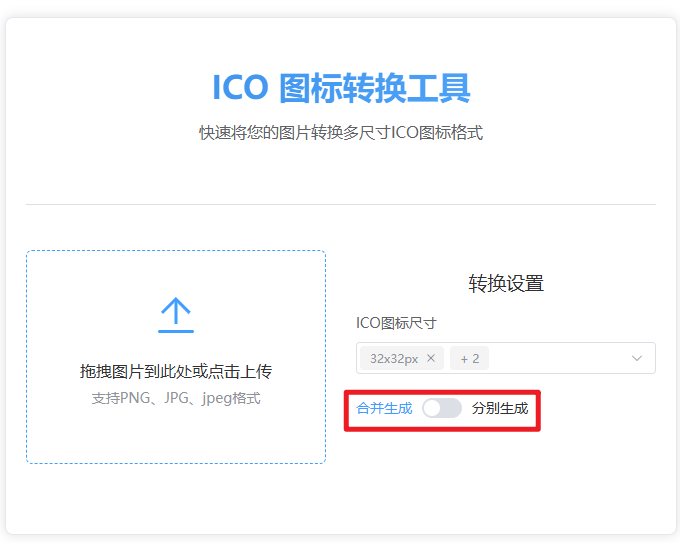
- 不同尺寸ICO,可分别生成ICO文件。
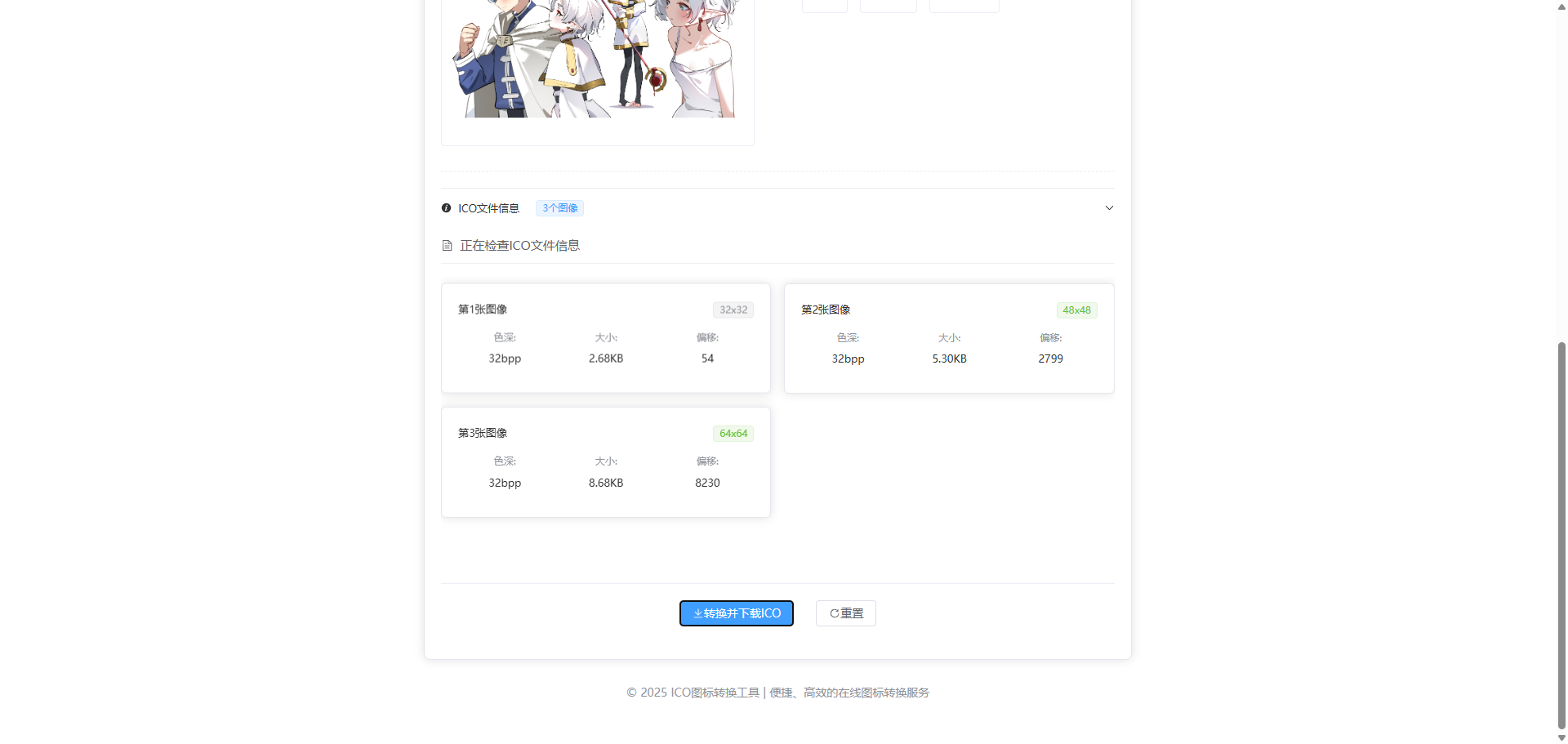
- 前端显示ICO文件图标数量数据、大小、偏移等数据。
- 批量转换功能。
注意注释部分配置可能需要根据实际情况修改
docker-compose up --build -dserver {
listen 5173; # 配置端口
server_name 0.0.0.0; # 修改为docker服务宿主机的ip
# 设置允许的最大请求体大小(例如 100MB)
client_max_body_size 100M;
location / {
root /usr/share/nginx/html;
index index.html index.htm;
try_files $uri $uri/ /index.html =404;
}
location /api {
proxy_pass http://backend:5235; # Docker 内部网络
proxy_set_header Host $host;
proxy_set_header X-Real-IP $remote_addr;
}
error_page 500 502 503 504 /50x.html;
location = /50x.html {
root html;
}
}
version: '3.8'

services:
  frontend:
    build:
      context: ./sharp-ico-vue   # 指向前端目录
      dockerfile: Dockerfile
    ports:
      - "5173:5173"               # 前端映射到宿主机的5173端口
    depends_on:
      - backend

  backend:
    build:
      context: .    # 指向后端目录
      dockerfile: Dockerfile
    ports:
- "5235:5235" # 后端端口git clone https://github.com/ZyPLJ/SharpIcoWeb.git
cd SharpIcoWeb

dotnet build -c Release

dotnet run
cd ..

cd sharp-ico-vue

npm install

npm run dev前后端项目运行或部署后,打开运行后网址。
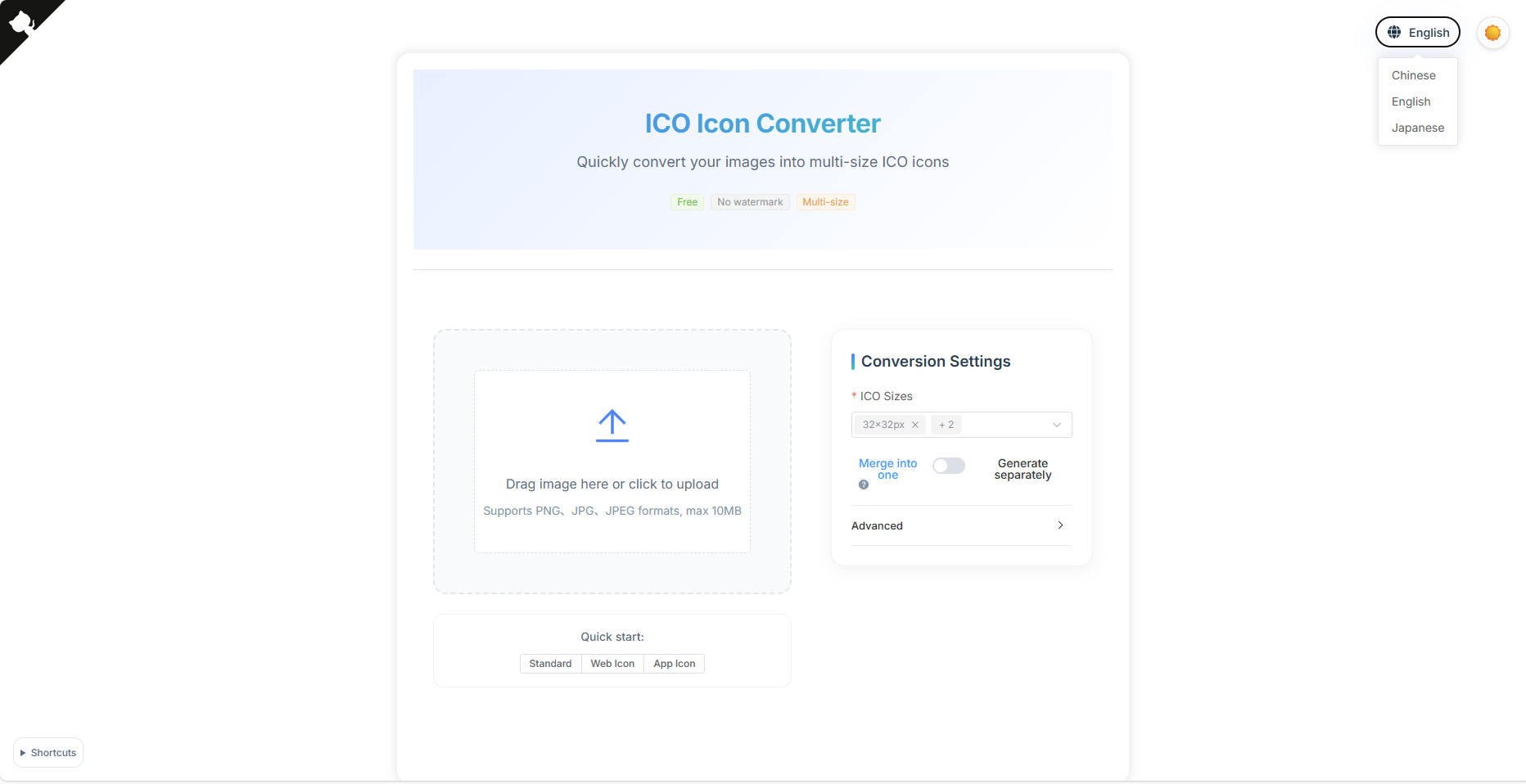
选择需要生成的ICO图表尺寸,可多选
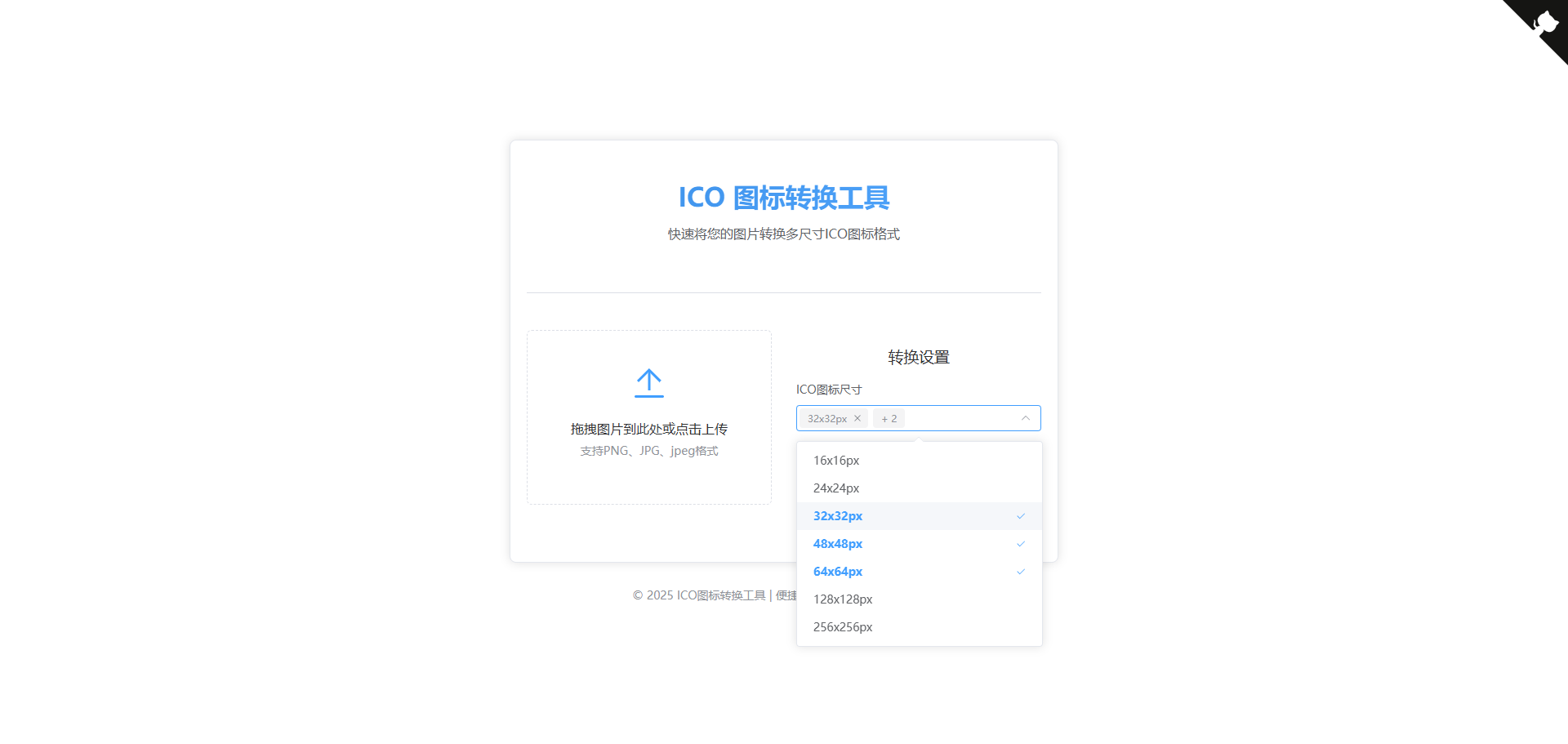
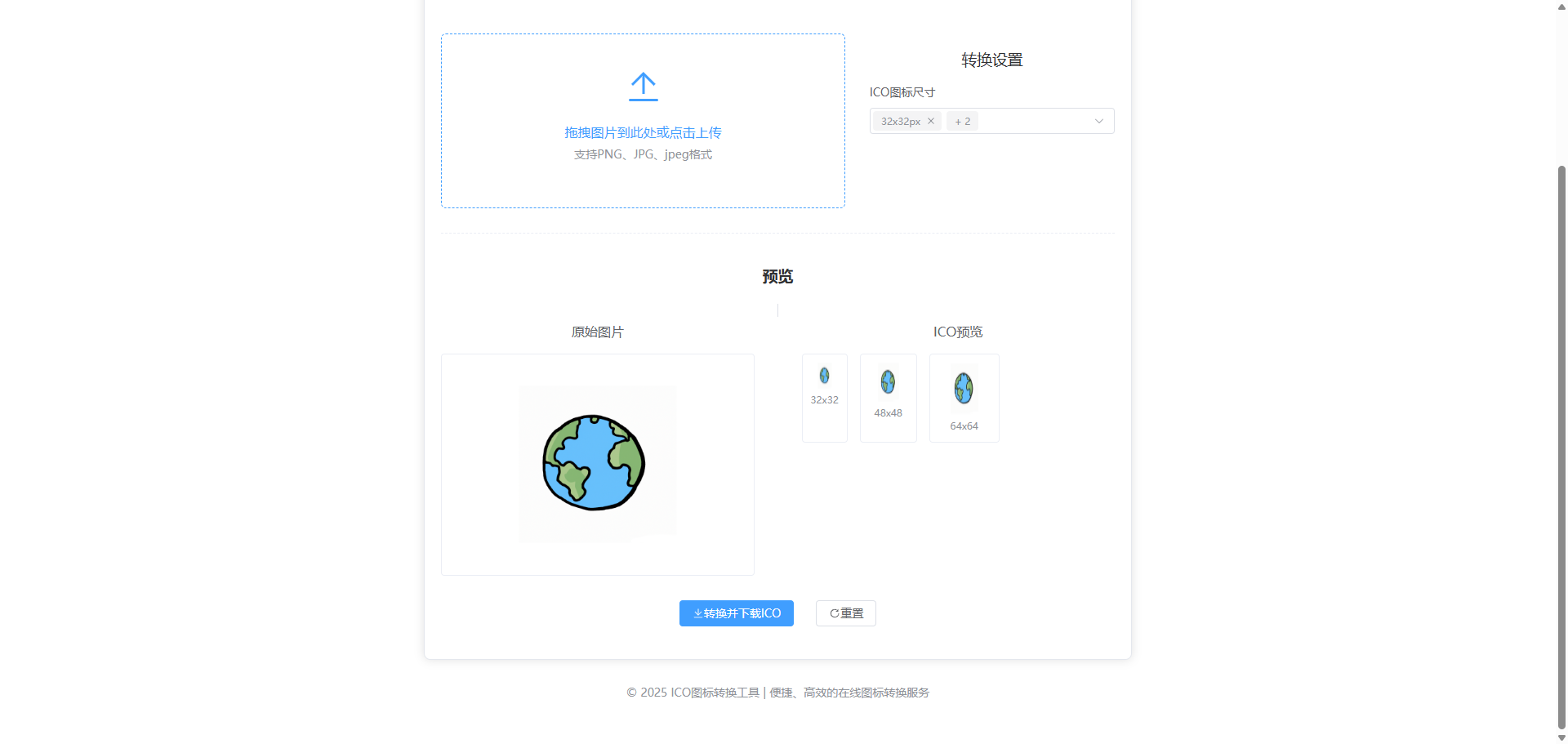
上传图片文件,点击转换。
该版本更新了分别生成功能,将图片转为不同尺寸的单ico文件。
该版本更新了前端显示ICO文件图标数量数据、大小、偏移等数据功能。
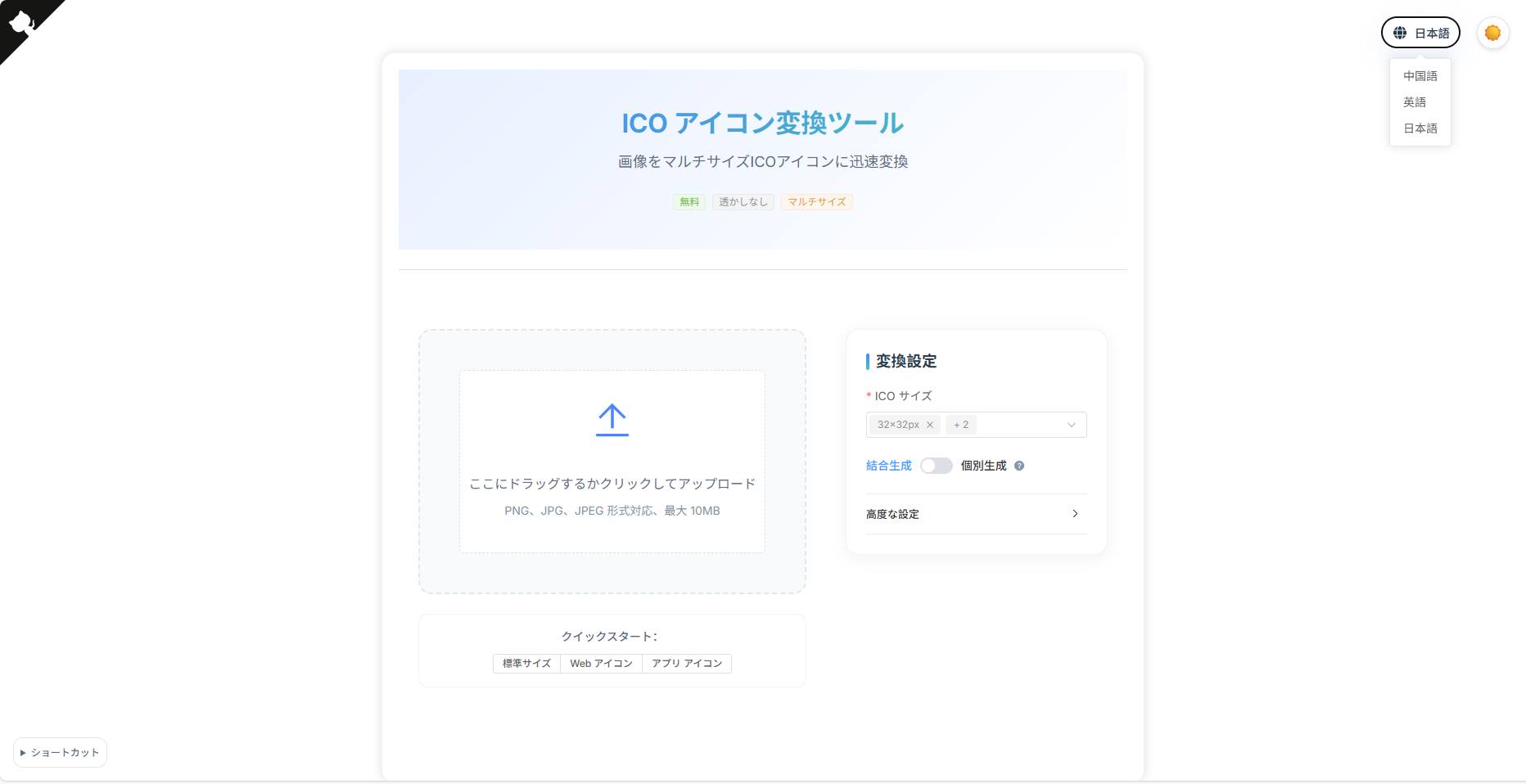
该版本新增多语言国际化支持,支持中文、英文、日文界面切换,提升用户体验。
sharp-ico/
├── SharpIco/               # 图标转换类库
    ├── IcoEndpoints.cs     # 端点类
│   ├── SharpIco.csproj
├── SharpIcoWeb/            # 后端Api项目
│   ├── SharpIcoWeb.csproj
├── sharp-ico-vue           # 前端项目
- .Net 9
- Node.js 20.19+
- Vue3
dotnet build -c Release

dotnet runnpm install
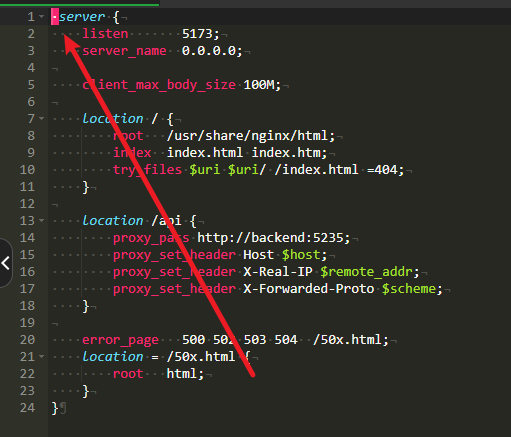
npm run devunknown directive "server" in /etc/nginx/conf.d/default.conf:1
查看前端目录下 default.conf文件开头是否存在特殊符号或者空格:
- SharpIco 🌟 Star if useful!
- SharpIcoWeb 🌟 Star if useful!