Design Interations
The following picture describes a very simple design we developed in the beginning. We didn't put much thought in it, so nothing much to tell here.

Our first mock-up iteration isn't a great UI design neither provides it the user with a great experience, therefore we needed to create a new design.
First, the overfall colour theme had to change for a more appealing and modern look.
Then we added a sidebar with the possibility to add many more feature button and will open extra panels with more information in. One of them is the screen or application selection panel, which you can see in the picture below.
There will be many more panels like the regex definition, settings, account and in the future maybe many more.

This mock-up showcases the regex definition panel in all its glory.

We wanted to make the user experience (UX) a lot better and put less clutter on the application, therefore we refined a lot to provide for the actual application a better UX.
Therefore, we let us inspire a bit from OBS and Streamlabs, but in reality we created a unique design for Vigad.

This refined mock-up showcases the new menu bar as well as the more user-friendly regular expression panel.
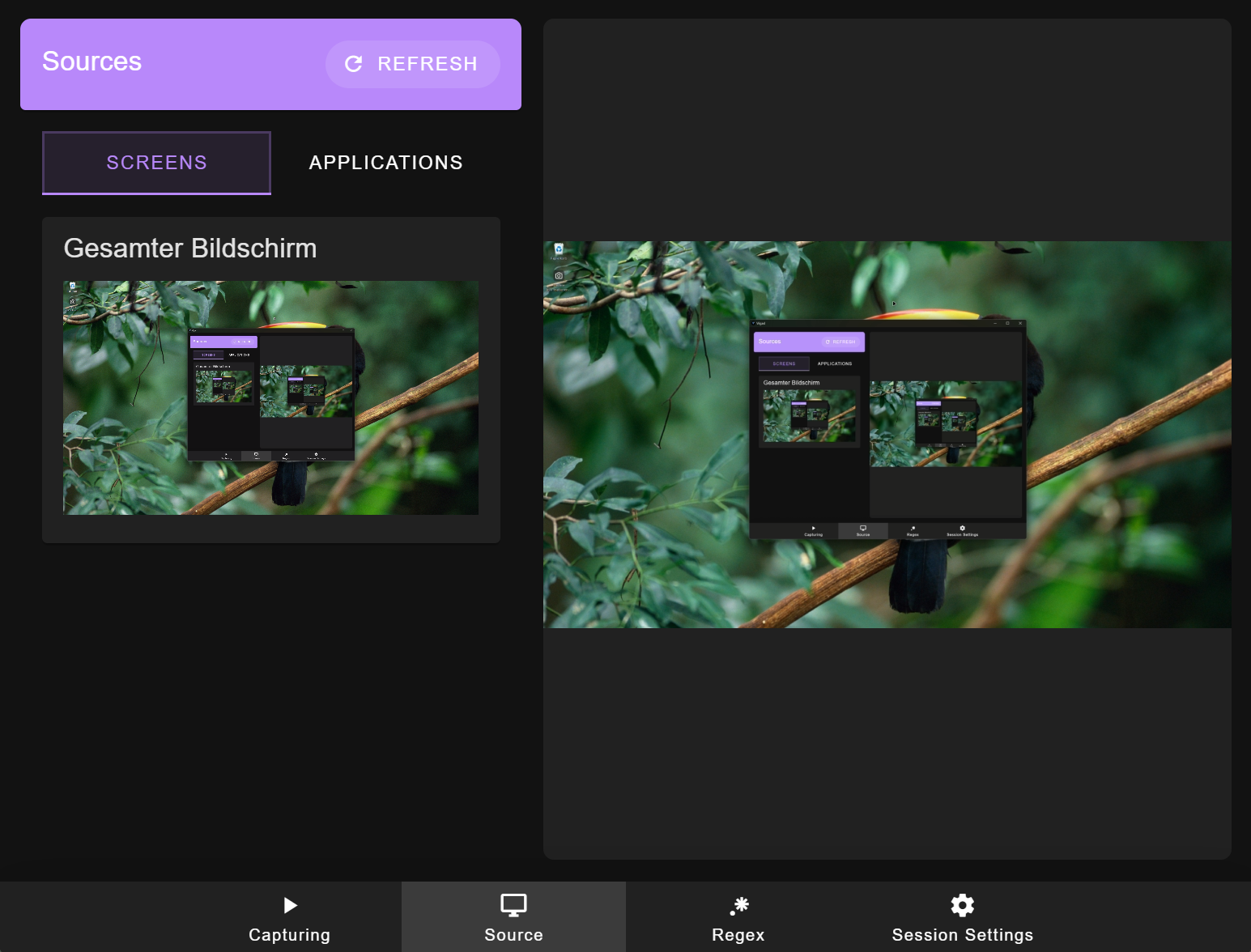
To finalize our design we redesign many things with Vuetify components which are based on the Material Design Guidelines. With these components we hoped and in our opinion also achieved a great design for the MVP.
There are two main parts of the applications which are interesting. First, the source selection.
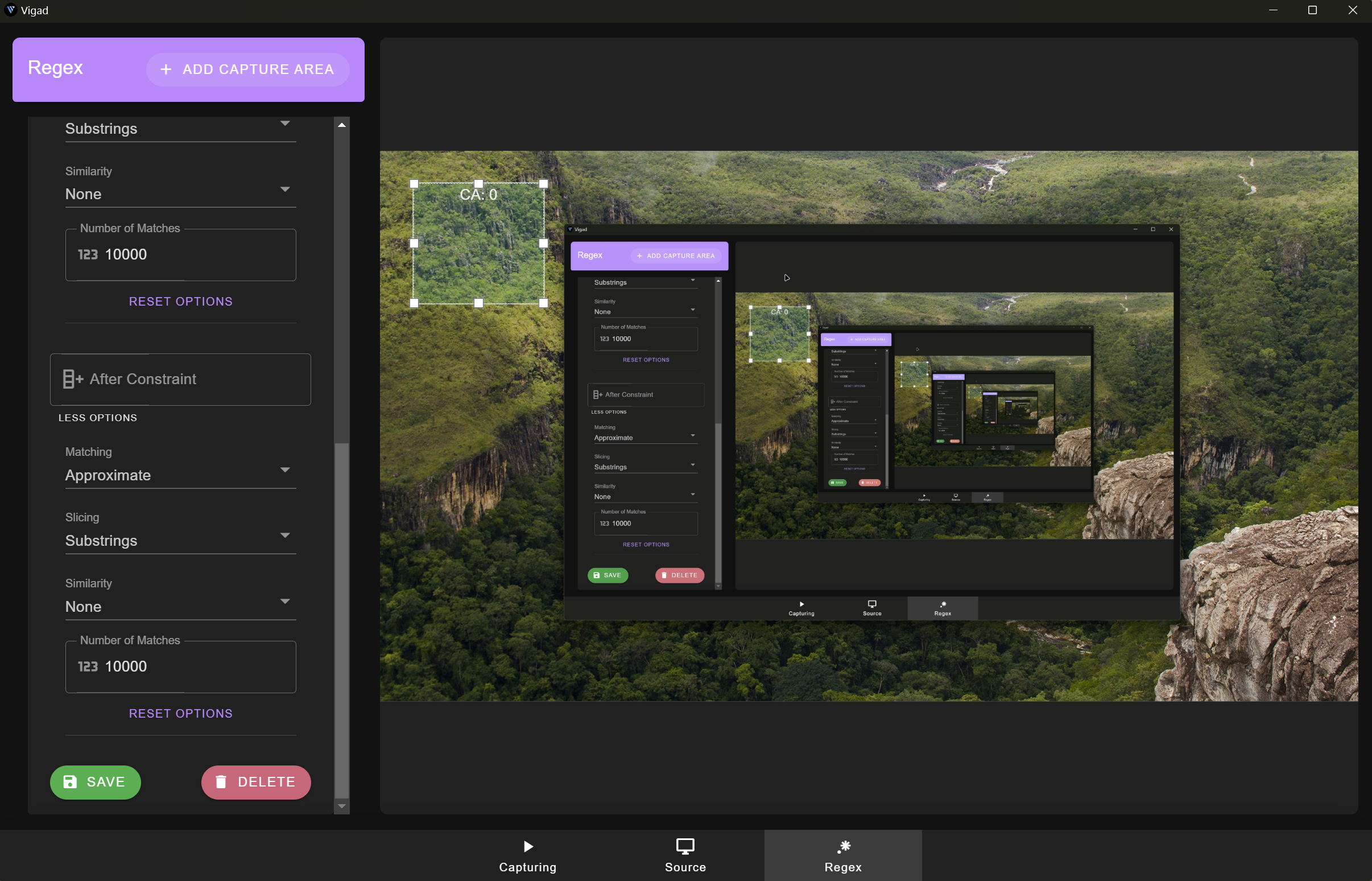
Additionally, the Regex definition part, which changes a lot.
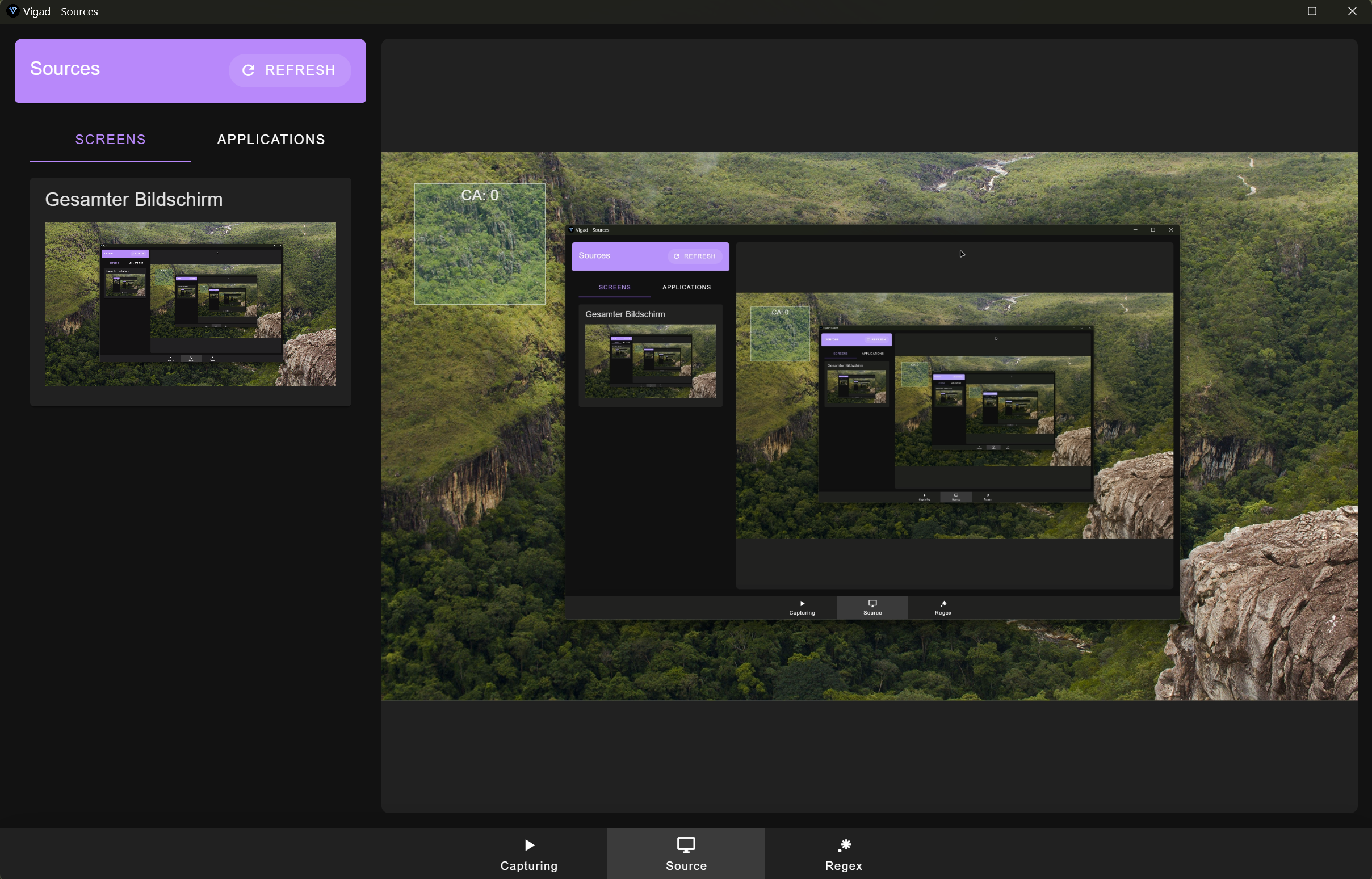
We are quite happy with the changes to the new UI.
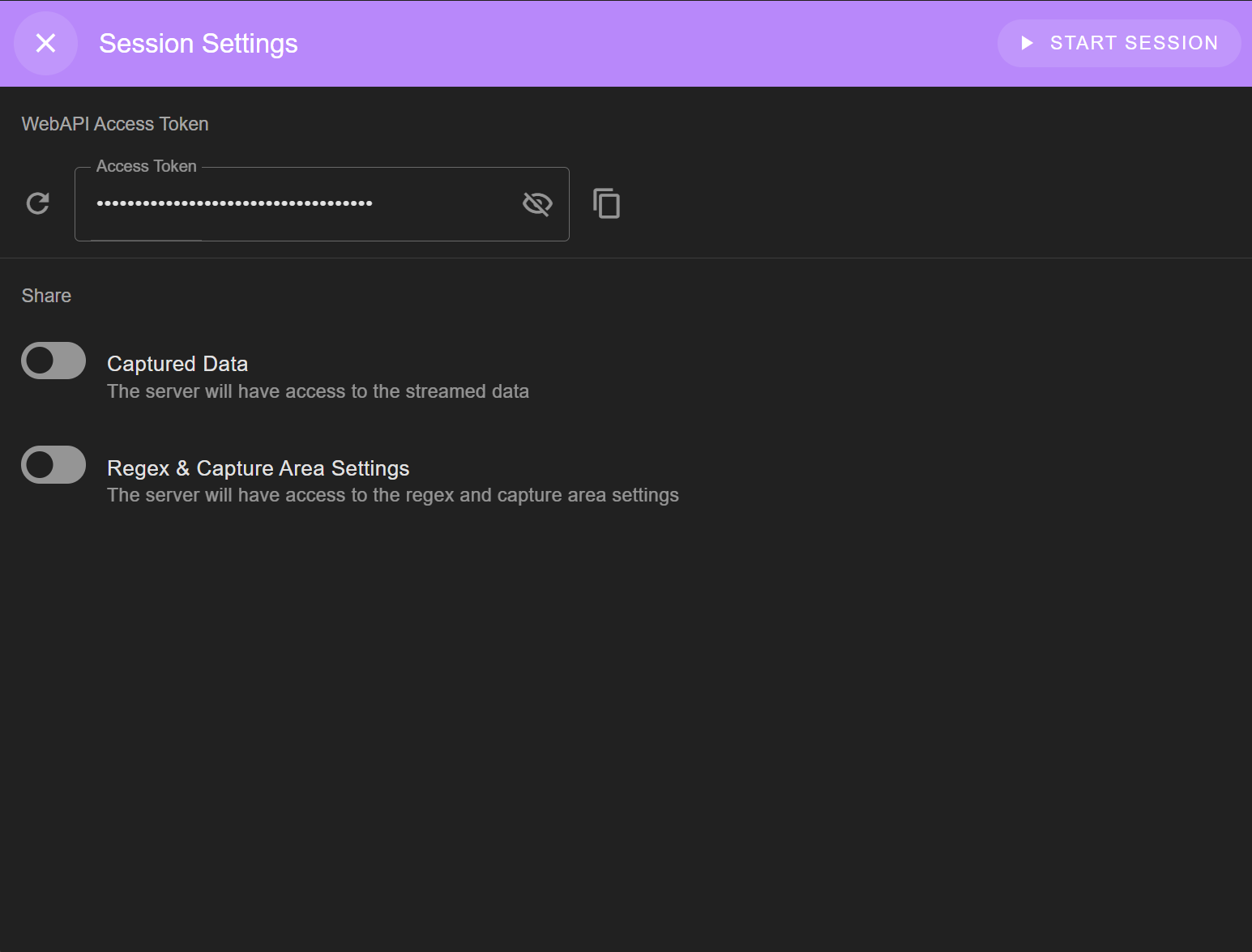
We have added a session settings dialogue as well as a new menu item to the bottom navigation.