Based on: run-llama/fs-explorer — The original CLI agent for filesystem exploration.
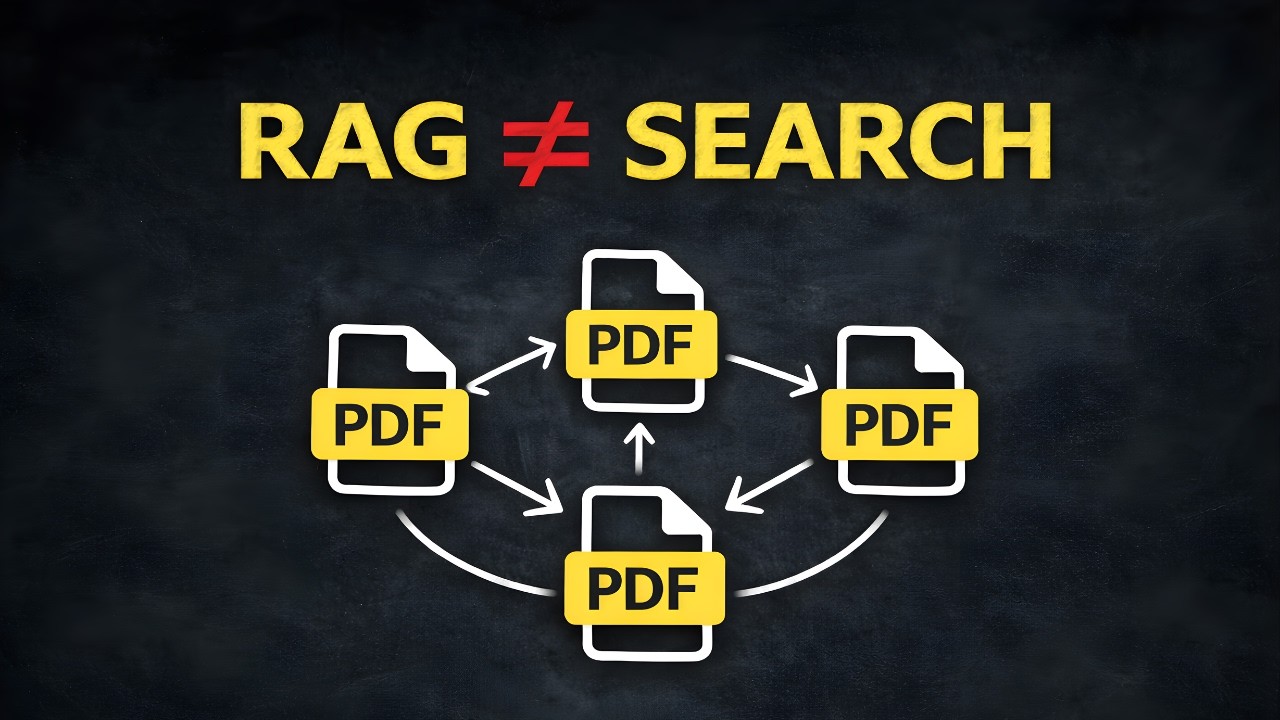
An AI-powered document search agent that explores files like a human would — scanning, reasoning, and following cross-references. Unlike traditional RAG systems that rely on pre-computed embeddings, this agent dynamically navigates documents to find answers.
Traditional RAG (Retrieval-Augmented Generation) has limitations:
- Chunks lose context — Splitting documents destroys relationships between sections
- Cross-references are invisible — "See Exhibit B" means nothing to embeddings
- Similarity ≠ Relevance — Semantic matching misses logical connections
This system uses a three-phase strategy:
- Parallel Scan — Preview all documents in a folder at once
- Deep Dive — Full extraction on relevant documents only
- Backtrack — Follow cross-references to previously skipped documents
This video explains the architecture of the project and how to run it.
- 🔍 6 Tools:
scan_folder,preview_file,parse_file,read,grep,glob - 📄 Document Support: PDF, DOCX, PPTX, XLSX, HTML, Markdown (via Docling)
- 🤖 Powered by: Google Gemini 3 Flash with structured JSON output
- 💰 Cost Efficient: ~$0.001 per query with token tracking
- 🌐 Web UI: Real-time WebSocket streaming interface
- 📊 Citations: Answers include source references
# Clone the repository
git clone https://github.com/PromtEngineer/agentic-file-search.git
cd agentic-file-search

# Install with uv (recommended)
uv pip install .

# Or with pip
pip install .Create a .env file in the project root:
GOOGLE_API_KEY=your_api_key_hereGet your API key from Google AI Studio.
# Basic query
uv run explore --task "What is the purchase price in data/test_acquisition/?"

# Multi-document query
uv run explore --task "Look in data/large_acquisition/. What are all the financial terms including adjustments and escrow?"# Start the server
uv run uvicorn fs_explorer.server:app --host 127.0.0.1 --port 8000
# Open http://127.0.0.1:8000 in your browserThe web UI provides:
- Folder browser to select target directory
- Real-time step-by-step execution log
- Final answer with citations
- Token usage and cost statistics
User Query
    ↓
┌─────────────────┐
│ Workflow Engine │ ←→ LlamaIndex Workflows (event-driven)
└────────┬────────┘
         ↓
┌─────────────────┐
│     Agent       │ ←→ Gemini 3 Flash (structured JSON)
└────────┬────────┘
         ↓
┌─────────────────────────────────────────┐
│ scan_folder │ preview │ parse │ read │ grep │ glob │
└─────────────────────────────────────────┘
                    ↓
              Document Parser (Docling - local)
See ARCHITECTURE.md for detailed diagrams.
The repo includes test document sets for evaluation:
data/test_acquisition/— 10 interconnected legal documentsdata/large_acquisition/— 25 documents with extensive cross-references
Example queries:
# Simple (single doc)
uv run explore --task "Look in data/test_acquisition/. Who is the CTO?"

# Cross-reference required
uv run explore --task "Look in data/test_acquisition/. What is the adjusted purchase price?"

# Multi-document synthesis
uv run explore --task "Look in data/large_acquisition/. What happens to employees after the acquisition?"| Component | Technology |
|---|---|
| LLM | Google Gemini 3 Flash |
| Document Parsing | Docling (local, open-source) |
| Orchestration | LlamaIndex Workflows |
| CLI | Typer + Rich |
| Web Server | FastAPI + WebSocket |
| Package Manager | uv |
src/fs_explorer/
├── agent.py      # Gemini client, token tracking
├── workflow.py   # LlamaIndex workflow engine
├── fs.py         # File tools: scan, parse, grep
├── models.py     # Pydantic models for actions
├── main.py       # CLI entry point
├── server.py     # FastAPI + WebSocket server
└── ui.html       # Single-file web interface
# Install dev dependencies
uv pip install -e ".[dev]"

# Run tests
uv run pytest

# Lint
uv run ruff check .MIT
- Original concept from run-llama/fs-explorer
- Document parsing by Docling
- Powered by Google Gemini