














面向群聊场景的学习型机器人:会复读、会整活、可管理、可扩展。
基于 NoneBot2 + OneBot v11,数据层 MongoDB / PostgreSQL,自带 Web 控制台与协议端管理;可选 MAA QQ 远控与 AI 扩展。
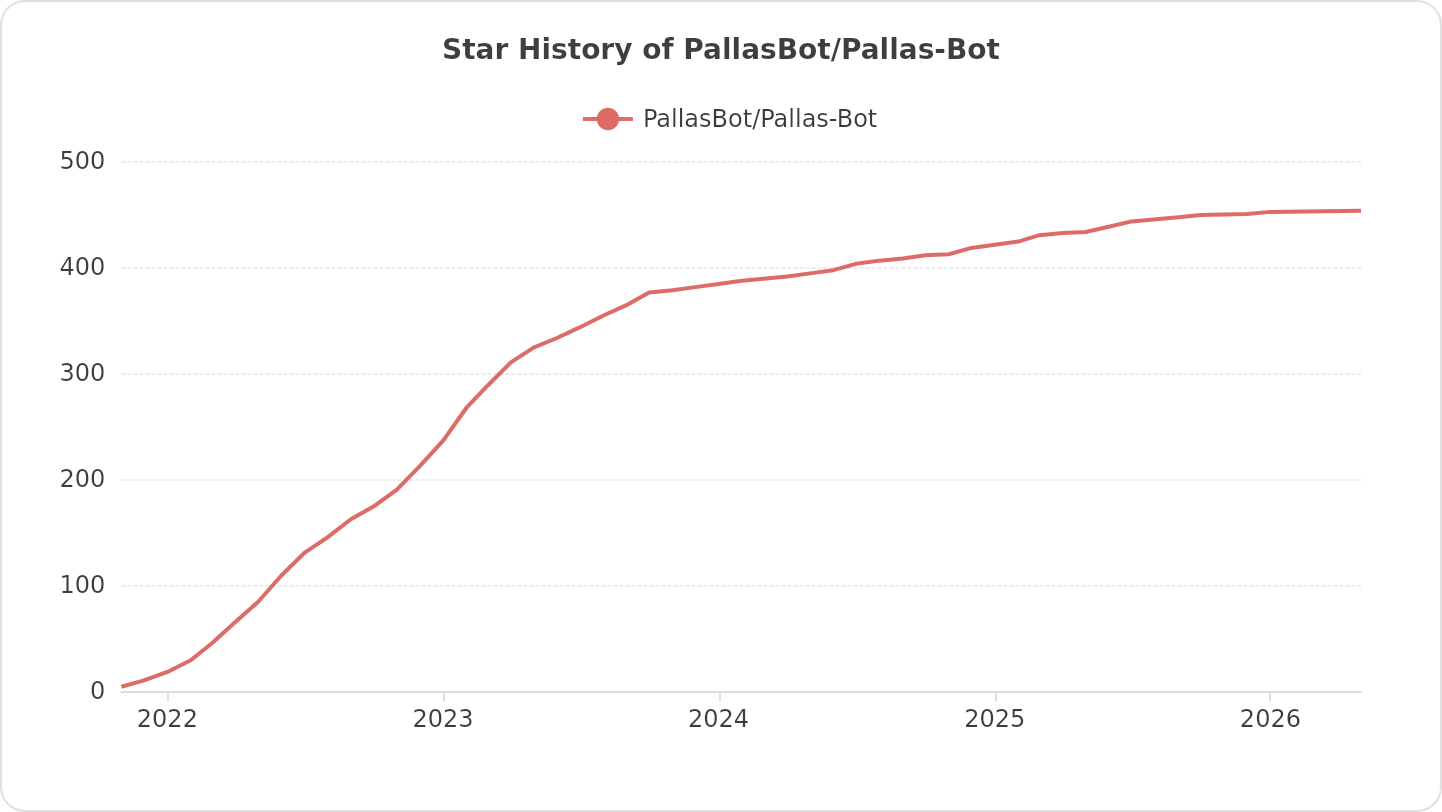
喜欢牛牛,就给牛牛点个 ⭐ 吧!
#获取代码
git clone https://github.com/PallasBot/Pallas-Bot.git

#进入目录
cd Pallas-Bot

# 安装依赖
pip install uv          # 安装 uv
uv sync                 # 安装依赖

# 主配置(首次部署)
cp config/pallas.example.toml config/pallas.toml
# 编辑 [bootstrap]:监听、SUPERUSERS、DB_BACKEND、MONGO_* 或 PG_*

# 开始运行(单进程)
uv run nb run
浏览器打开 http://<主机>:8088/pallas/,使用启动日志中的口令登录。
社区语料(可选):hub/单进程默认向 stats 中心 上报心跳并 auto enroll 社区语料池(本地 PG 为主读,远端 complement)。配置与关闭方式见 docs/common/corpus/README.md。fed(第二 PG 联邦池)尚未接入。
部署、配置、插件、迁移与排障等完整说明见在线文档站。
| 文档 |  |
欢迎通过 Issues / PR 参与改进。参与前请阅读 贡献指南 与仓库根目录 AGENTS.md。
请作者喝杯咖啡吧(请备注牛牛项目,感谢你的支持 ✿✿ヽ(°▽°)ノ✿):

- MaaAssistantArknights:明日方舟长草助手 MAA ;本项目的远控能力基于其远程控制协议实现
- NoneBot2:跨平台 Python 异步聊天机器人框架
- jieba_next:Use Rust to Speed up jieba 高效、现代的中文分词库
- beanie:Asynchronous Python ODM for MongoDB
- NapCat:现代化的基于 NTQQ 的 Bot 协议端实现
- zhenxun_bot:非常可爱的绪山真寻Bot
- Amiya-bot:基于 AmiyaBot 框架的 QQ 聊天机器人
- CustomMarkdownImage:基于pillow的可自定义markdown渲染器
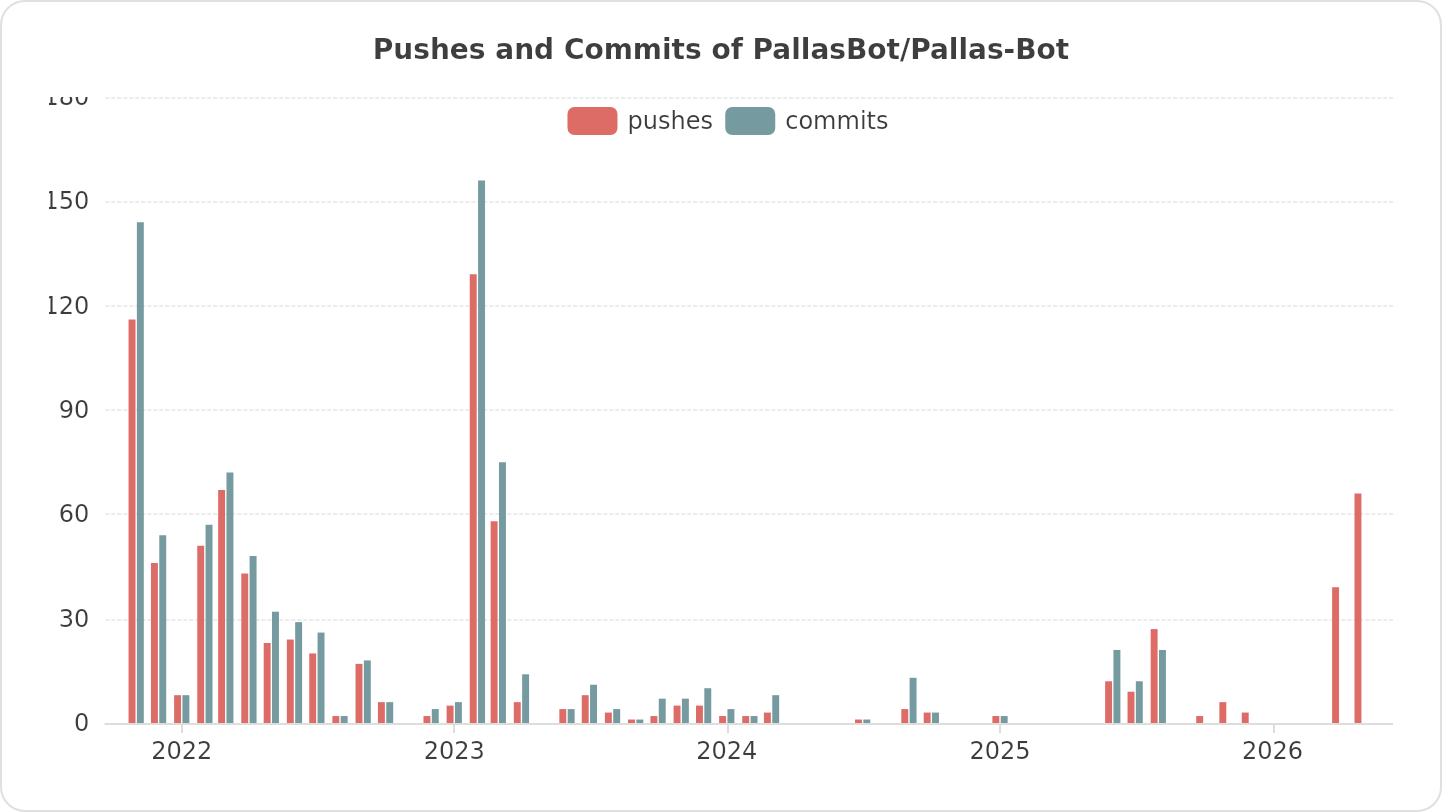
感谢各位大佬!
本项目采用 GNU Affero General Public License v3.0(AGPL-3.0)许可证,详见 LICENSE。