


Effortless State Management for API Responses in Flutter Apps! 🎯📱⚡
DataHandler is a lightweight and efficient state management utility designed to handle API responses seamlessly across all Flutter platforms (Android, iOS, Web, Windows, macOS, and Linux). It simplifies state handling, including loading, success, error, and empty states, ensuring a smooth UI experience with performance optimization and global configuration. 🎉🚀
✅ Universal Compatibility – Works across all platforms!
✅ Smart State Management – Loading, Success, Error, and Empty states with enum-based tracking
✅ Performance Optimized – Only rebuilds when state actually changes
✅ Global Widget Configuration – Set app-wide defaults for consistent UI
✅ Sliver Support – Perfect integration with CustomScrollView
✅ List Enhancement – Specialized handling for list data with empty detection
✅ Works with Any Data Type (T) – Highly versatile and reusable
✅ Modern Architecture – Built with latest Flutter best practices
✅ Minimal Setup, Maximum Productivity – Get started in seconds!
Add DataHandler to your pubspec.yaml:
dependencies:
  data_handler: ^0.0.4  # Use the latest version
Then, run:
flutter pub getimport 'package:data_handler/data_handler.dart';final DataHandler<String> handler = DataHandler<String>();
// Or with initial data
final DataHandler<List<User>> users = DataHandler<List<User>>(initialUserList);handler.startLoading();handler.onSuccess("Data loaded successfully");handler.onError("Something went wrong");handler.onEmpty("No data available");await handler.refresh(() => apiService.fetchData());Widget build(BuildContext context) {
return handler.when(
onLoading: () => const CircularProgressIndicator(),
onSuccess: (data) => Text(data),
onError: (error) => Text("Error: $error", style: TextStyle(color: Colors.red)),
onEmpty: (message) => Text("No Data: $message"),
);
}Widget build(BuildContext context) {
return userHandler.whenList(
onSuccess: (users) => ListView.builder(
itemCount: users.length,
itemBuilder: (context, index) => UserTile(users[index]),
),
onLoading: () => const Center(child: CircularProgressIndicator()),
onError: (error) => ErrorWidget(error),
onEmptyList: (message) => const EmptyUsersWidget(),
);
}Widget build(BuildContext context) {
return CustomScrollView(
slivers: [
const SliverAppBar(title: Text('Users')),
userHandler.whenSliverList(
itemBuilder: (users, index) => UserTile(users[index]),
itemCount: (users) => users.length,
onLoading: () => const LoadingWidget(),
onError: (error) => ErrorWidget(error),
onEmpty: (message) => const EmptyWidget(),
),
],
);
}Set app-wide defaults for consistent UI across your entire application:
void main() {
  // Configure global widgets once
  DataHandlerConfig.setGlobalWidgets(
    loadingWidget: () => const CustomLoadingSpinner(),
    errorWidget: (error) => CustomErrorWidget(error),
    emptyWidget: (message) => CustomEmptyWidget(message),
  );

  runApp(MyApp());
}
new_break_changes_v_0.0.4
Now all your DataHandler instances will automatically use these widgets when local ones aren't provided!
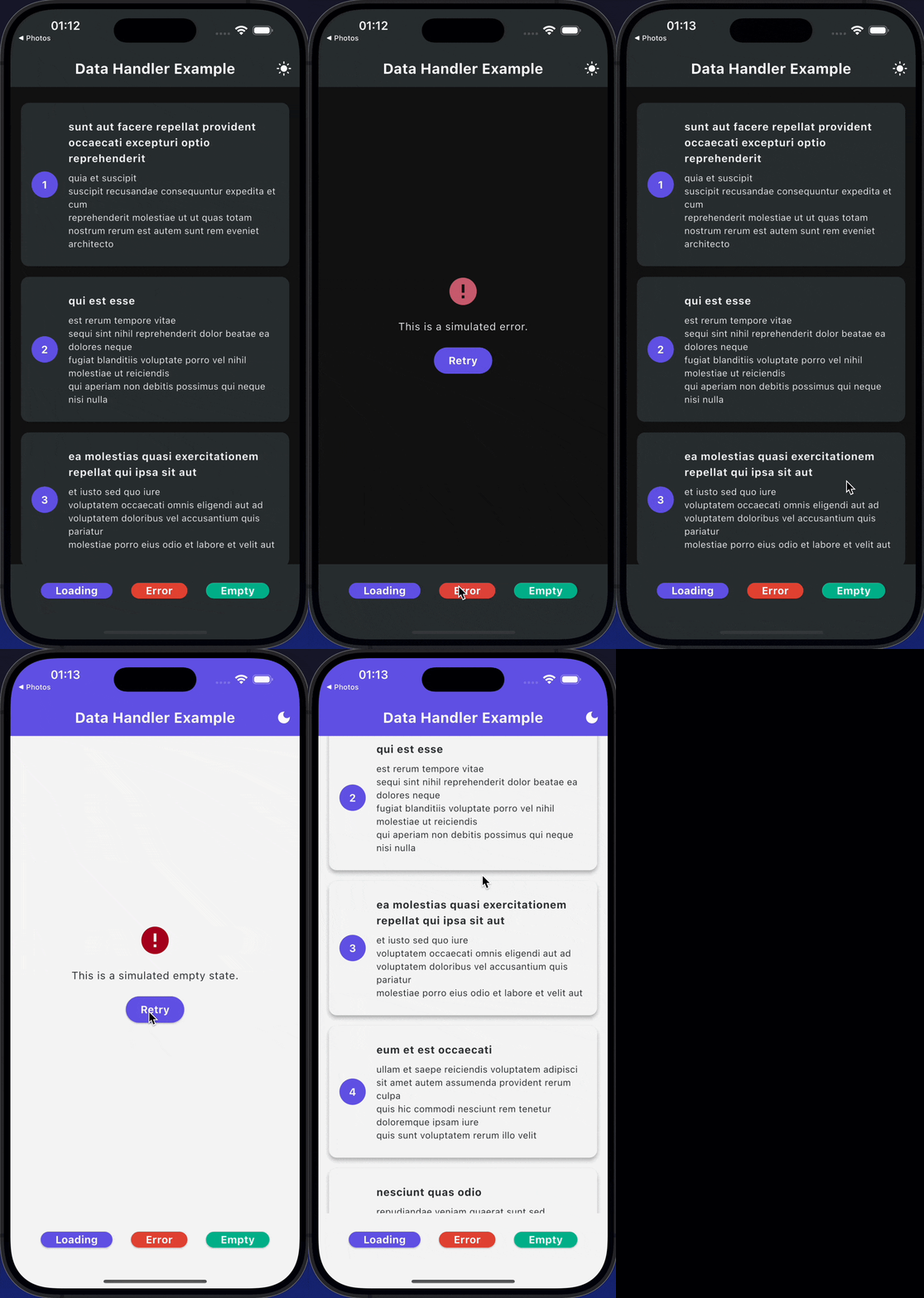
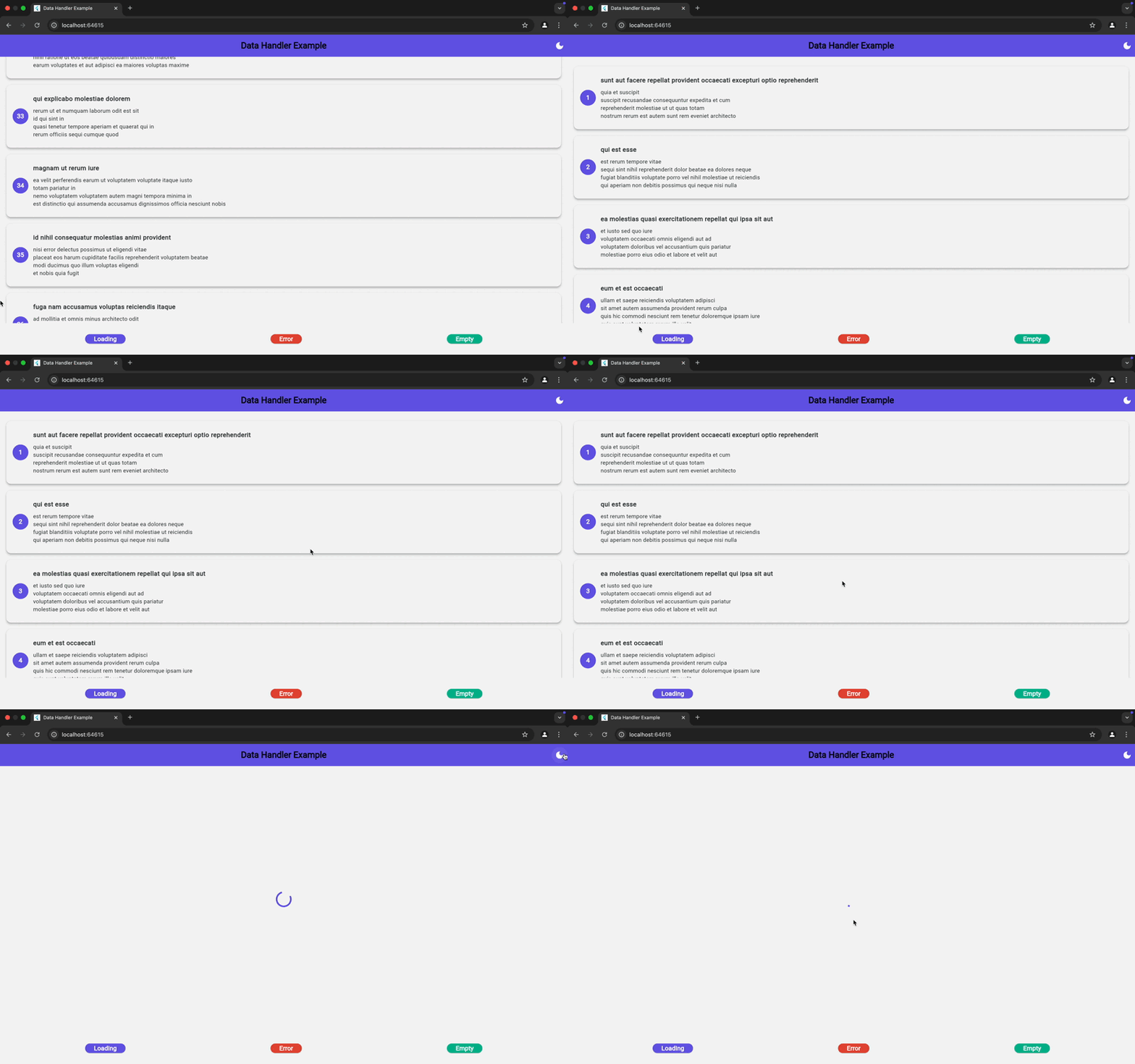 main
main
if (handler.isLoading) {
  // Show loading indicator
}

if (handler.hasSuccess) {
  // Data is available and valid
  print('Data: ${handler.data}');
}

if (handler.hasError) {
  // Handle error case
  print('Error: ${handler.errorMessage}');
}DataHandler<List<String>> listHandler = DataHandler();
// Check list state
print('Is empty: ${listHandler.isListEmpty}');
print('Length: ${listHandler.listLength}');// Update data without loading state (for real-time updates)
handler.updateData(newData);
// Clear all data and reset to empty
handler.clear();// Disable automatic state handling when needed
handler.when(
enabled: false, // Always shows success widget if data exists
onSuccess: (data) => SuccessWidget(data),
// ... other callbacks
);
// Control global widget fallback
handler.when(
useGlobalWidgets: false, // Only use local widgets
onSuccess: (data) => SuccessWidget(data),
// ... other callbacks
);DataHandler is fully optimized for Flutter's multi-platform capabilities, ensuring smooth performance on:
| Platform | Status |
|---|---|
| 📱 Android | ✅ |
| 🍏 iOS | ✅ |
| 🖥️ Web | ✅ |
| 🏢 Windows | ✅ |
| 🍎 macOS | ✅ |
| 🐧 Linux | ✅ |
If you're upgrading from v0.0.3, here's what changed:
// OLD (v0.0.3)
handler.when(
  context: context,
  loadingBuilder: (context) => Loading(),
  successBuilder: (data) => Success(data),
  errorWidget: ErrorWidget(),
)

// NEW (v0.0.4)
handler.when(
  onLoading: () => Loading(),
  onSuccess: (data) => Success(data),
  onError: (error) => ErrorWidget(error),
)
Key Changes:
- Removed
contextparameter - Changed builder names (
loadingBuilder→onLoading) - Replaced widget properties with callbacks
- Added global configuration system
We love contributions! 🚀
Feel free to open issues, discuss features, or submit pull requests to enhance DataHandler. Let's build something amazing together! 🛠️✨
This package is released under the MIT License. 🔓
Enjoying DataHandler? Give it a ⭐ on GitHub and help others discover it! 😊🚀
Made with ❤️ for the Flutter community