

This is SUSTech CS209A 2023 Fall course final project demo for students, including a StackOverflow data analysis and visualization web page based on SpringBoot and HTML.
This is just a sample demo with a small amount of data and trivial visualization, and you need to collect data according to the document and design a more beautiful view by yourself. This demo is to help you to understand the main structure of the code and provide quick start, and you can also redesign it without using this demo.
- The data in this demo is from 50 Java threads in StackOverflow, which are the top 50 ones with the most activity collected on Nov. 19, 2023.
- The demo is a SpringBoot project with Maven as the package manager, using SpringBoot version 3.1.5, and the default JDK version is 20. The thymeleaf template engine (see the documentation for more details) is imported through Maven for page rendering.
- The frontend and backend of this demo are not separated (you can also create a separate front-end and back-end project), and the frontend uses HTML, CSS, and Javascript (you can use Vue, React, or any other front-end frameworks). The echarts framework for wordcloud and barchart is imported via jsdelivr CDN (see the documentation of ECharts).
If you want to use this demo as the beginning of your final project, Click the use template to create a fork of this template - to avoid potential plagiarism disputes, please be sure that your repository is made private before the deadline. But it is recommend you start from create a new project and copy the src folder and pom.xml to your hierarchy (it will help you get more familiar with SpringBoot).
Clone your repository to your local machine. You can then open the whole folder as a project in your IDE - it will recognize the SpringBoot Application structure and automatically configure the project. If you see the hierarchy below, it means success.
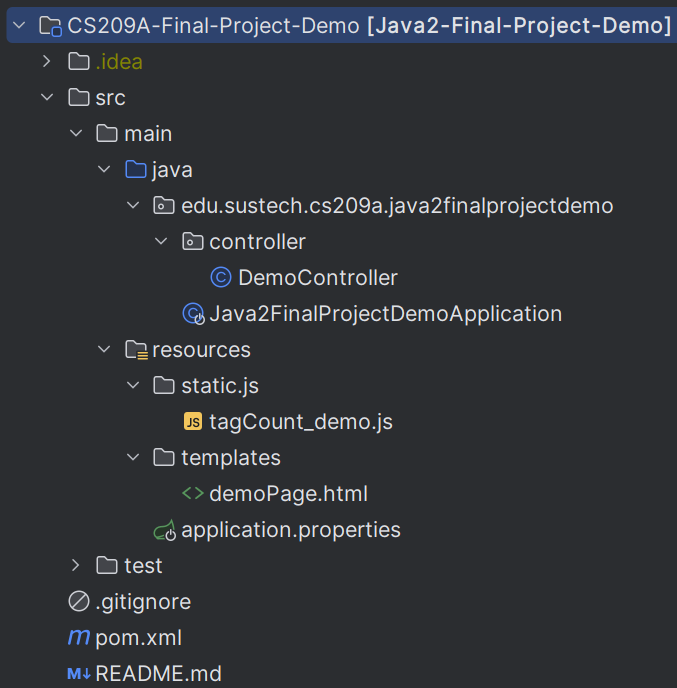
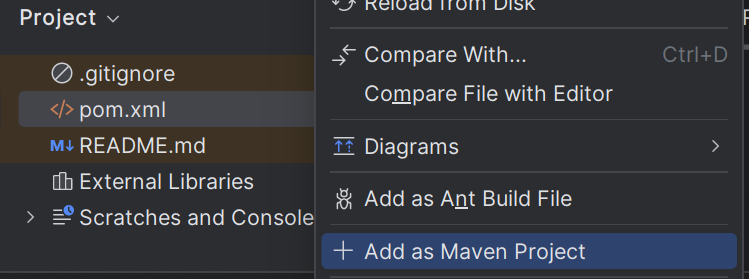
If it failed to be recognized automatically, you can find the pom.xml file in IDEA and right click it, and then click Add as Maven Project. After indexing, you will see the result above.
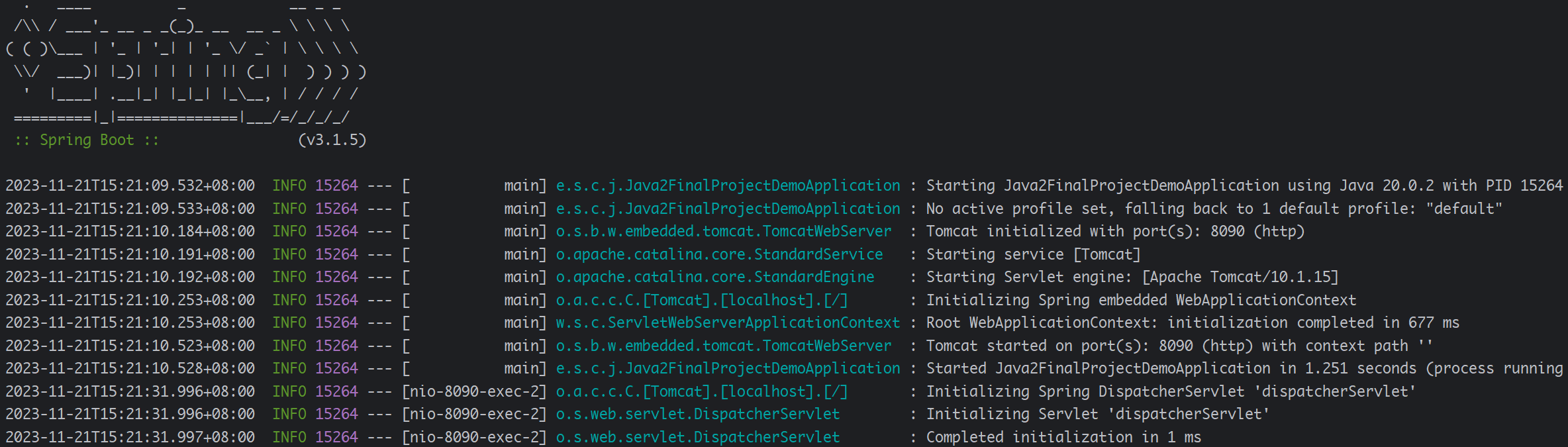
Find Java2FinalProjectDemoApplication.java in src -> main -> java -> edu -> sustech -> cs209a -> java2finalprojectdemo and run it.
If you see the result below, congratulations!🎉
First, make sure you have installed maven. If not, please visit this link to download and remember to add the /bin folder to the Environment Variables (for Windows users).
Then, use the command below to package and install the project into your local Maven repository.
mvn install
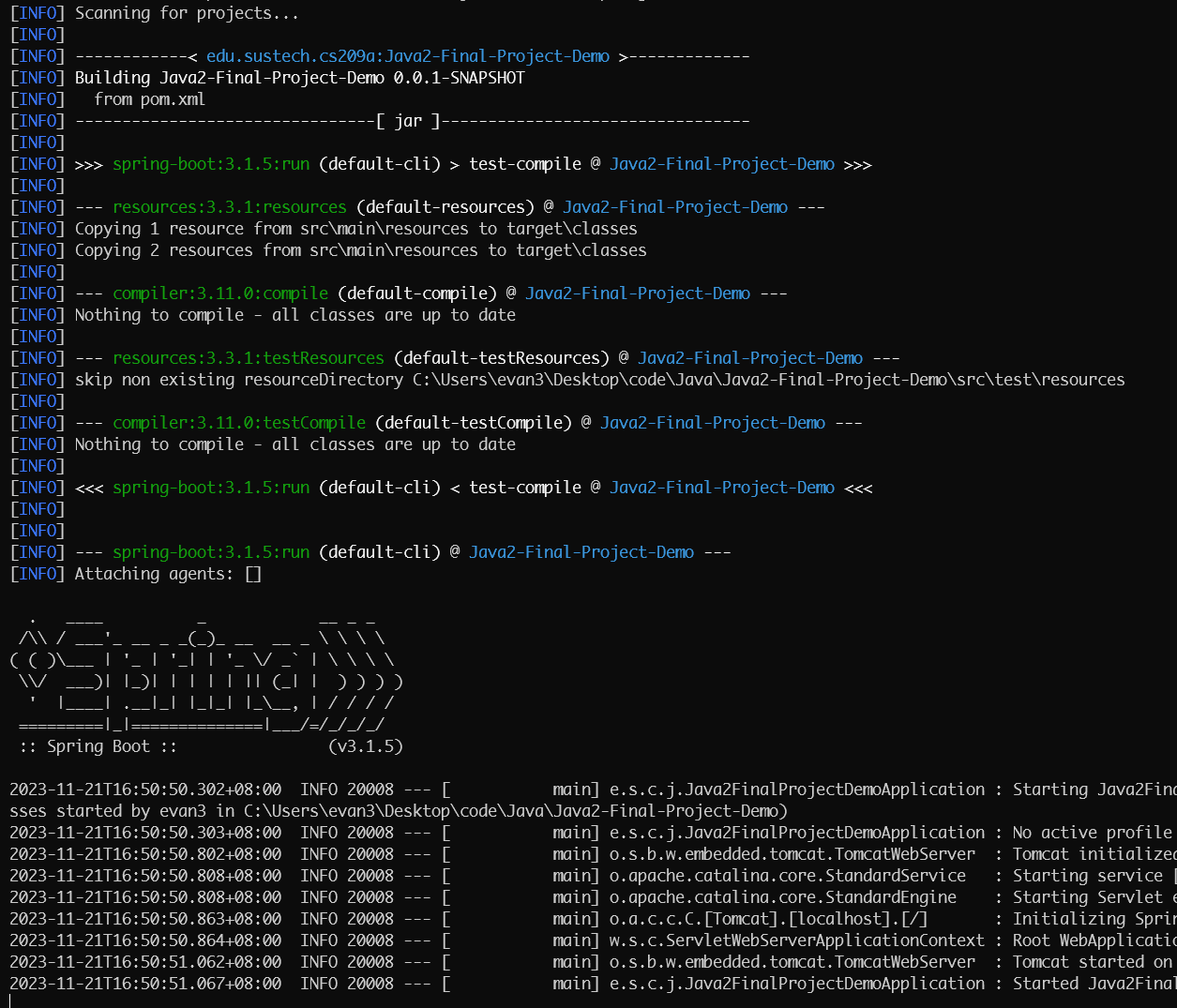
And run the application with command
mvn spring-boot:run
If you see the result below, congratulations!🎉
After running the project, you can visit localhost:8090 (based on your port number) to see the demo result.
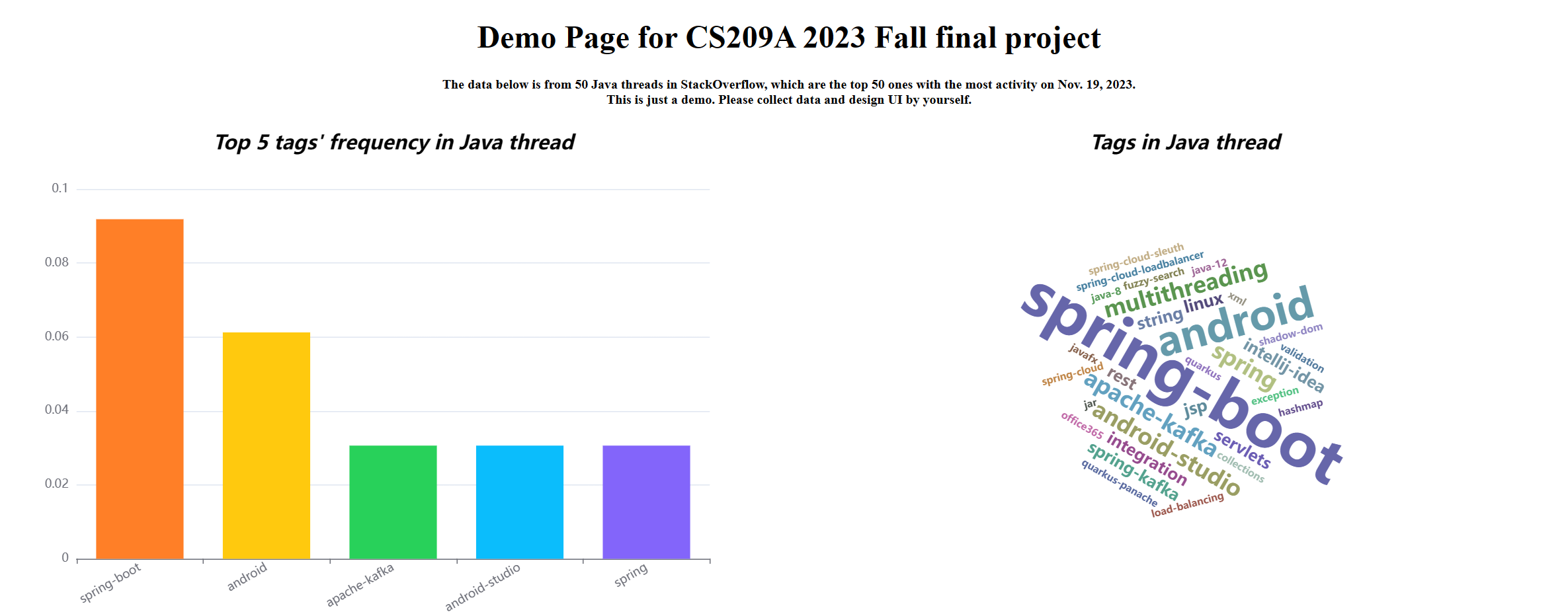


You can change the port number 8090 in application.properties if occurs port conflict.
If you have any other questions, please ask in issues.