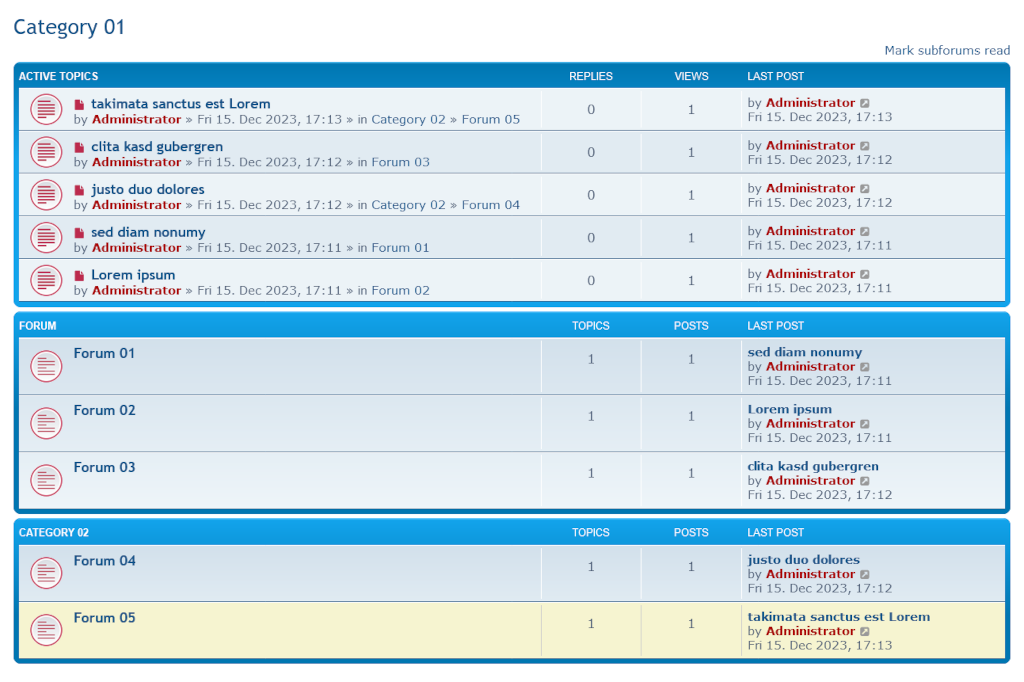
If you configure a forum as a category, the active topics of the sub-forums can be displayed there. This extension allows you to define the position of the active topics and the number of topics displayed. It adds the link to the forum from which the topic originated to the list of active topics.
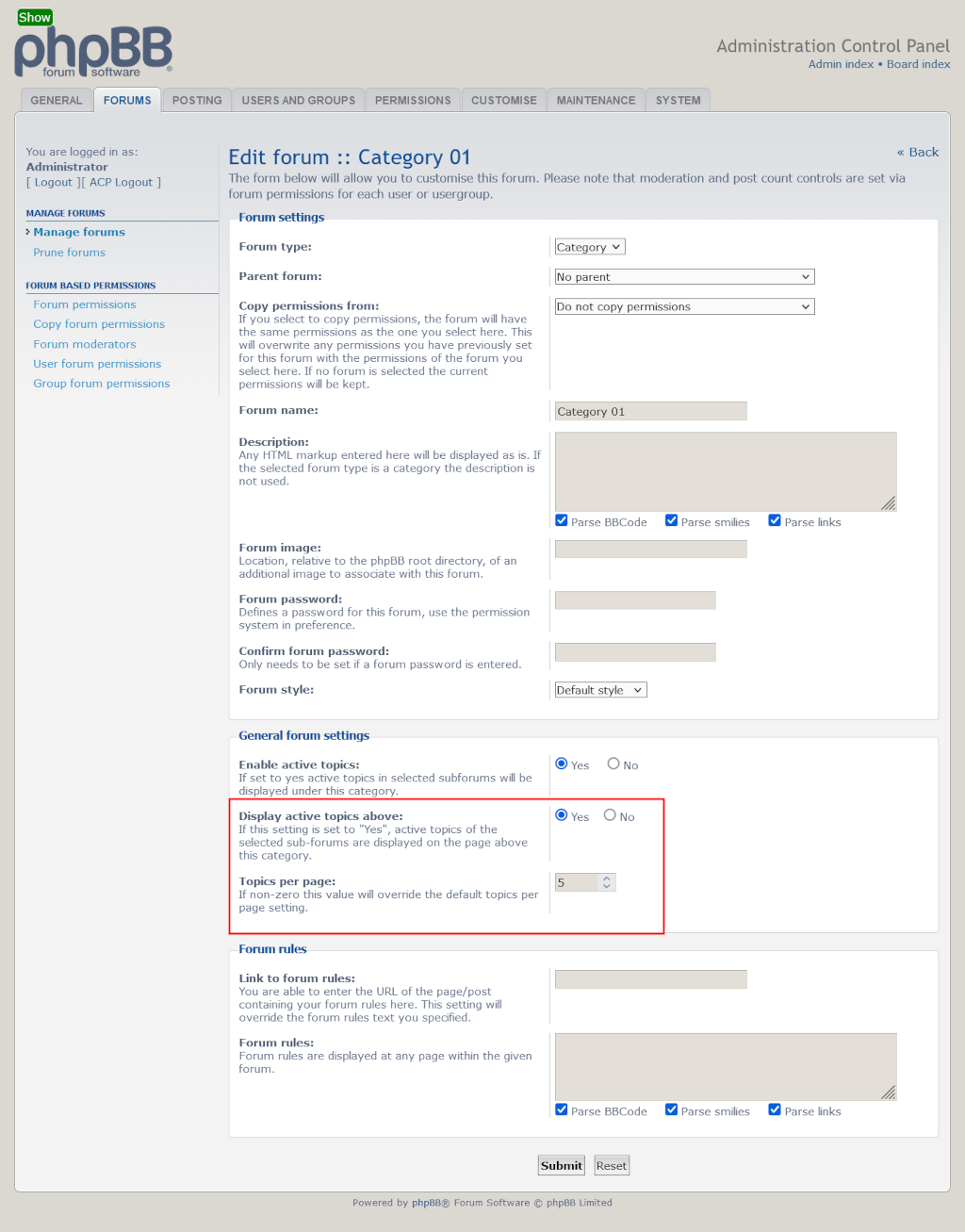
In "Forums" -> "Manage Forums" -> "Edit Forum"
- Display active topics above the forums
- Topics per page
- phpBB 3.3.16 or higher
- php 8.0.0 or higher
Copy the extension to phpBB3/ext/imcger/activetopics.
Go to "ACP" > "Customise" > "Manage extensions" and enable the "Active Topics" extension.
- Navigate in the ACP to
Customise -> Manage extensions. - Click the
Disablelink for "Active Topics". - Delete the
activetopicsfolder fromphpBB3/ext/imcger/. - Copy the extension to
phpBB3/ext/imcger/activetopics. - Go to "ACP" > "Customise" > "Manage extensions" and enable the "Active Topics" extension.
- Removed unused language class
- Improved sql-query for parent forums
- Renamed
activetopics.jstoimcger_activetopics.js - Var names changed in acp listener
- Method name changed in main listener
- Use acp template event to insert forum settings
- Use
composer.jsonrequirements inext.php- Added class
imcger_ext_requirements
- Added class
- Use event to get forum data in main listener
- Minor change
- Published
- Navigate in the ACP to
Customise -> Manage extensions. - Click the
Disablelink for "Active Topics". - To permanently uninstall, click
Delete Data, then delete theactivetopicsfolder fromphpBB3/ext/imcger/.