Store API Integration
You can integrate the GameDistribution Store API directly in your Construct 3 projects using the JavaScript scripting system. This allows you to access virtual items, currencies, cart actions, and inventory management seamlessly.
To begin, make sure your project has JavaScript scripting enabled.
- Open your Construct 3 project.
- Go to the Scripts section in the Project panel.
- Create a new script file (e.g.,
store.js).
📷
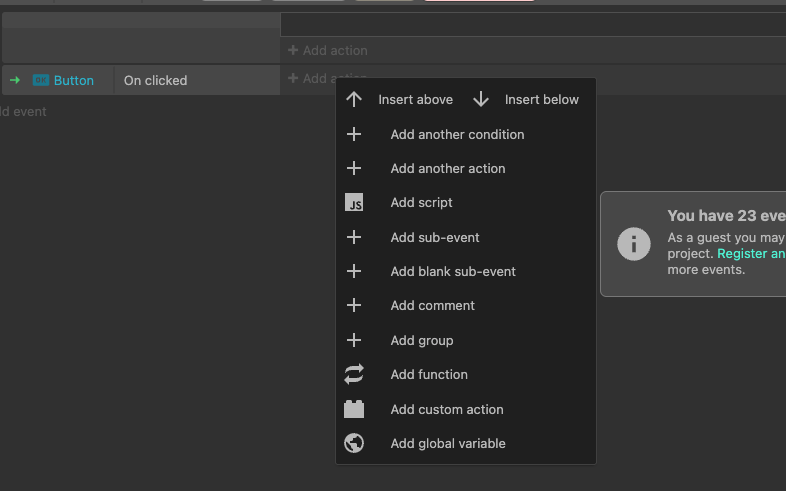
After adding the script, you can use the GameDistribution Store API just like in a standard HTML5 project.
Here’s an example of fetching store items:
const items = await gdsdk.executeStoreAction({ action: "api.items" });
console.log("Store items:", items);
To purchase a virtual product:
await gdsdk.executeStoreAction({
  action: "api.buyProduct",
  payload: {
    sku: "ss-enhance-shield-5",
    quantity: 1
  }
});
📷

To see the full list of store API methods and usage patterns, visit the main HTML5 SDK documentation: