



C++ Documentation | ManifoldCAD User Guide | JS/TS/WASM API | Algorithm Documentation | Blog Posts | Web Examples
Manifold is a geometry library dedicated to creating and operating on manifold triangle meshes. A manifold mesh is a mesh that represents a solid object, and so is very important in manufacturing, CAD, structural analysis, etc. Manifold also supports arbitrary vertex properties and enables mapping of materials for rendering use-cases. Our primary goal is reliability: guaranteed manifold output without caveats or edge cases. Our secondary goal is performance: efficient algorithms that make extensive use of parallelization, or pipelining when only a single thread is available.
Here is an incomplete list of our users, whose integrations may be anywhere from in-progress to released. Please feel free to send a PR to update this list with your own project - it's quite difficult for us to keep track.
Manifold has bindings to many other languages, some maintained in this repository, and others elsewhere. It can also be built in C++ via vcpkg.
| Language | Packager | Name | Maintenance |
|---|---|---|---|
| C | N/A | N/A | internal |
| C++ | vcpkg | manifold | external |
| TS/JS | npm | manifold-3d | internal |
| Python | PyPI | manifold3d | internal |
| Java | N/A | manifold | external |
| Clojure | N/A | clj-manifold3d | external |
| C# | NuGet | ManifoldNET | external |
| Julia | Packages | ManifoldBindings.jl | external |
| OCaml | N/A | OManifold | external |
| Swift | SPM | Manifold-Swift | external |
If you like OpenSCAD / JSCAD, you might also like ManifoldCAD - our own solid modelling web app where you script in JS/TS. This uses our npm package, manifold-3d, built via WASM. It's not quite as fast as our raw C++, but it's hard to beat for interoperability.
If you prefer Python to JS/TS, make your own copy of the notebook. It demonstrates interop between our manifold3d PyPI library and the popular trimesh library, including showing the interactive model right in the notebook and saving 3D model output.
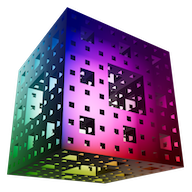
This library is fast with guaranteed manifold output. As such you need manifold meshes as input, which this library can create using constructors inspired by the OpenSCAD API, as well as a level set function for evaluating signed-distance functions (SDF) that improves significantly over Marching Cubes. You can also pass in your own mesh data, but you'll get an error status if the imported mesh isn't manifold. We provide a Merge function to fix slightly non-manifold meshes, but in general you may need one of the automated repair tools that exist mostly for 3D printing.
The most significant contribution here is a guaranteed-manifold mesh Boolean algorithm, which I believe is the first of its kind. If you know of another, please open a discussion - a mesh Boolean algorithm robust to edge cases has been an open problem for many years. Likewise, if the Boolean here ever fails you, please submit an issue! This Boolean forms the basis of a CAD kernel, as it allows simple shapes to be combined into more complex ones.
Manifold has full support for arbitrary vertex properties, and also has IDs that make it easy to keep track of materials and what surfaces belong to what input objects or faces. See our web example for a simple demonstration of combining objects with unique textures.
Also included are a novel and powerful suite of refining functions for smooth mesh interpolation. They handle smoothing both triangles and quads, as well as keeping polygonal faces flat. You can easily create sharp or small-radius edges where desired, or even drive the curvature by normal vectors.
To aid in speed, this library makes extensive use of parallelization through TBB, if enabled. Not everything is so parallelizable, for instance a polygon triangulation algorithm is included which is serial. Even if compiled with parallel backend, the code will still fall back to the serial version of the algorithms if the problem size is small. The WASM build is serial-only for now, but still fast.
Look in the samples directory for examples of how to use this library to make interesting 3D models. You may notice that some of these examples bare a certain resemblance to my OpenSCAD designs on Thingiverse, which is no accident. Much as I love OpenSCAD, my library is dramatically faster and the code is more flexible.
Manifold no longer has any required dependencies! However, we do have several optional dependencies, of which the first two are strongly encouraged:
| Name | CMake Flag | Provides |
|---|---|---|
TBB |
MANIFOLD_PAR=ON |
Parallel acceleration |
Clipper2 |
MANIFOLD_CROSS_SECTION=ON |
2D: CrossSection |
Nanobind |
MANIFOLD_PYBIND=ON |
Python bindings |
Emscripten |
MANIFOLD_JSBIND=ON |
JS bindings via WASM |
GTest |
MANIFOLD_TEST=ON |
Testing framework |
Assimp |
ASSIMP_ENABLE=ON |
Utilities in extras |
Tracy |
TRACY_ENABLE=ON |
Performance analysis |
Please avoid saving to STL files! They are lossy and inefficient - when saving a manifold mesh to STL there is no guarantee that the re-imported mesh will still be manifold, as the topology is lost. Please consider using 3MF instead, as this format was designed from the beginning for manifold meshes representing solid objects.
If you use vertex properties for things like interpolated normals or texture UV coordinates, glTF is recommended, specifically using the EXT_mesh_manifold extension. This allows for the lossless and efficient transmission of manifoldness even with property boundaries. Try our make-manifold page to add this extension to your existing glTF/GLB models.
Manifold provides high precision OBJ file IO, but it is limited in functionality and is primarily to aid in testing. If you are using our npm module, we have a much more capable gltf-io.ts you can use instead. For other languages we strongly recommend using existing packages that focus on 3D file I/O, e.g. trimesh for Python, particularly when using vertex properties or materials.
Example for integrating with Assimp is in extras/meshIO.cpp, which is used by files such as extras/convert_file.cpp.
Only CMake, a C++ compiler, and Python are required to be installed and set up to build this library (it has been tested with GCC, LLVM, MSVC). However, a variety of optional dependencies can bring in more functionality, see below.
Build and test (Ubuntu or similar):
git clone --recurse-submodules https://github.com/elalish/manifold.git
cd manifold
mkdir build
cd build
cmake -DCMAKE_BUILD_TYPE=Release -DBUILD_SHARED_LIBS=ON .. && make
make test
CMake flags (usage e.g. -DMANIFOLD_DEBUG=ON):
MANIFOLD_JSBIND=[OFF, <ON>]: Build js binding (when using the emscripten toolchain).MANIFOLD_CBIND=[<OFF>, ON]: Build C FFI binding.MANIFOLD_PYBIND=[OFF, <ON>]: Build python binding, requiresnanobind.MANIFOLD_PAR=[<OFF>, ON]: Enables multi-thread parallelization, requirestbb.MANIFOLD_CROSS_SECTION=[OFF, <ON>]: Build CrossSection for 2D support (needed by language bindings), requiresClipper2.MANIFOLD_DEBUG=[<OFF>, ON]: Enables exceptions, timing, verbosity, OBJ test dumps. Has almost no effect on its own, but enables further runtime parameters to dump various outputs.MANIFOLD_ASSERT=[<OFF>, ON]: Enables internal assertions. This incurs around 20% runtime overhead. Requires MANIFOLD_DEBUG to work.MANIFOLD_TEST=[OFF, <ON>]: Build unit tests, requiresGTest.TRACY_ENABLE=[<OFF>, ON]: Enable integration with tracy profiler. See profiling section below.ASSIMP_ENABLE=[<OFF>, ON]: Enable integration with assimp, which is needed for some of the utilities inextras.MANIFOLD_STRICT=[<OFF>, ON]: Treat compile warnings as fatal build errors.
Dependency version override:
MANIFOLD_USE_BUILTIN_TBB=[<OFF>, ON]: Use builtin version of tbb.MANIFOLD_USE_BUILTIN_CLIPPER2=[<OFF>, ON]: Use builtin version of clipper2.MANIFOLD_USE_BUILTIN_NANOBIND=[<OFF>, ON]: Use builtin version of nanobind.
Note: These three options can force the build to avoid using the system version of the dependency. This will either use the provided source directory via
FETCHCONTENT_SOURCE_DIR_*(see below), or fetch the source from GitHub. Note that the dependency will be built as static dependency to avoid dynamic library conflict. When the system package is unavailable, the option will be automatically set to true (except for tbb).
WARNING: These packages are statically linked to the library, which may be unexpected for other consumers of the library. In particular, for tbb, this create two versions of tbb when another library also bring their own tbb, which may cause performance issues or crash the system. It is not recommended to install manifold compiled with builtin tbb, and this option requires explicit opt-in now.
Offline building (with missing dependencies/dependency version override):
MANIFOLD_DOWNLOADS=[OFF, <ON>]: Automatically download missing dependencies. Need to setFETCHCONTENT_SOURCE_DIR_*if the dependency*is missing.FETCHCONTENT_SOURCE_DIR_TBB: path to tbb source (ifMANIFOLD_PARis enabled).FETCHCONTENT_SOURCE_DIR_CLIPPER2: path to tbb source (ifMANIFOLD_CROSS_SECTIONis enabled).FETCHCONTENT_SOURCE_DIR_NANOBIND: path to nanobind source (ifMANIFOLD_PYBINDis enabled).FETCHCONTENT_SOURCE_DIR_GOOGLETEST: path to googletest source (ifMANIFOLD_TESTis enabled).
Note: When
FETCHCONTENT_SOURCE_DIR_*is set, CMake will use the provided source directly without downloading regardless of the value ofMANIFOLD_DOWNLOADS.
The build instructions used by our CI are in manifold.yml, which is a good source to check if something goes wrong and for instructions specific to other platforms, like Windows.
Note: While we support compiling with
MANIFOLD_PAR=ONin recent emscripten versions, this is not recommended as there can potentially be memory corruption issues.
To build the JS WASM library, first install NodeJS and set up emscripten:
(on Mac):
brew install nodejs
brew install emscripten
(on Linux):
sudo apt install nodejs
git clone https://github.com/emscripten-core/emsdk.git
cd emsdk
./emsdk install latest
./emsdk activate latest
source ./emsdk/emsdk_env.sh
Then build:
cd manifold
mkdir buildWASM
cd buildWASM
emcmake cmake -DCMAKE_BUILD_TYPE=MinSizeRel .. && emmake make
cd test
node ./manifold_test.js
The CMake script will build the python binding manifold3d automatically. To
use the extension, please add $BUILD_DIR/bindings/python to your PYTHONPATH, where
$BUILD_DIR is the build directory for CMake. Examples using the python binding
can be found in bindings/python/examples. To see exported samples, run:
sudo apt install pkg-config libpython3-dev python3 python3-distutils python3-pip
pip install trimesh pytest
python3 run_all.py -e
Run the following code in the interpreter for python binding documentation:
>>> import manifold3d
>>> help(manifold3d)
For more detailed documentation, please refer to the C++ API.
Windows users should build with -DBUILD_SHARED_LIBS=OFF, as enabling shared
libraries in general makes things very complicated.
The DLL file for manifoldc (C FFI bindings) when built with msvc is in ${CMAKE_BINARY_DIR}/bin/${BUILD_TYPE}/manifoldc.dll.
For example, for the following command, the path relative to the project root directory is build/bin/Release/manifoldc.dll.
cmake . -DCMAKE_BUILD_TYPE=Release -DBUILD_SHARED_LIBS=OFF -DMANIFOLD_DEBUG=ON -DMANIFOLD_PAR=${{matrix.parallel_backend}} -A x64 -B buildContributions are welcome! A lower barrier contribution is to simply make a PR that adds a test, especially if it repros an issue you've found. Simply name it prepended with DISABLED_, so that it passes the CI. That will be a very strong signal to me to fix your issue. However, if you know how to fix it yourself, then including the fix in your PR would be much appreciated!
There is a formatting script format.sh that automatically formats everything.
It requires clang-format, black formatter for python and gersemi for formatting cmake files.
Note that our script can run with clang-format older than 18, but the GitHub action check may fail due to slight differences between different versions of clang-format. In that case, either update your clang-format version or apply the patch from the GitHub action log.
There is now basic support for the Tracy profiler for our tests.
To enable tracing, compile with -DTRACY_ENABLE=on cmake option, and run the test with Tracy server running.
To enable memory profiling in addition to tracing, compile with -DTRACY_MEMORY_USAGE=ON in addition to -DTRACY_ENABLE=ON.
To build with fuzzing support, you should set the following with CMake:
- Enable fuzzing by setting
-DMANIFOLD_FUZZ=ON - Disable python bindings by setting
-DMANIFOLD_PYBIND=OFF - Use
clangfor compiling by setting-DCMAKE_CXX_COMPILER=clang++ - You may need to disable parallelization by setting
-DMANIFOLD_PAR=OFF, and setASAN_OPTIONS=detect_container_overflow=0when building the binary on MacOS.
This library was started by Emmett Lalish, currently a senior rendering engineer at Wētā FX. This was my 20% project when I was a Google employee, though my day job was maintaining <model-viewer>. I was the first employee at a 3D video startup, Omnivor, and before that I worked on 3D printing at Microsoft, including 3D Builder. Originally an aerospace engineer, I started at a small DARPA contractor doing seedling projects, one of which became Sea Hunter. I earned my doctorate from the University of Washington in control theory and published some papers.