[Experimental] Platform-agnostic, 3D graphics software rasterizer written in Luau


kosmos is a minimal, single-file, software rasterizer written in pure Luau, that doesn't depend on any specific runtime (platform-agnostic). Renderers for both the web and Roblox are available.
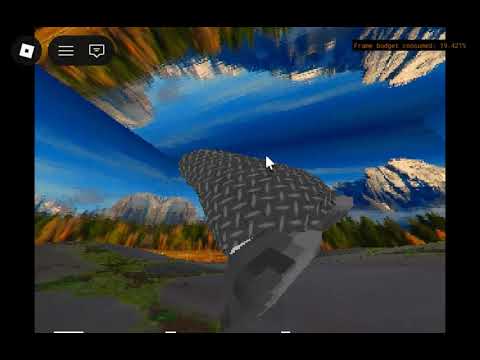
See it in action with the YouTube video below:
Upon requiring kosmos, it will return a function with two arguments for width and height respectively.
local WIDTH, HEIGHT = 320, 240
local kosmos = require("path/to/kosmos")(WIDTH, HEIGHT)
Upon supplementing its parameters, the function will then return the entire library for manipulating the rasterizer's runtime state. Do note that every invocations of the function returns a unique runtime state.
You can register object assets like meshes and textures via .mesh() and .texture(). These functions will return a stable ID that represent the asset you pass onto the function.
local obloid = kosmos.mesh(obloid_mesh)
local cube = kosmos.mesh(cube_mesh)
local earth = kosmos.texture(earth_texture)
local mars = kosmos.texture(mars_texture)
-- `obloid`, `cube`, `earth`, & `mars` are numbers because
-- they hold IDs that point to the assets they represent.
These IDs for meshes and textures can then be passed onto .object() to create distinct instances of the mesh and texture they represent. This function also returns a stable ID that represent the object they point to.
local earth_object = kosmos.object(obloid, earth)
local mars_object = kosmos.object(obloid, mars)
These IDs for objects can then be passed onto setter functions for object properties, which are exhaustively showcased by the example snippet below:
kosmos.setObjectPosition(earth_object, vector.create(0.5, 0.5, 0.5))
kosmos.setObjectRotation(earth_object, math.pi, 0, 0)
-- If I wanted the earth object to look like Mars, I can do:
kosmos.setObjectTexture(earth_object, mars)
-- If I wanted the earth object to take the shape of cube, I'd do:
kosmos.setObjectMesh(earth_object, cube)
-- If I wanted the earth object to stop rendering, I can set its
-- texture to `0xFFFF`, which means "no texture ID". Since there's
-- no texture, there's nothing to render.
kosmos.setObjectTexture(earth_object, 0xFFFF)
To render a single frame onto the image buffer, you simply call .render(). To get a continuous video render, simply call .render() 60 times per second, or to whatever FPS you target. Another function, .clear(), then clears the image buffer—it is recommended that you call this function before every render call to prevent "ghosting" artifacts.
- Why did you start this project?
- To see how far I can go with implementing a custom 3D graphics engine in pure Luau (and for it to be able to run smoothly on Roblox)
To be able to mimic hailtododongo's custom rendering pipeline for the N64(was actually more inefficient for machines that aren't N64, which makes sense)- Because I like tsoding (a word coined by Mr. Zozin, which means "programming for fun")