

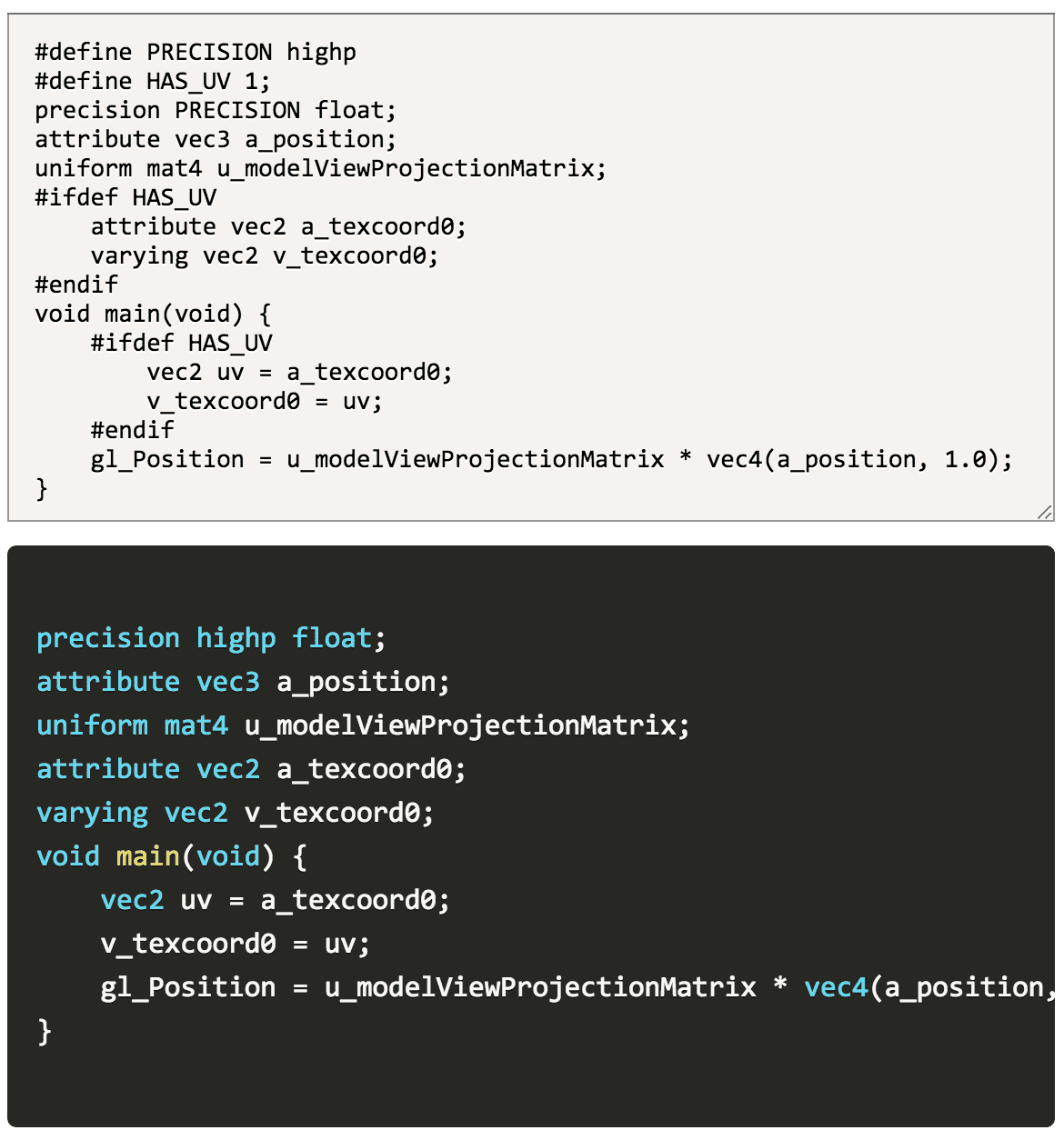
Preprocess GLSL shader code using @shaderfrog/glsl-parser.
- Preprocess directives:
#define,#if,#ifdef,#elif,#else,#endif,#if defined, etc. - Macro expansion with function-like macros
- Conditional compilation
- Built with TypeScript
Chrome Extensions.crx
This extension can automatically detect the shader of the current page, then preprocess and show it in the panel.
https://06wj.github.io/shaderViewer/demo/
const { compiler } = require('shader-compiler');const options = {
constants: {
MY_DEFINE: '1',
MAX_LIGHTS: '4'
}
};
compiler.preprocess(code, function(error, result) {
if (error) {
console.error('Preprocessing error:', error);
} else {
console.log('Preprocessed code:', result);
}
}, options);const { compiler } = require('shader-compiler');
const shaderCode = `
#define PI 3.14159
#ifdef GL_ES
precision mediump float;
#endif
void main() {
float angle = PI * 2.0;
gl_FragColor = vec4(1.0);
}
`;
compiler.preprocess(shaderCode, (error, result) => {
console.log(result);
});Preprocesses GLSL shader code.
Parameters:
code(string): The GLSL shader source code to preprocesscallback(function): Callback function(error, result) => voiderror(string|null): Error message if preprocessing failed, null otherwiseresult(string|null): Preprocessed code if successful, null otherwise
options(object): Optional preprocessing optionsconstants(object): Custom defines/macros, e.g.,{ MY_DEFINE: '1' }
- Run
npm installto install dependencies - Run
npm run devto watch and develop - Run
npm run buildto build