This repository was archived by the owner on Apr 6, 2022. It is now read-only.
This repository was archived by the owner on Apr 6, 2022. It is now read-only.
The functionality of the “Version”, “Channel”, “Countries”, “Locales”, “Filter Object” sections are broken after creating a recipe with “Additional Filter Object” related to those sections #622

Description

[Affected versions]:
- Firefox Release 83.0 (Build ID: 20201112153044)
[Affected Platforms]:
- Windows 10 x64
[Prerequisites]:
- Have the Firefox browser installed.
- Have the Normandy Devtools V2.2.0 addon installed.
- Have VPN access to the staging environment.
[Steps to reproduce]:
- Open the Normandy Devtools and choose the Stage environment.
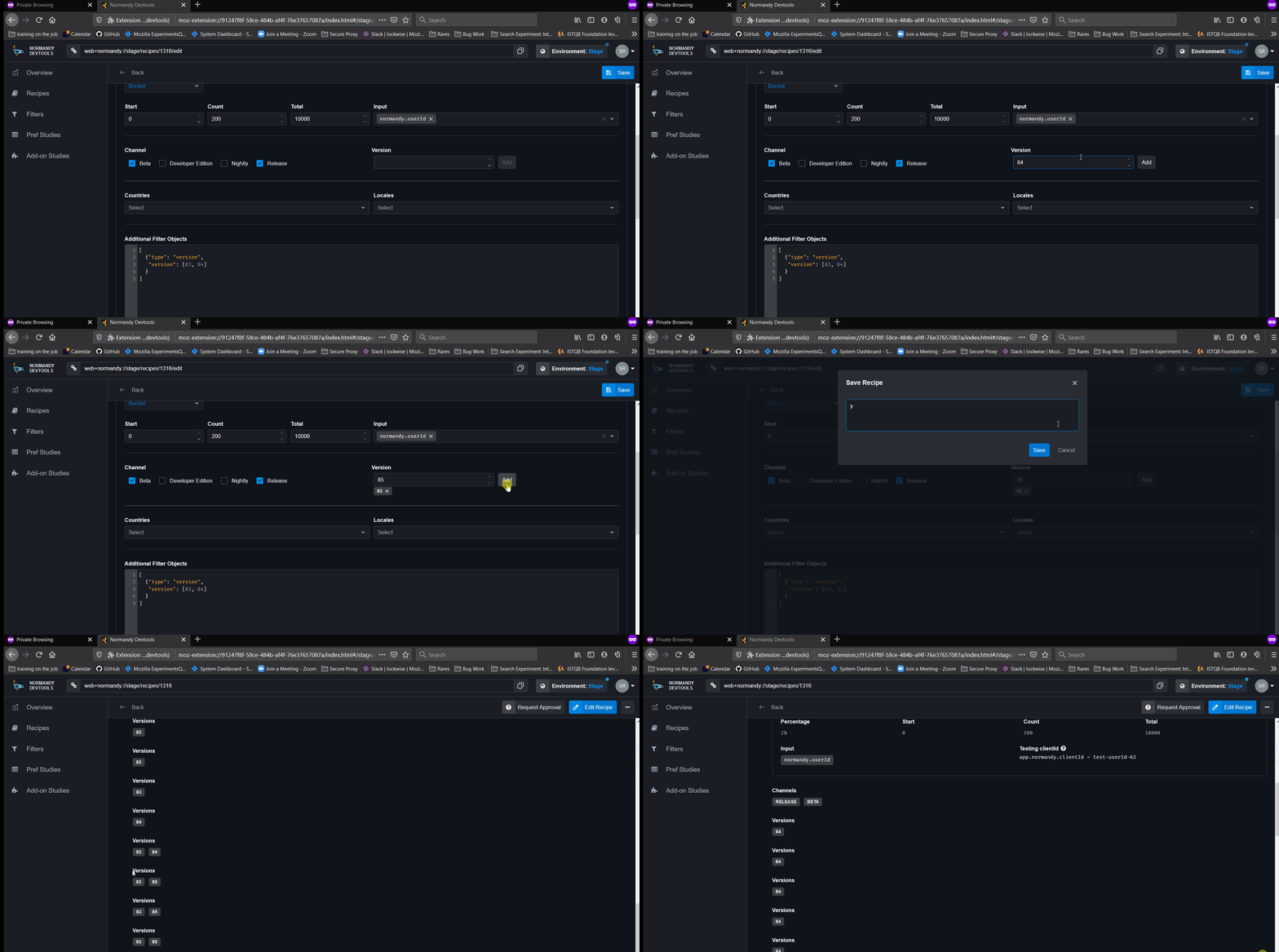
- Set up any experiment recipe (link to set-up) targeting your browser using an additional filter object related to the “Version” section.
e.g.:
[
{
"type": "version",
"versions": [83, 84]
}
] - Go to the “Version” section and add more versions.
- Observe the behavior.
[Expected result]:
- The versions are successfully added and visible.
[Actual result]:
- The versions are incorrectly added and randomly selected.
[Notes]:
- Also, this issue is reproducible on “Channel”, “Countries”, “Locales”, “Filter Object” sections when using Additional Filter Objects related to them.
- I’ve noticed that after saving the recipe, the “Version” labels are multiplied.
- Attached a screen recording of the issue.