Filter table from Banner#22
Conversation


 gretanausedaite
left a comment
gretanausedaite
left a comment
gretanausedaite
left a comment
There was a problem hiding this comment.
After you resolved conflicts, I think search filter should be last one to filter data in table.
Also, maybe we need a way to remove those filters?

| onTabSelected={(index) => setCurrentTab(index === 0 ? 'files' : 'details')} | ||
| onTabSelected={(index) => { | ||
| setCurrentTab(index === 0 ? 'files' : 'details'); | ||
| context.setSeverityFilter(undefined); |
There was a problem hiding this comment.
After you resolved conflicts, I think search filter should be last one to filter data in table. Also, maybe we need a way to remove those filters?
@gretanausedaite Filters can be removed by clicking banner a 2nd time or by switching tabs
There was a problem hiding this comment.
I don't think "Clicking banner a 2nd time" would be obvious "remove filter" action for users. I could be wrong. @FlyersPh9, any comments?
We can pass severity filter value to tables initial state:
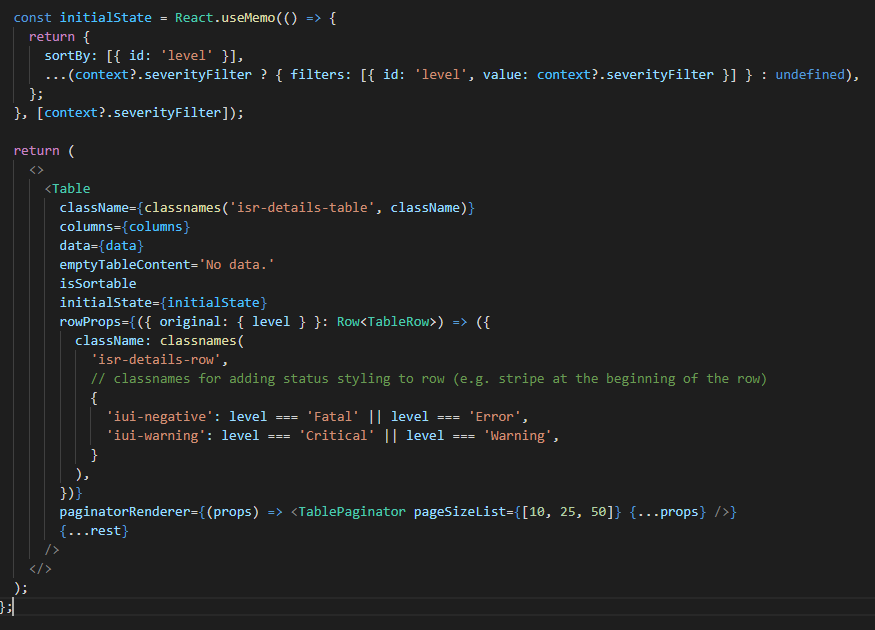
This way when users click on banner, filter icon shows that filter was applied
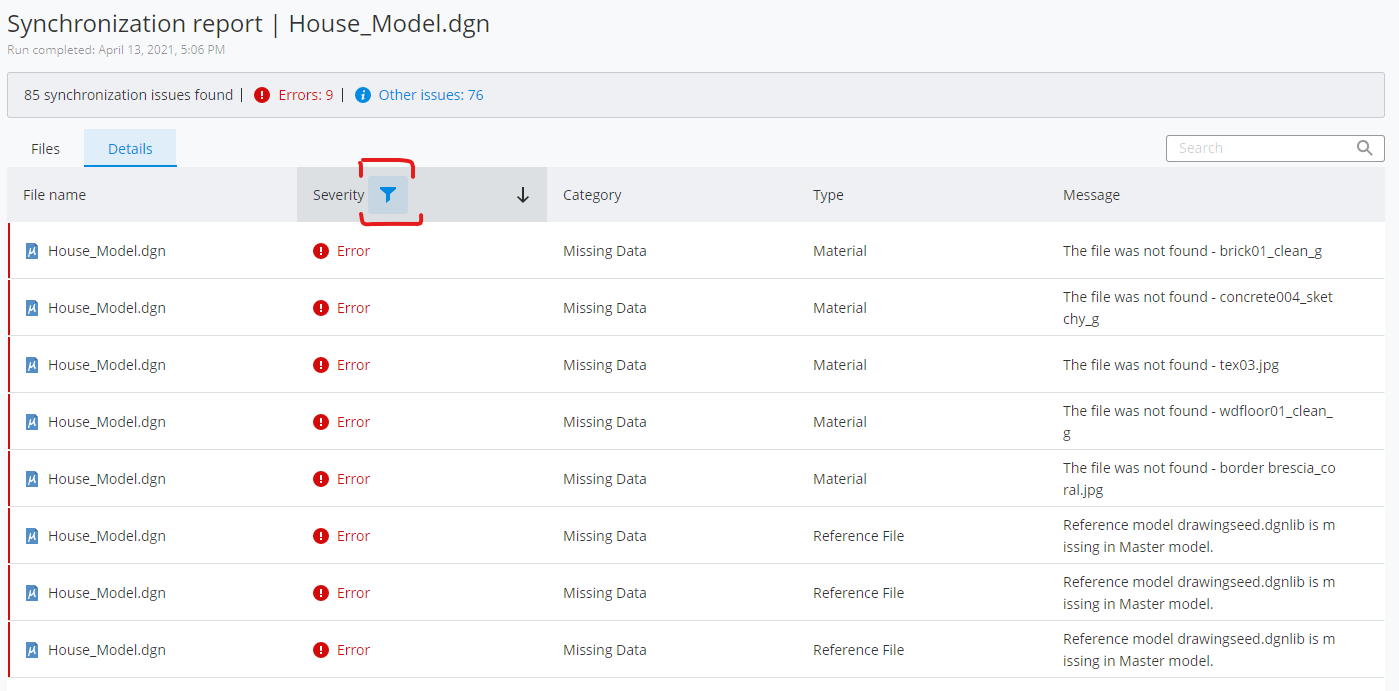
But we'd need to rethink all data filtering actions, maybe move them to initial state. And I didn't quickly find a way to add Fatal and Errors to Error filter, so that might be a problem.
Anyways, for first implementation, if Jon approves, we could leave it as is.
There was a problem hiding this comment.
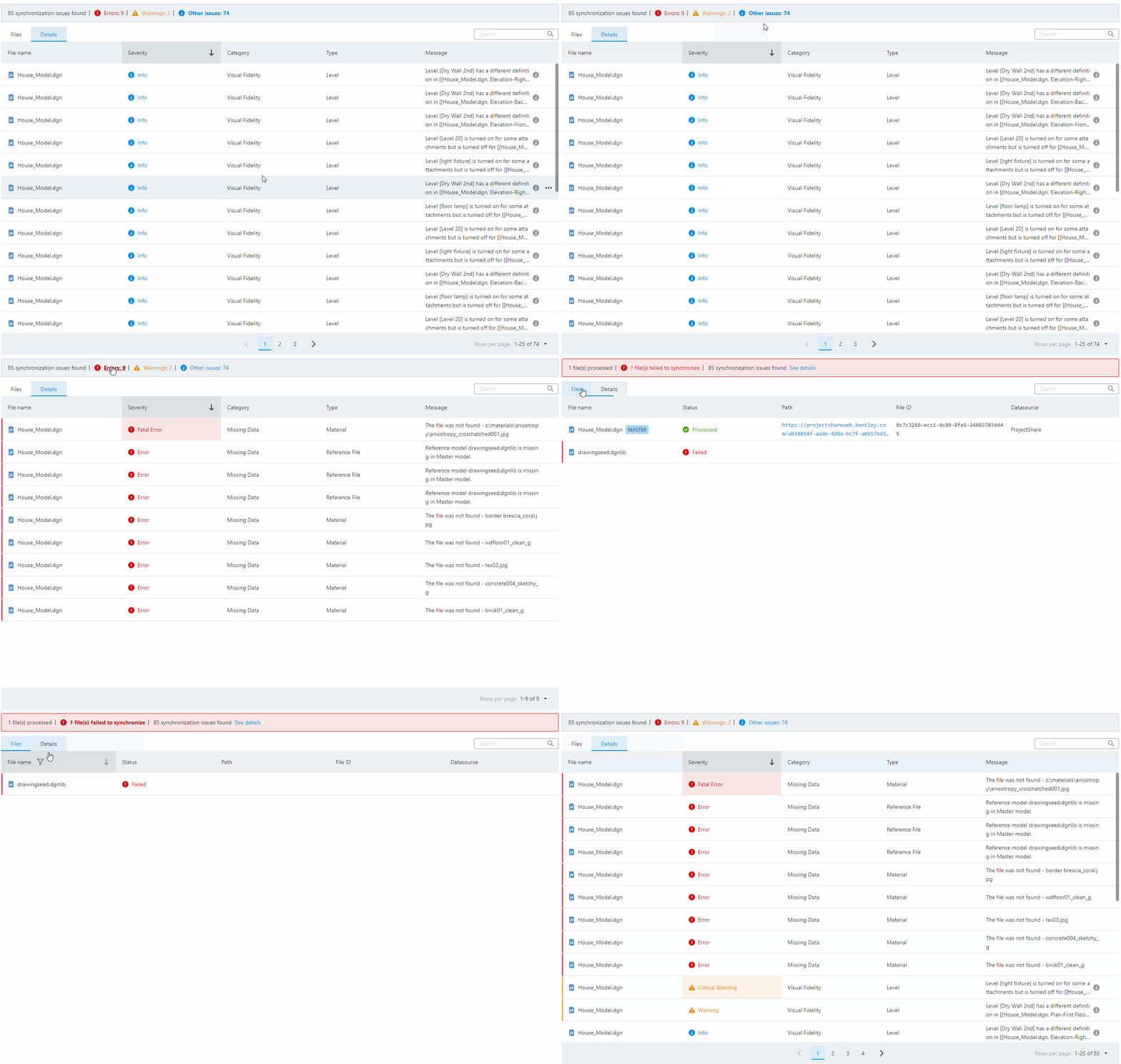
I agree we need a way to visually know which filter is active.
I couldn't figure out either how to filter by both fatal and error or both warning and critical on the table, so I couldn't get the initial state in the table to work correctly.
So instead I added isr-active so that you can tell visually when each filter is active.

There was a problem hiding this comment.
I don't think "Clicking banner a 2nd time" would be obvious "remove filter" action for users. I could be wrong. @FlyersPh9, any comments?
Clicking a 2nd time on the banner to remove the filter does seem unintuitive. I would expect the user to clear the column filter by using Clear button within the column filter.

3 participants


Added filtering table from banner.
Filter Details tables by clicking on banner error/warning/info
Filter Files table by clicking on failed files
Clicking on "See details" switches to details table.