Just to keep in memory:
- Create a text file with your message, say "message.txt"
- Now choose target file (it can be any file like a.jpg,a.png,a.exe,..etc), say "image.jpg"
- Now execute follwing command:
$ copy /b "image.jpg"+"message.txt" "NewImage.jpg"
You can see an example of this by opening an image or video file as text (I used for eg: $ vi example.mp4 - see the red square)
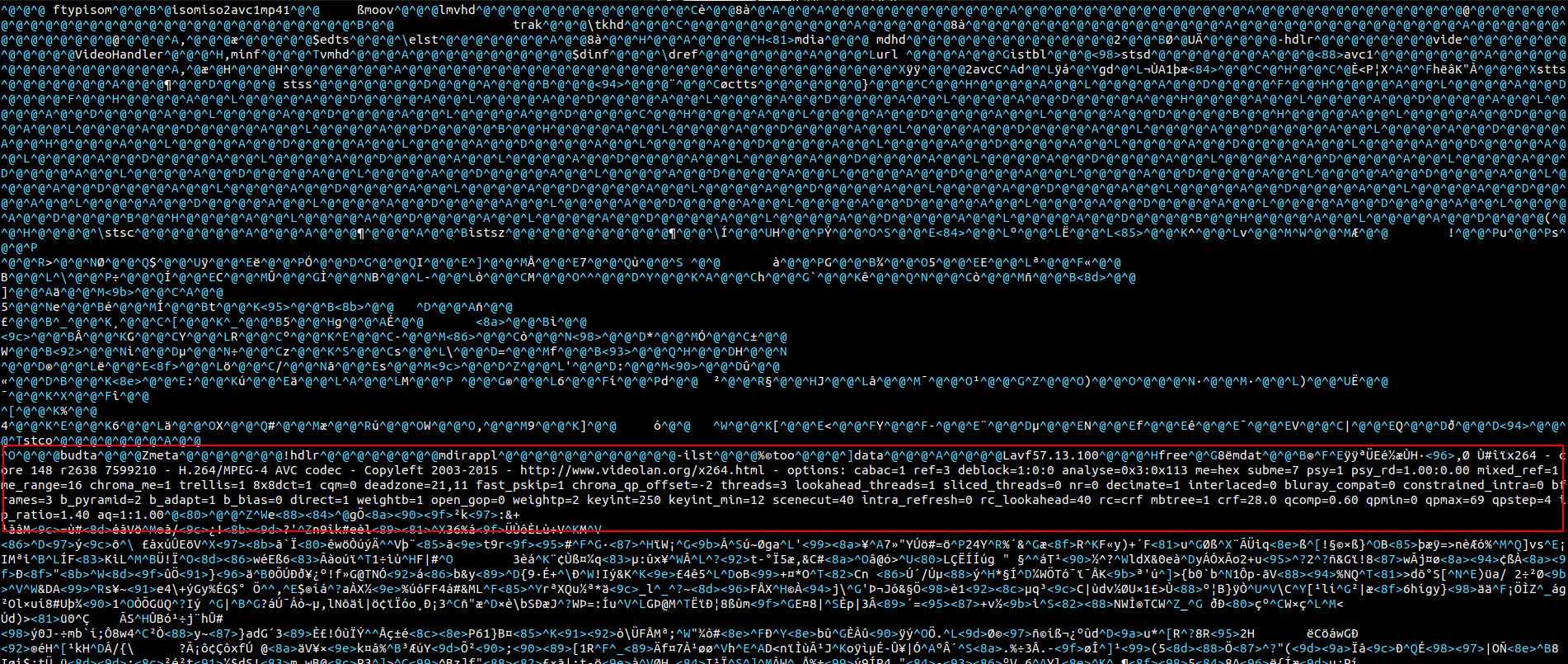
The image above is a gif downloaded from Telegram desktop and directly saved as .mpg file.
This is very very bad!
Some resources for future purposes:


Just to keep in memory:
$ copy /b "image.jpg"+"message.txt" "NewImage.jpg"You can see an example of this by opening an image or video file as text (I used for eg:

$ vi example.mp4- see the red square)The image above is a gif downloaded from Telegram desktop and directly saved as
.mpgfile.This is very very bad!
Some resources for future purposes:
tracker3 infocommand: https://man.archlinux.org/man/tracker3-info.1.enextractmanpage: https://linux.die.net/man/1/extract