Skip to content

Latest commit


History

History
33 lines (16 loc) · 1.46 KB

File metadata and controls

33 lines (16 loc) · 1.46 KB

How to find your API credentials in UiPath

This guide will walk you through the steps needed to find UiPath Credentials in Orchestrator
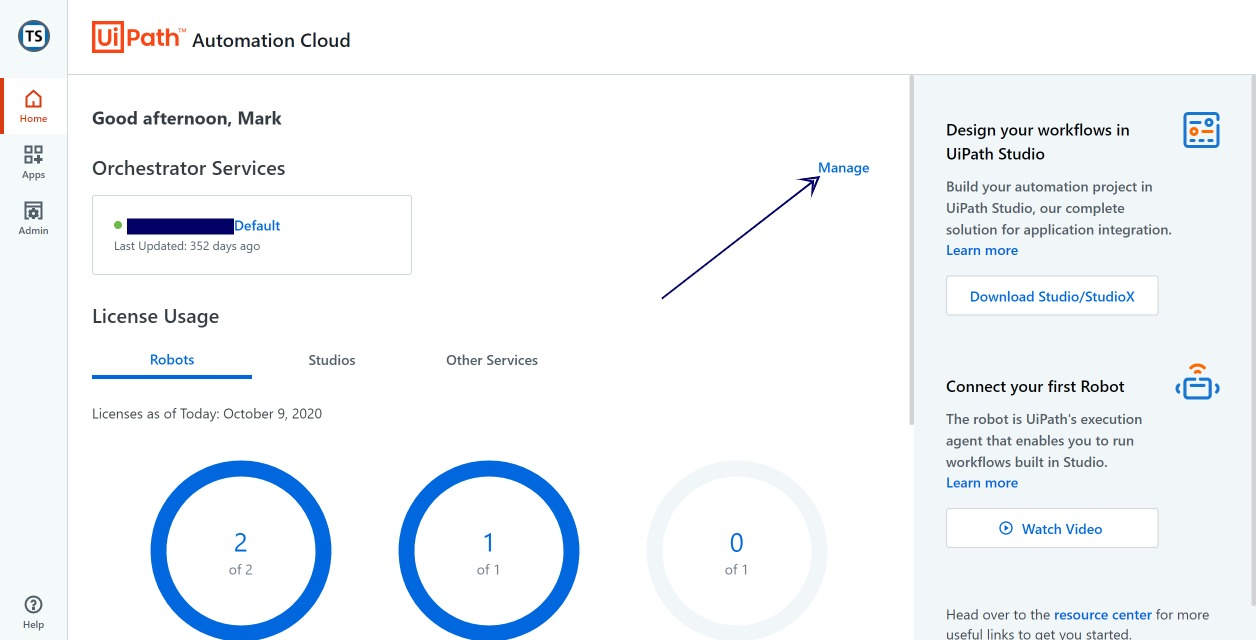
1. Start on the main management page of Orchestrator and click Manage

Home - UiPath Automation Cloud (1)

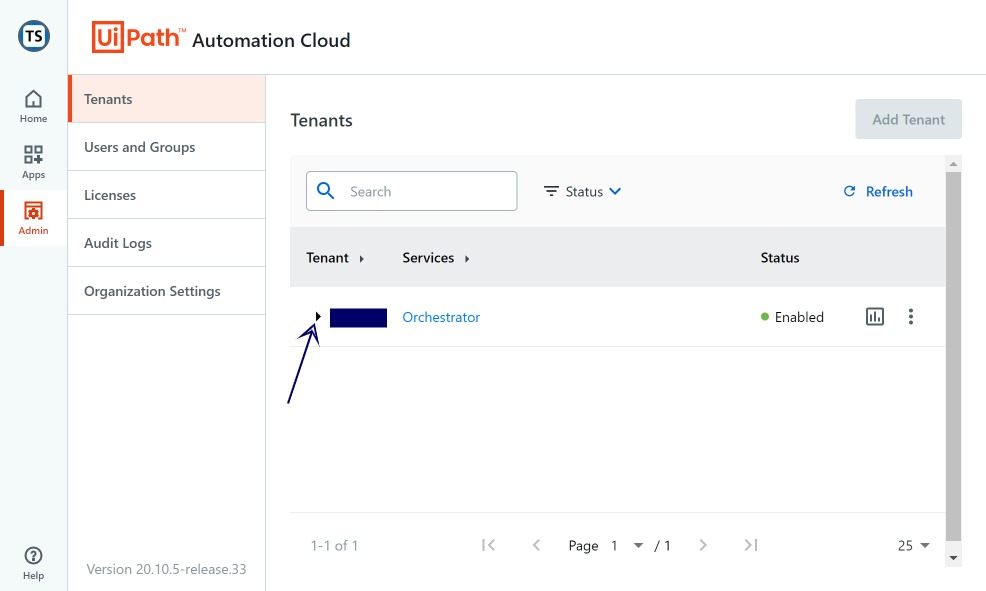
2. Click the dropdown button next to the "Tenant" name

Tenants (1)

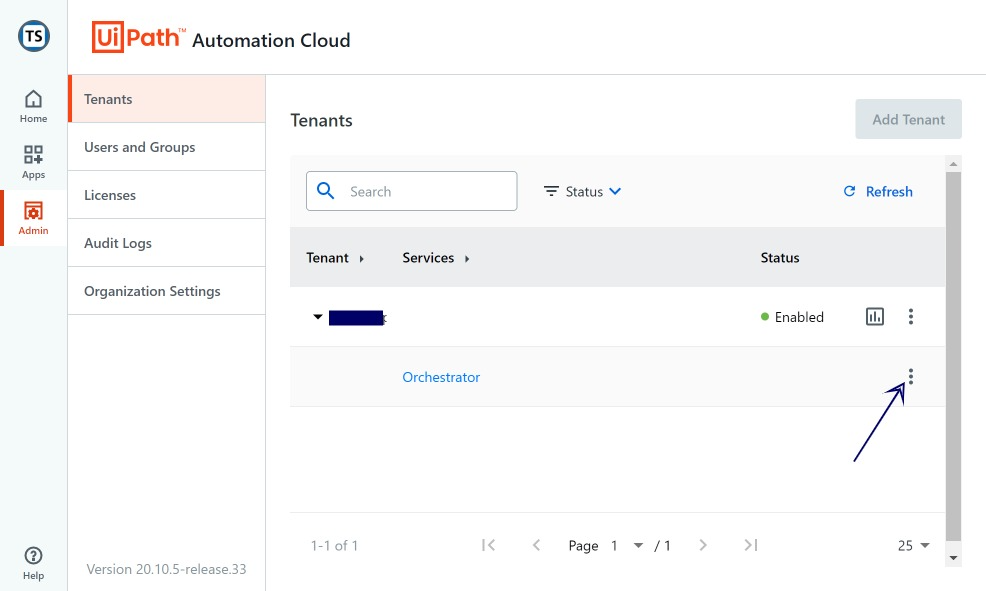
3. To the right of Orchestrator, click the 'more' icon

Tenants (2)

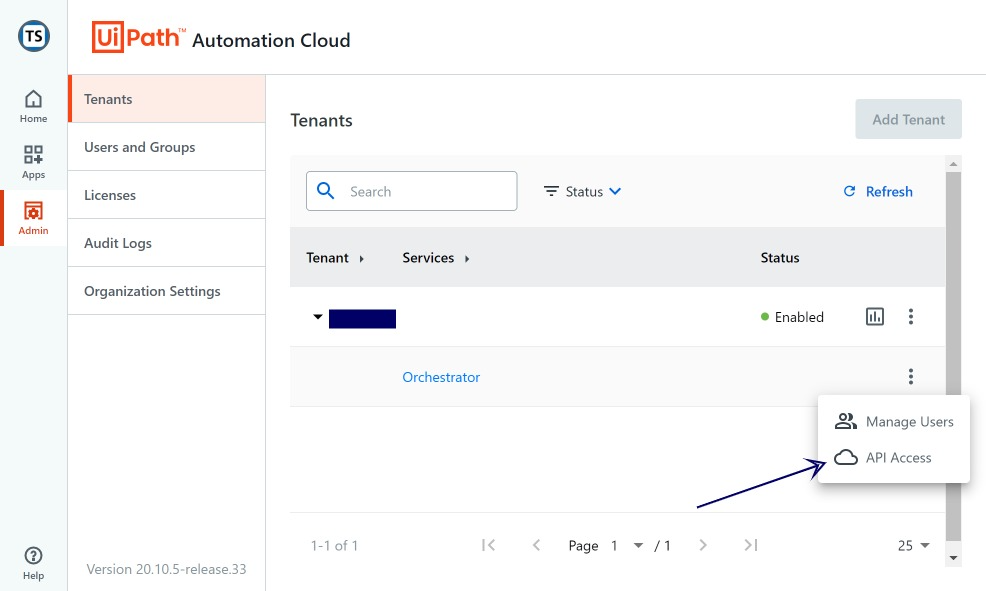
4. Finally Click "API Access"

Tenants (3)

At this point you should see your credentials, please take note, and copy them to the api.js file or where you store your credentials (Environment variable etc.)
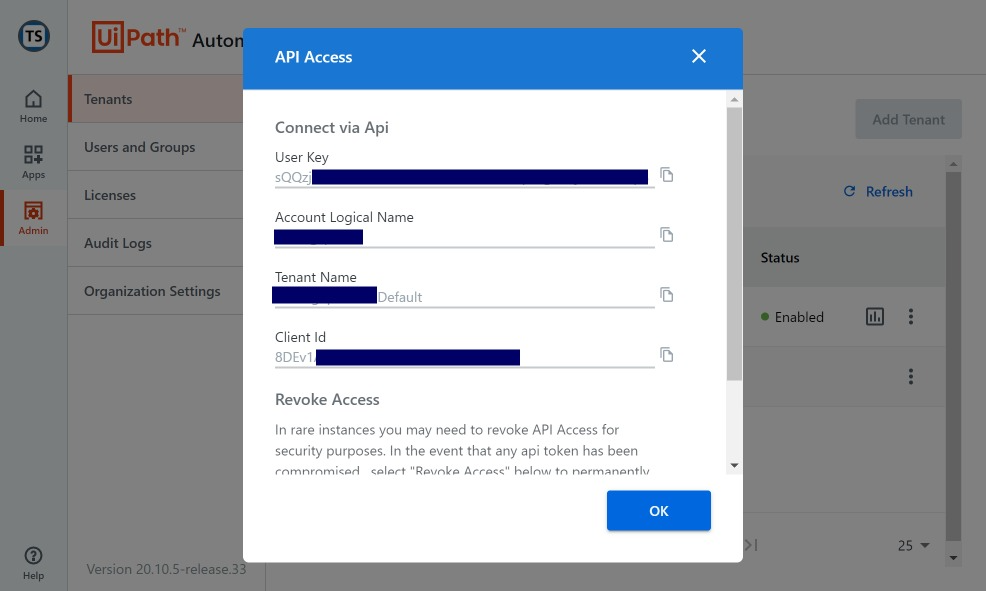
Tenants (4)

Retrieving Bot Information

Bot information can be found in Orchstrator under the 'Automations' tab:
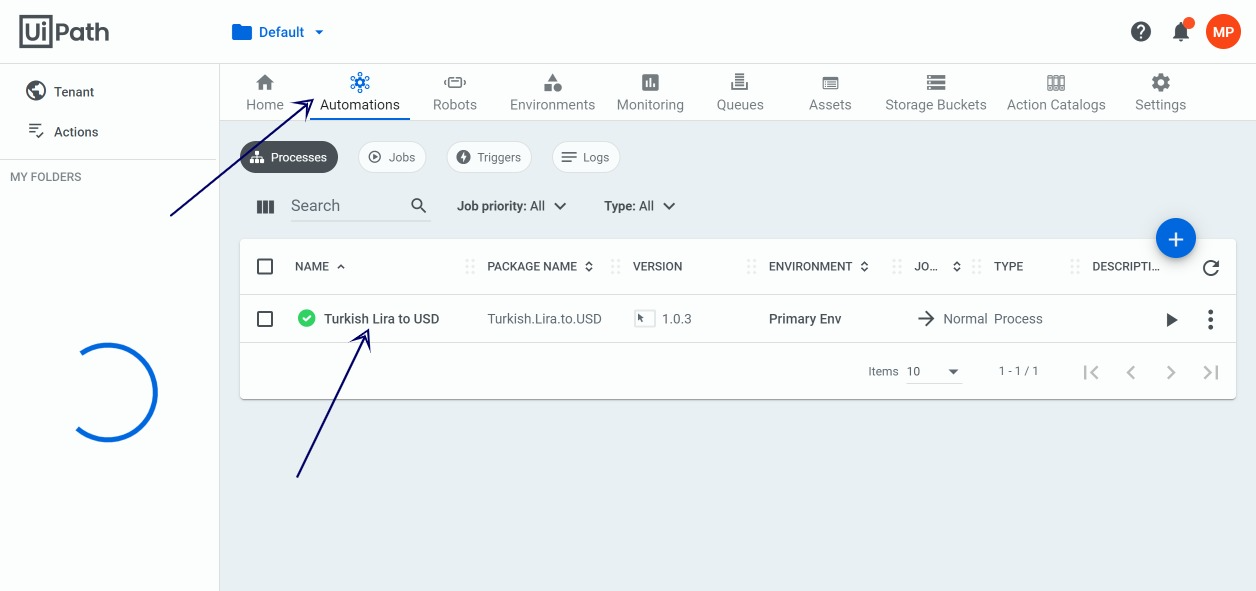
Processes - UiPath Orchestrator

The only piece on information you need here is the 'Name', this will be how we lookup and start your bot via the API.