Name of the game:
チンブラ戦隊ブライアン. Note: no RPG_RT seemed to be present in the folder, so I had to add the Japanese 2k RPG_RT to test. This is not an issue with the auto-detection of EasyRPG Player. This game intensively uses the MIDI tick rate to work so you can't just speed up in it to test.
Player platform:
Windows, 64 bits 0.8.0 version of the Player.
Describe the issue in detail and how to reproduce it:
In the map 21 of said game, the following Set Move Route with a frequency of 8 on the player is used:
Increase Speed, Increase Speed, Increase Speed, Increase Speed, Increase Speed, Decrease Speed, Decrease Speed, Through ON, Play SE, Jump, Move Right, Move Right, Move Right, Move Right, Move Right, Move Right, Move Right, Move Right, Move Right, Move Right, Move Right, Move Right, Move Right, Move Right, Move Right, Move Right, Move Right, Move Right, Move Right, Move Right, Move Down, Move Down, Move Down, Move Down, Move Down, Move Down, Move Down, Move Down, Move Down, Move Down, Move Down, Move Down, Move Down, Move Down, Move Down, Land.
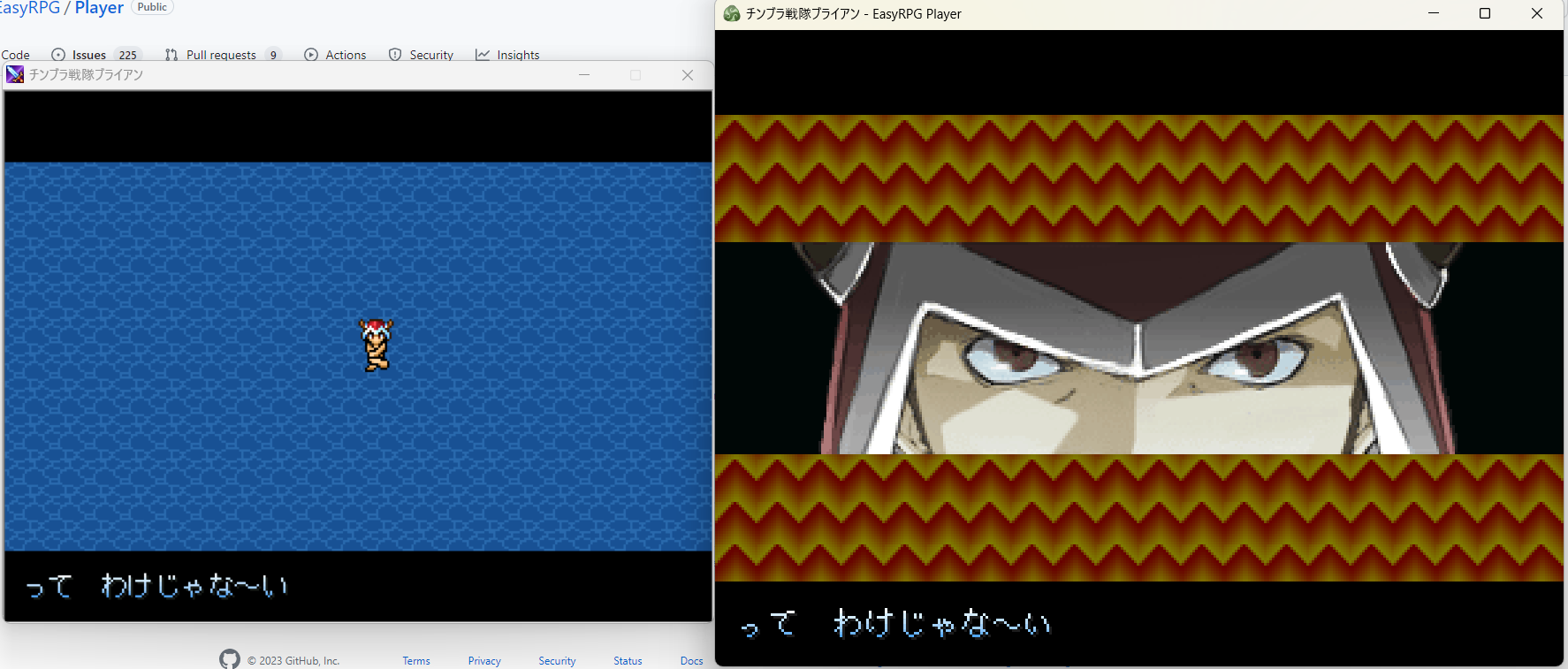
When this is done, the camera will not be scrolled correctly, letting the pictures displayed on your screen while it should not be the case.

Name of the game:
チンブラ戦隊ブライアン. Note: no RPG_RT seemed to be present in the folder, so I had to add the Japanese 2k RPG_RT to test. This is not an issue with the auto-detection of EasyRPG Player. This game intensively uses the MIDI tick rate to work so you can't just speed up in it to test.
Player platform:
Windows, 64 bits 0.8.0 version of the Player.
Describe the issue in detail and how to reproduce it:
In the map 21 of said game, the following Set Move Route with a frequency of 8 on the player is used:
Increase Speed, Increase Speed, Increase Speed, Increase Speed, Increase Speed, Decrease Speed, Decrease Speed, Through ON, Play SE, Jump, Move Right, Move Right, Move Right, Move Right, Move Right, Move Right, Move Right, Move Right, Move Right, Move Right, Move Right, Move Right, Move Right, Move Right, Move Right, Move Right, Move Right, Move Right, Move Right, Move Right, Move Down, Move Down, Move Down, Move Down, Move Down, Move Down, Move Down, Move Down, Move Down, Move Down, Move Down, Move Down, Move Down, Move Down, Move Down, Land.
When this is done, the camera will not be scrolled correctly, letting the pictures displayed on your screen while it should not be the case.
