problem. due to missing quotes around variable the batch script will fail to run if it is located in a path that contains spaces.
echo Where is the PowerShell script file?, I could not find: %ffp%

suggestion. remove -NoExit from:
start "Kickstarting PowerShell Script: %~n0" /D "%pathdir%" /LOW /WAIT cmd /C powershell.exe -NoLogo -NoExit -NoProfile -ExecutionPolicy ByPass -File "%ffp%"
This change would allow the initial command prompt and unelevated PowerShell window to close rather than remain open.
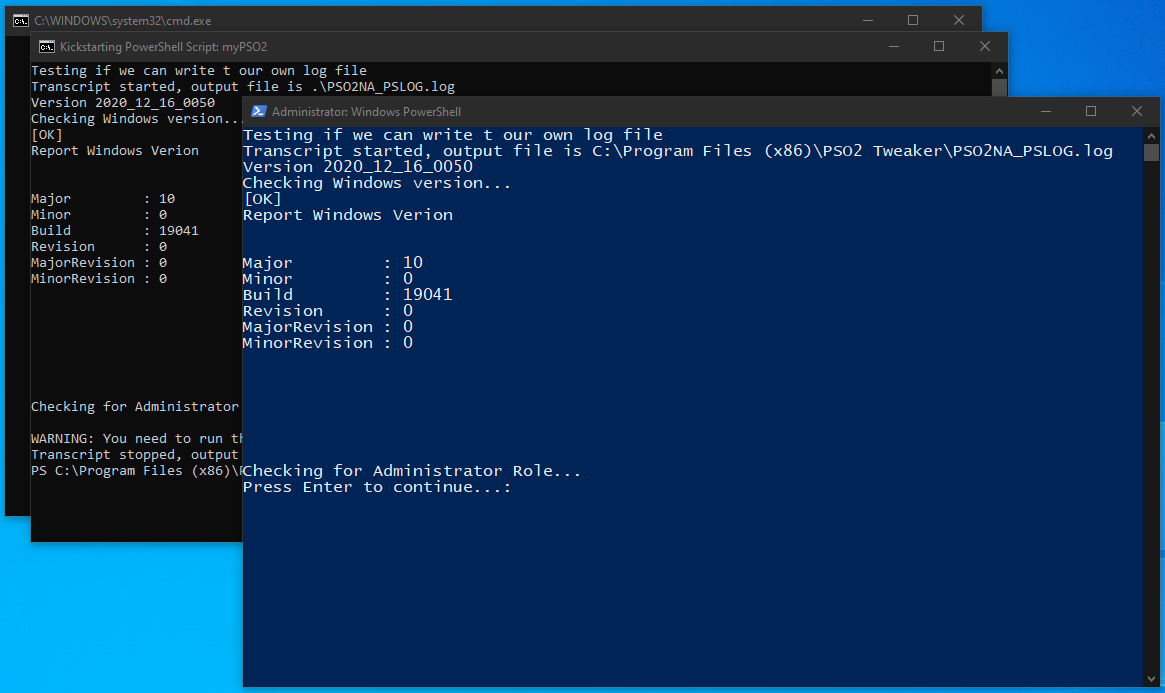
another suggestion. add a descriptive message to the else block before the file listing command to indicate to the user what the output means.
echo List of .ps1 files found in "%pathdir%":


problem. due to missing quotes around variable the batch script will fail to run if it is located in a path that contains spaces.
suggestion. remove -NoExit from:
This change would allow the initial command prompt and unelevated PowerShell window to close rather than remain open.

another suggestion. add a descriptive message to the else block before the file listing command to indicate to the user what the output means.